

Tripwire
Implement a system to detect file tampering on Linux servers by crackers.
This time, Tripwire, a host-based IDS (IDS=Intrusion Detection System), will be installed as the file tampering detection system.
Tripwire creates a database of file status at the time of installation, and detects file additions/changes/deletions by comparing the database with the current status of the file.
1 Install
# apt -y install tripwire
Tripwire requires a site passphrase to secure the "tw.cfg" tripwire configuration file and the "tw.pol" tripwire policy file. The specified passphrase is used to encrypt both files. The site passphrase is also required for a single instance of tripwire.
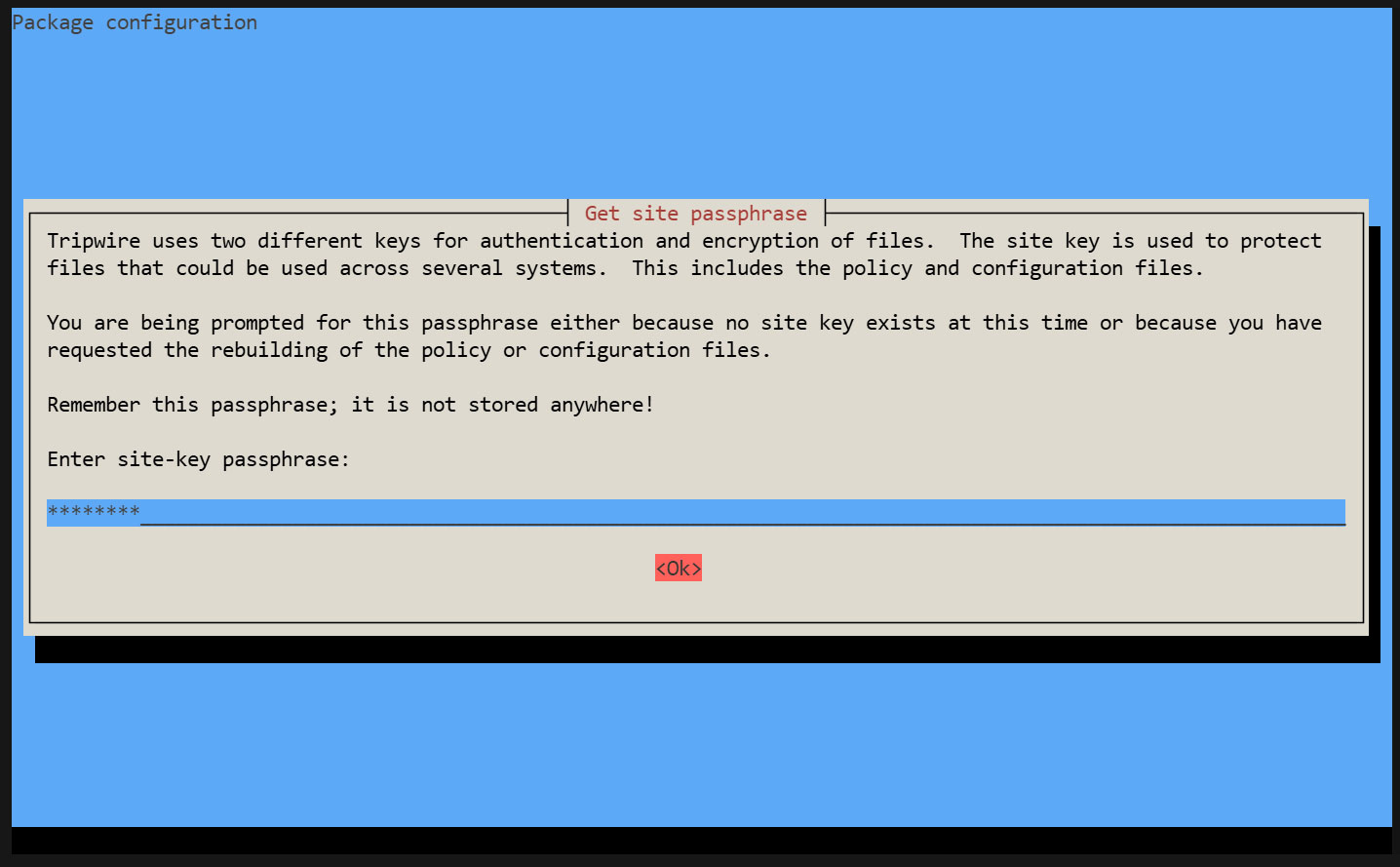
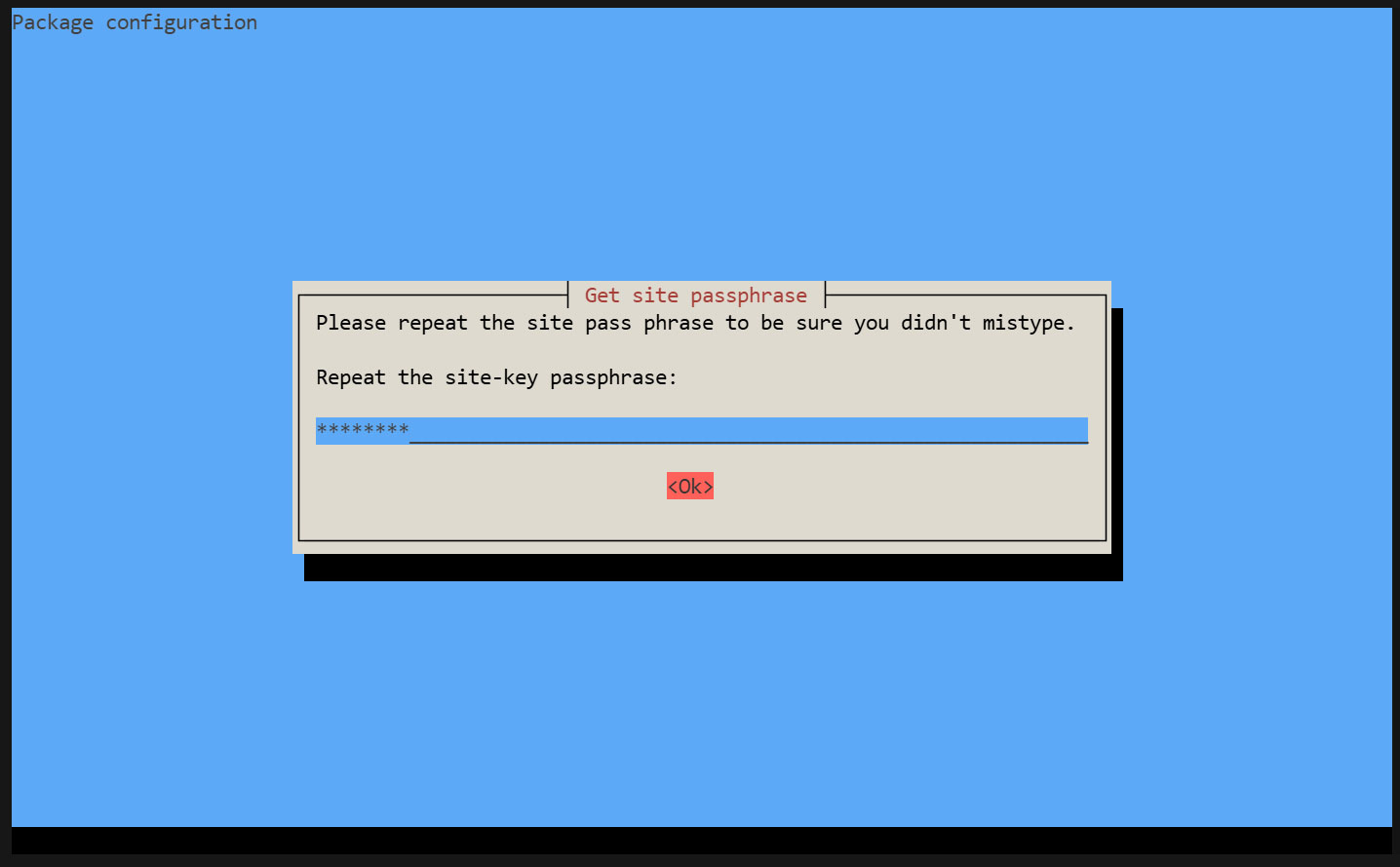
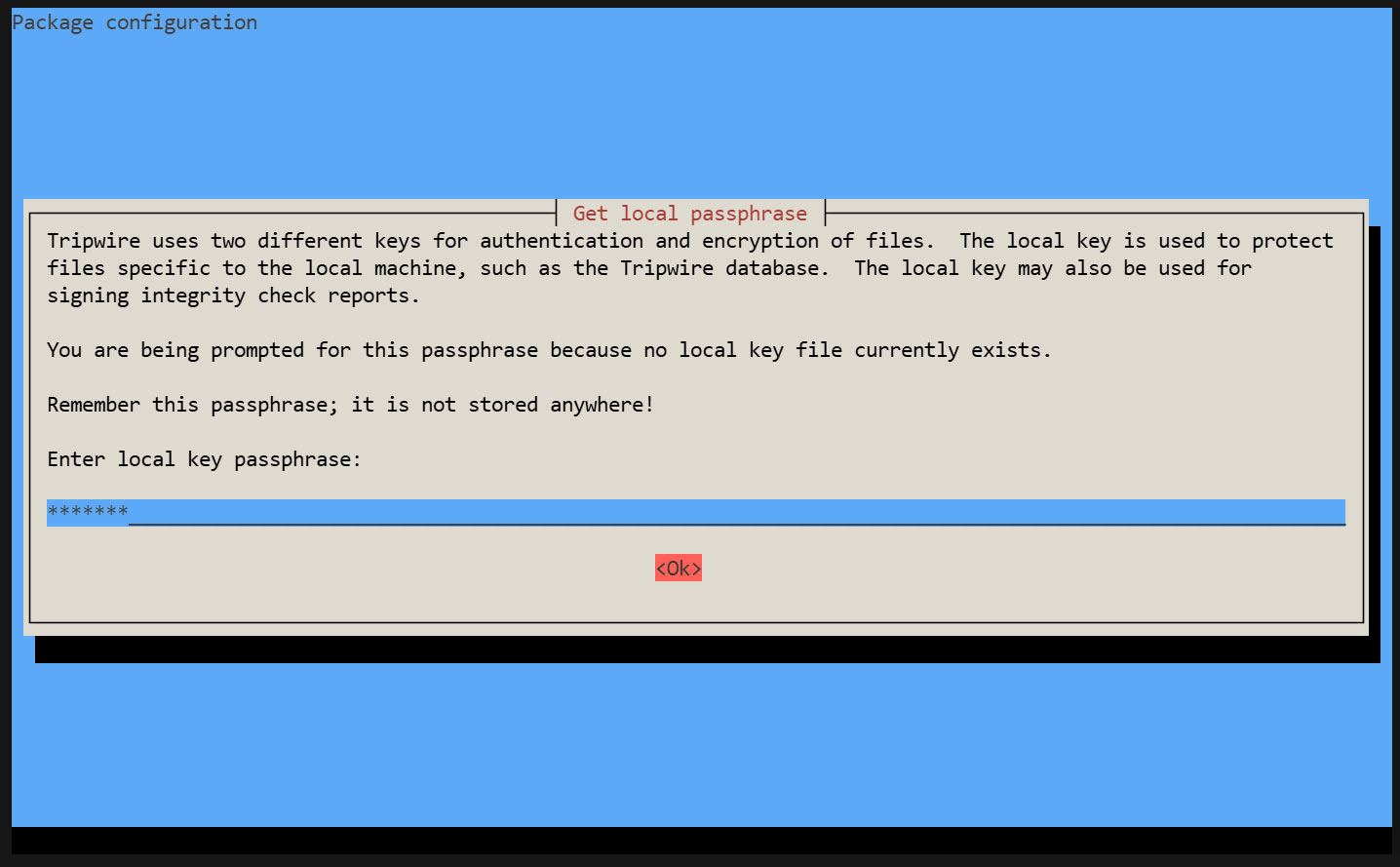
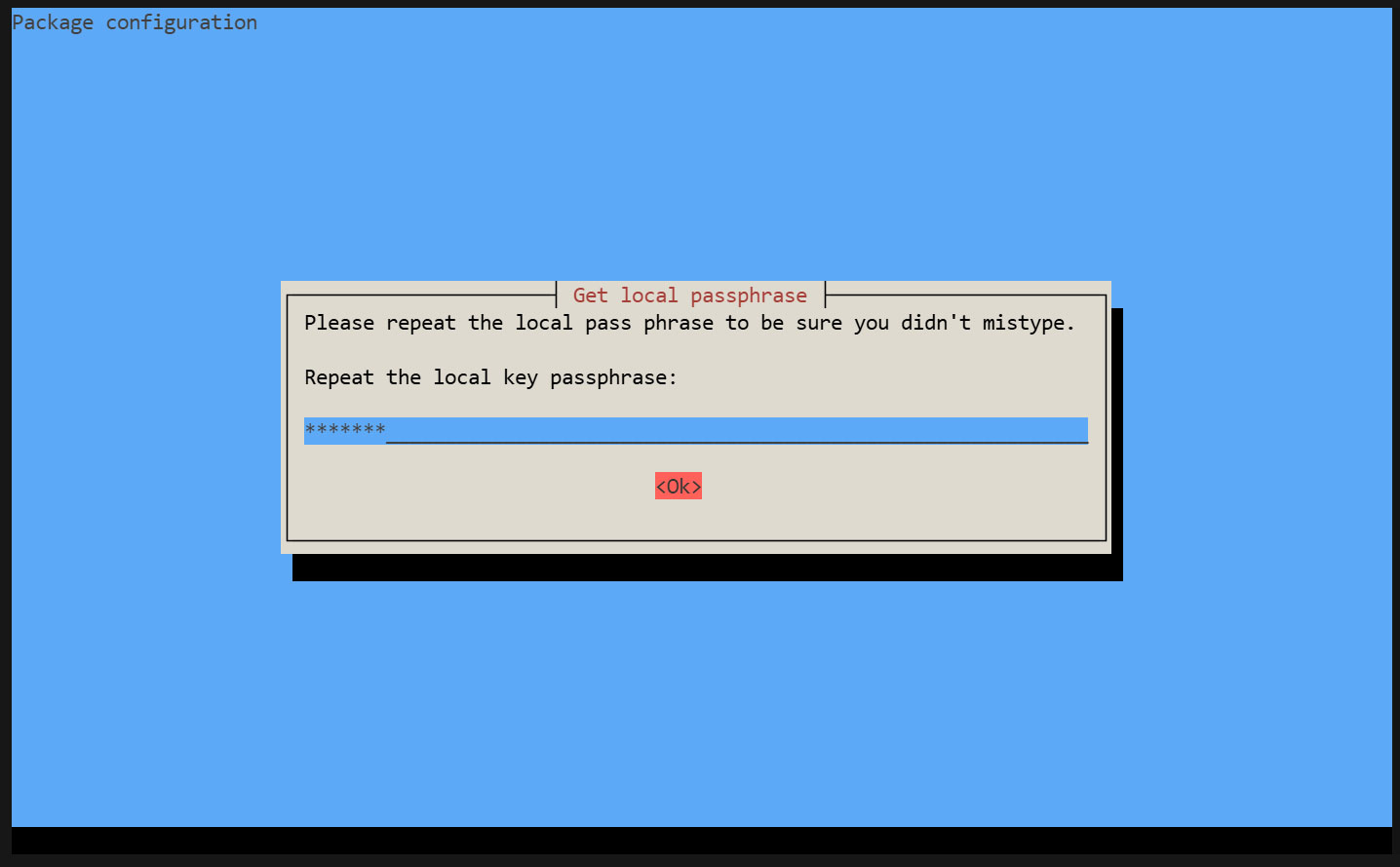
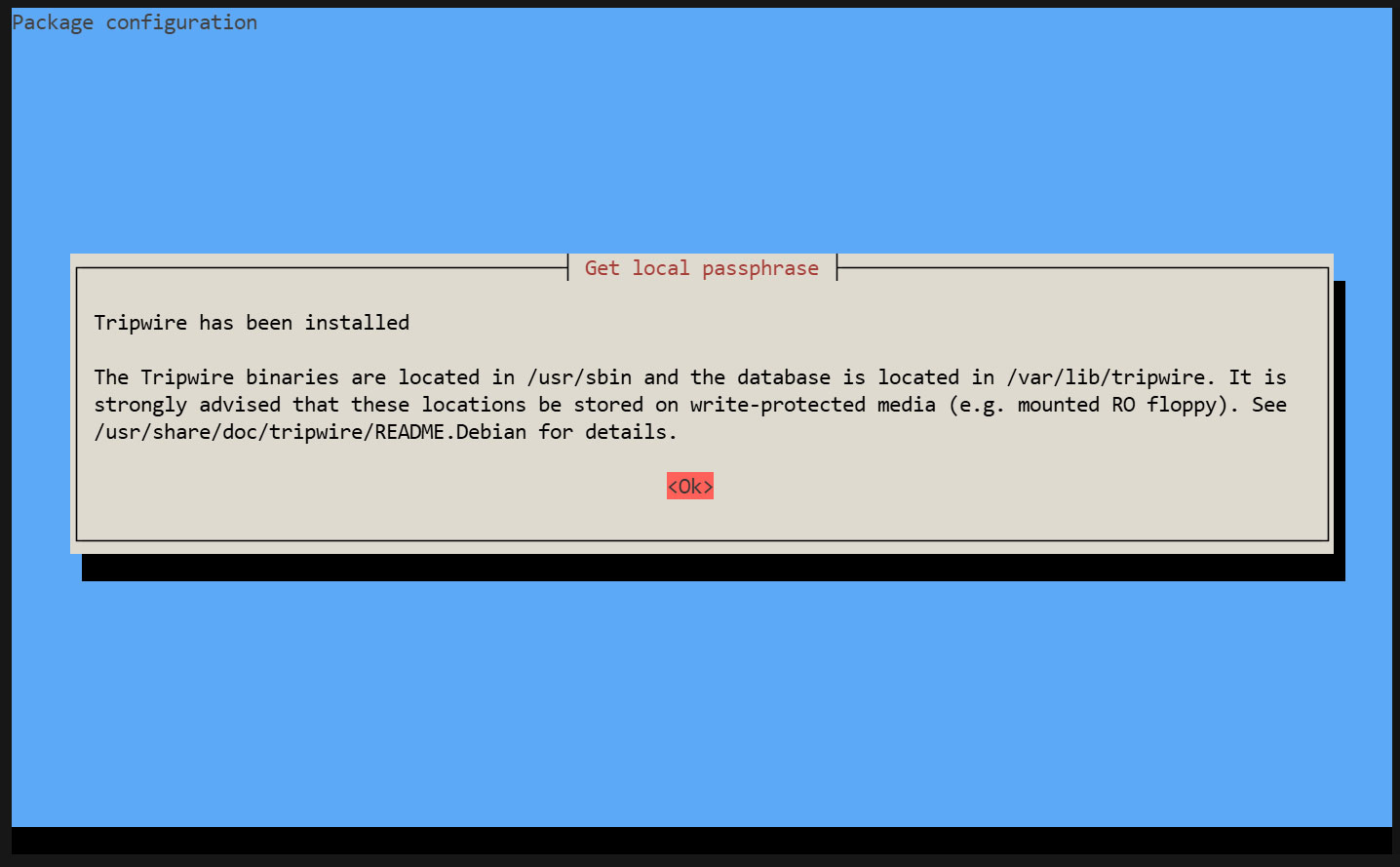
During the installation process, you will be prompted to enter the "site key passphrase" and the "local key passphrase".
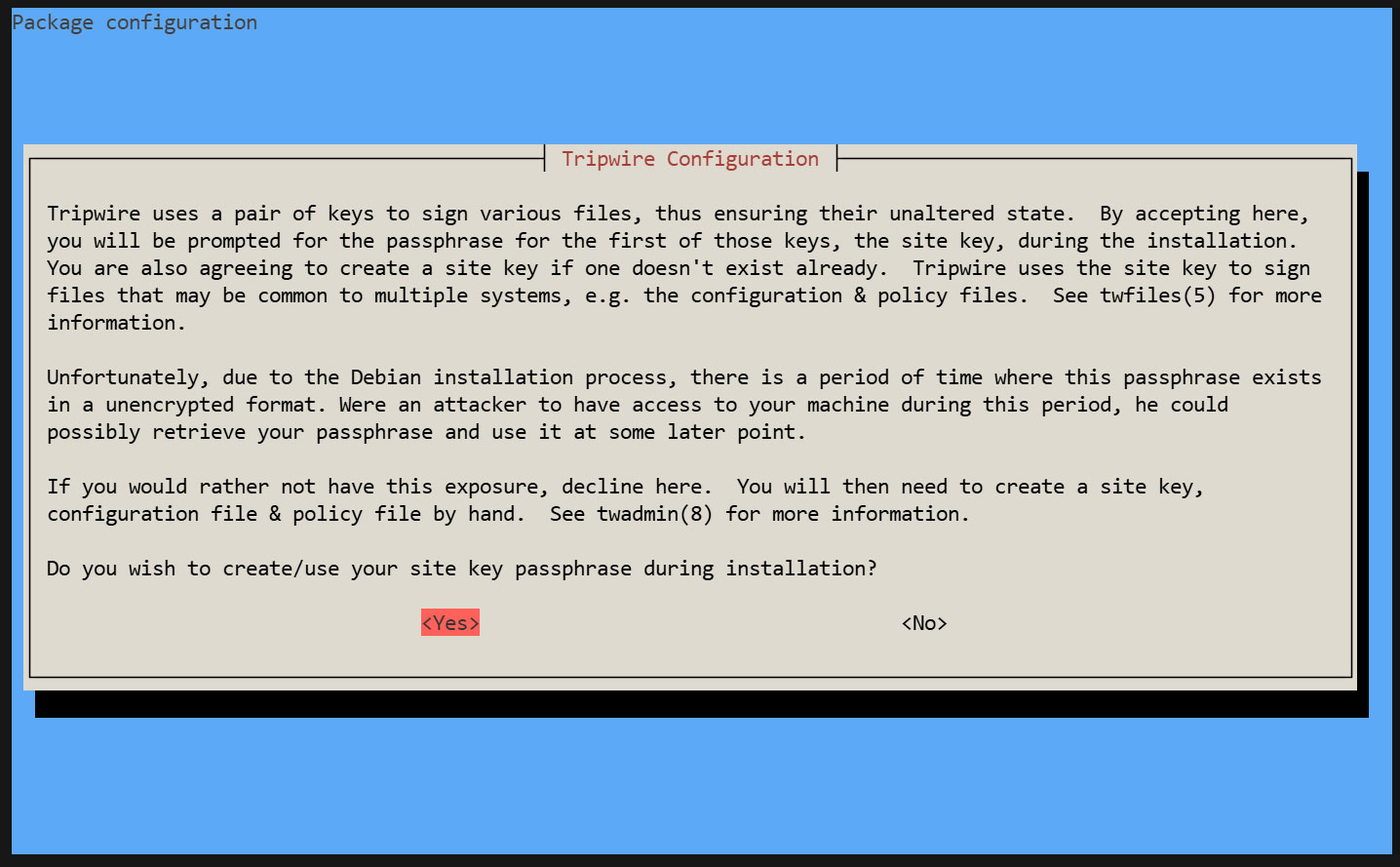
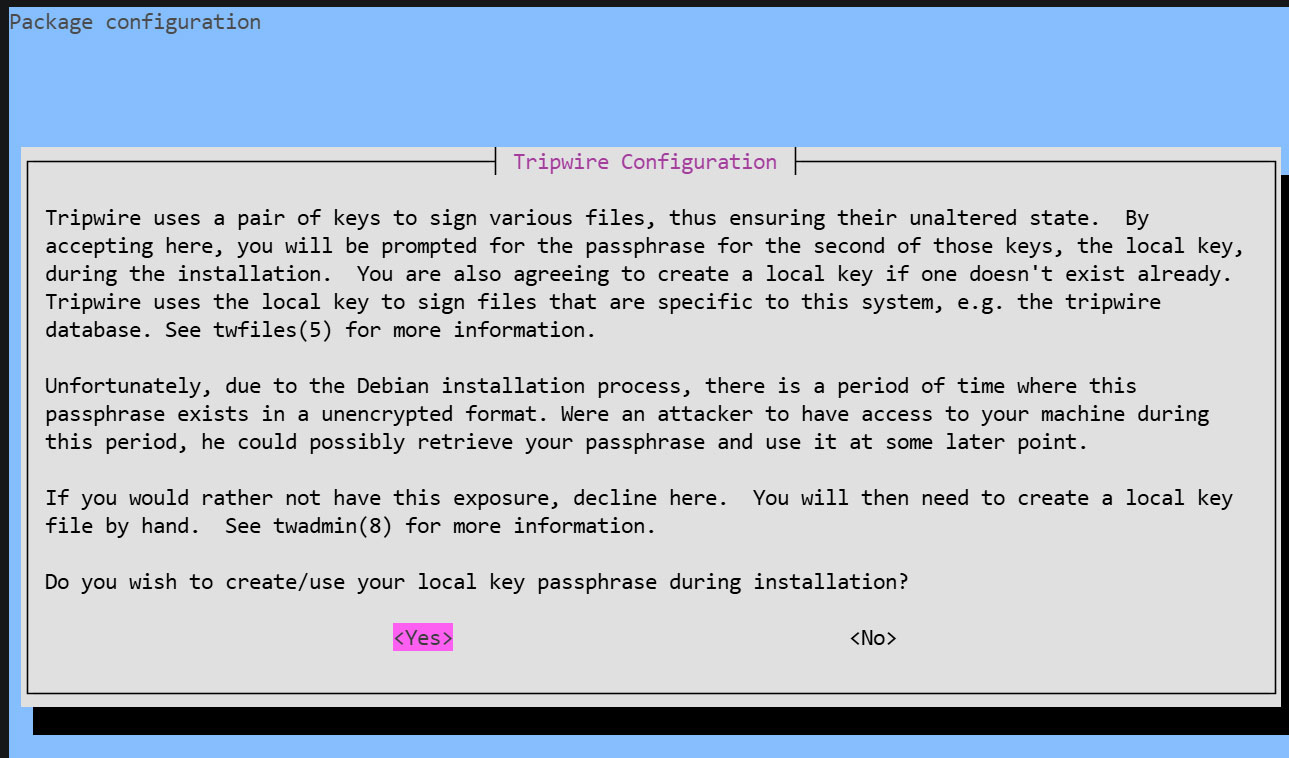
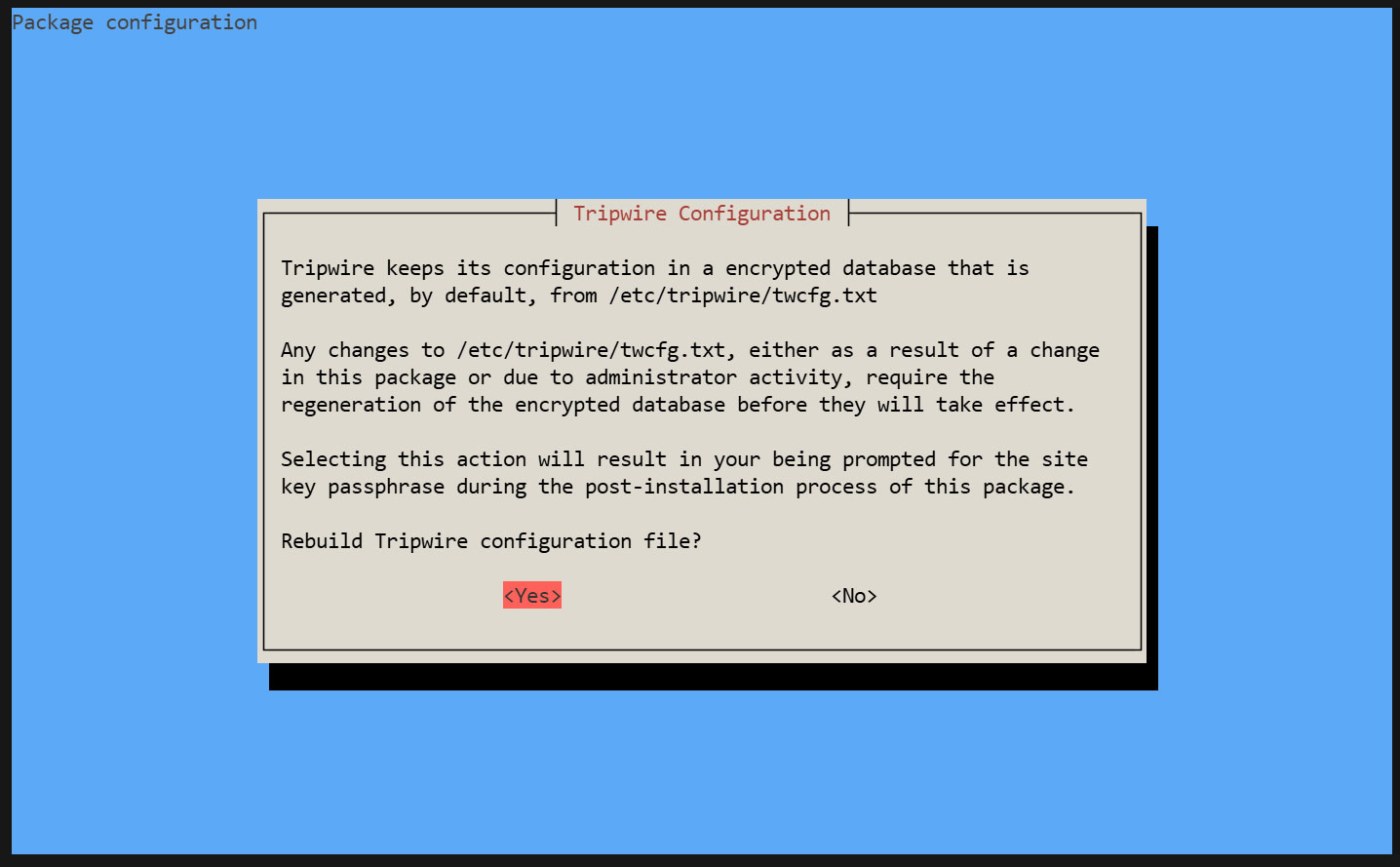
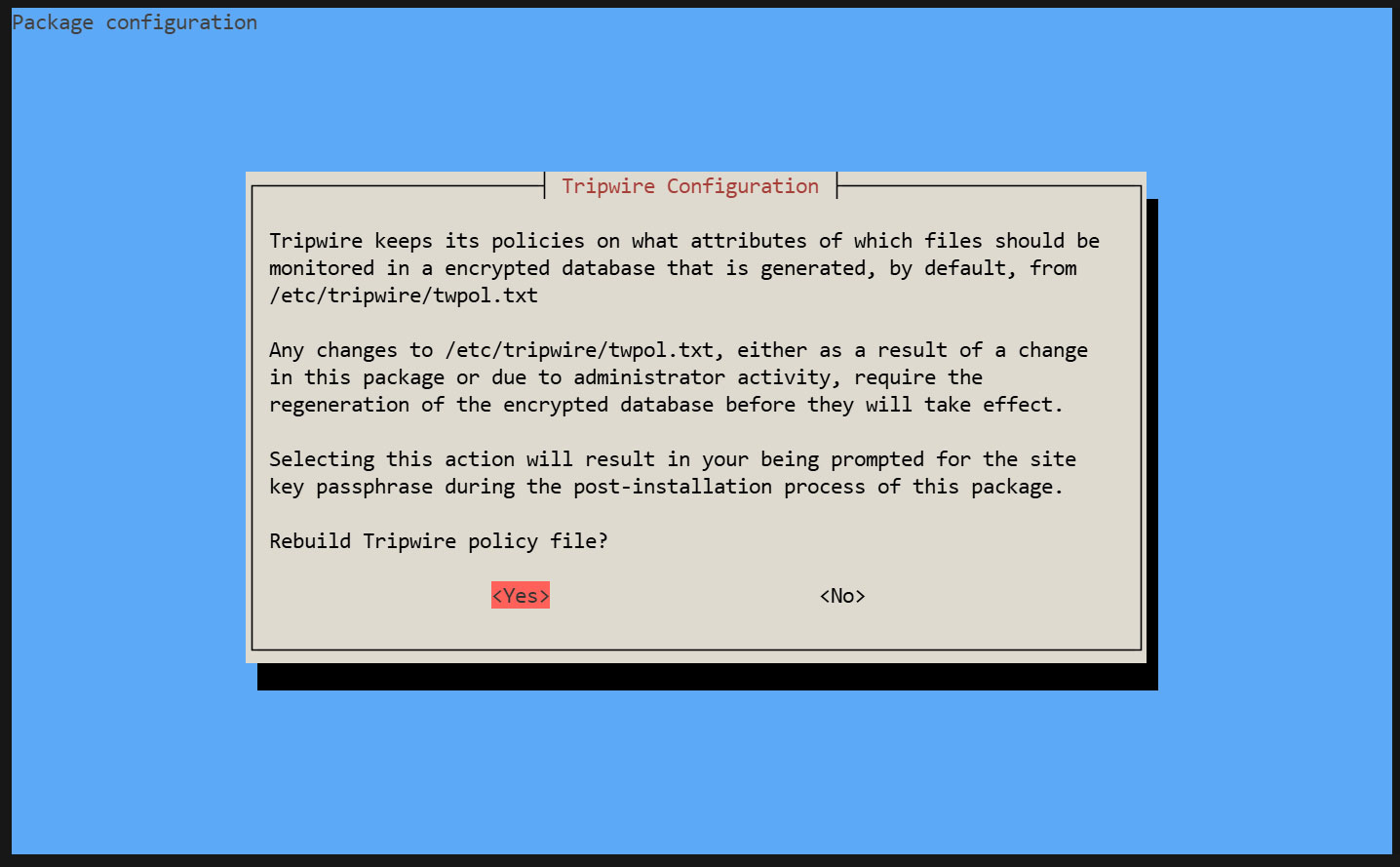
Creating a Site Key Passphrase
Creating a Local Key Passphrase
A local passphrase is required to protect the Tripwire database and report files. The local key used by Tripwire to prevent unauthorized changes to the Tripwire baseline database.
The installation is progressing and will complete.
2. Configuration File Settings
①twcfg.txt Edit
# cd /etc/tripwire
# vi twcfg.txt
Line 9 : Change
LOOSEDIRECTORYCHECKING =true
Line 12:Change as needed (maximum report level: 4)
REPORTLEVEL =4
② Create a configuration file (encrypted signature version)
# twadmin -m F -c tw.cfg -S site.key twcfg.txt
Please enter your site passphrase: <site pass>
Wrote configuration file: /etc/tripwire/tw.cfg
③ Optimize Policy
Use the following policy optimization scripts to optimize your policy
# vi twpolmake.pl
Policy Optimization Script Contents
#!/usr/bin/perl

$POLFILE=$ARGV[0];
open(POL,"$POLFILE") or die "open error: $POLFILE" ;
my($myhost,$thost) ;
my($sharp,$tpath,$cond) ;
my($INRULE) = 0 ;
while (<POL>) {
chomp;
if (($thost) = /^HOSTNAME\s*=\s*(.*)\s*;/) {
$myhost = `hostname` ; chomp($myhost) ;
if ($thost ne $myhost) {
$_="HOSTNAME=\"$myhost\";" ;
}
}
elsif ( /^{/ ) {
$INRULE=1 ;
}
elsif ( /^}/ ) {
$INRULE=0 ;
}
elsif ($INRULE == 1 and ($sharp,$tpath,$cond) = /^(\s*\#?\s*)(\/\S+)\b(\s+->\s+.+)$/) {
$ret = ($sharp =~ s/\#//g) ;
if ($tpath eq '/sbin/e2fsadm' ) {
$cond =~ s/;\s+(tune2fs.*)$/; \#$1/ ;
}
if (! -s $tpath) {
$_ = "$sharp#$tpath$cond" if ($ret == 0) ;
}
else {
$_ = "$sharp$tpath$cond" ;
}
}
print "$_\n" ;
}
close(POL) ;
Policy File Optimization
# perl twpolmake.pl twpol.txt > twpol.txt.new
Create a policy file (encrypted and signed version) based on the optimized policy file.
# twadmin -m P -c tw.cfg -p tw.pol -S site.key twpol.txt.new
Please enter your site passphrase: <site pass>
Wrote policy file: /etc/tripwire/tw.pol
Exclude the Tripwire database itself from being checked
# echo ! "/var/lib/tripwire/`hostname`.twd ;" >> /etc/tripwire/twpol.txt.new
④Database Creation
# tripwire -m i -s -c tw.cfg
Please enter your local passphrase: <local pass>
3. Functionality Verification
①Create test file
# echo test > /root/test.txt
②Check Tripwire operation
# tripwire -m c -s -c /etc/tripwire/tw.cfg
If successful, the following display appears
Open Source Tripwire(R) 2.4.3.7 Integrity Check Report

Report generated by:          root
Report created on:            Fri 22 May 2026 04:43:36 PM JST
Database last updated on:     Never

===============================================================================
Report Summary:
===============================================================================

Host name:                    Lepard
Host IP address:              Unknown IP
Host ID:                      None
Policy file used:             /etc/tripwire/tw.pol
Configuration file used:      /etc/tripwire/tw.cfg
Database file used:           /var/lib/tripwire/Lepard.twd
Command line used:            tripwire -m c -s -c /etc/tripwire/tw.cfg

===============================================================================
Rule Summary:
===============================================================================

-------------------------------------------------------------------------------
  Section: Unix File System
-------------------------------------------------------------------------------

  Rule Name                       Severity Level    Added    Removed  Modified
  ---------                       --------------    -----    -------  --------
  Other binaries                  66                0        0        0
  Tripwire Binaries               100               0        0        0
  Other libraries                 66                0        0        0
  Root file-system executables    100               0        0        0
* Tripwire Data Files             100               1        0        0
  System boot changes             100               0        0        0
  Root file-system libraries      100               0        0        0
  (/lib)
  Critical system boot files      100               0        0        0
  Other configuration files       66                0        0        0
  (/etc)
  Boot Scripts                    100               0        0        0
  Security Control                66                0        0        0
* Root config files               100               1        0        0
  Devices & Kernel information    100               0        0        0
  (/dev)
  Invariant Directories           66                0        0        0

Total objects scanned:  36244
Total violations found:  2

===============================================================================
Object Summary:
===============================================================================

-------------------------------------------------------------------------------
# Section: Unix File System
-------------------------------------------------------------------------------

-------------------------------------------------------------------------------
Rule Name: Tripwire Data Files (/var/lib/tripwire/Lepard.twd)
Severity Level: 100
-------------------------------------------------------------------------------

Added:
"/var/lib/tripwire/Lepard.twd"

-------------------------------------------------------------------------------
Rule Name: Root config files (/root)
Severity Level: 100
-------------------------------------------------------------------------------

Added:
"/root/test.txt"

===============================================================================
Error Report:
===============================================================================

No Errors

-------------------------------------------------------------------------------
*** End of report ***

Open Source Tripwire 2.4 Portions copyright 2000-2018 Tripwire, Inc.  Tripwire is a registered
trademark of Tripwire, Inc. This software comes with ABSOLUTELY NO WARRANTY;
for details use --version. This is free software which may be redistributed
or modified only under certain conditions; see COPYING for details.
All rights reserved.
Delete the test file.
# rm -f /root/test.txt
4. Tripwire Autorun
①Create a script (tripwire.sh) for reporting results via email and set it to run automatically.
# cd /opt/script
# vi tripwire.sh
#!/bin/bash

PATH=/usr/sbin:/usr/bin:/bin:/usr/local/tripwire/sbin

# Passphrase Setup
LOCALPASS=xxxxx # Local Key Passphrase
SITEPASS=xxxxx # Site Key Passphrase

#Specify notification email address
MAIL="<your mailaddress> "

cd /etc/tripwire

# Tripwire Check Execution
tripwire -m c -s -c tw.cfg|mail -s "Tripwire(R) Integrity Check Report in `hostname`" $MAIL

# Policy File Update
twadmin -m p -c tw.cfg -p tw.pol -S site.key > twpol.txt
perl twpolmake.pl twpol.txt > twpol.txt.new
twadmin -m P -c tw.cfg -p tw.pol -S site.key -Q $SITEPASS twpol.txt.new > /dev/null
rm -f twpol.txt* *.bak

# Database Update
rm -f /usr/local/tripwire/lib/tripwire/*.twd*
tripwire -m i -s -c tw.cfg -P $LOCALPASS
②Give execute permission and execute periodically by Cron.
# chmod 700 tripwire.sh
# crontab -e
0 5 * * * /opt/script/tripwire.sh
Execute the following and verify that the results are delivered to the specified email address.
# /opt/script/tripwire.sh
Logwatch
Logwatch aggregates various logs and sends them as a daily report via email. It's a useful tool for detecting unauthorized access and issues, as well as monitoring servers.
①Install
# apt -y install logwatch
②Copy the default configuration file
# cp /usr/share/logwatch/default.conf/logwatch.conf /etc/logwatch/conf/
➂Change email address, etc.
# vi /etc/logwatch/conf/logwatch.conf

Line 76 : Add the email address where you want to receive notifications
#MailTo = root
MailTo = [Email address]

Line 115 : Set the level of detail for log notifications
#Detail = Low
Detail = High
④Creating Directories
# mkdir /var/cache/logwatch
⑤operation check
When logwatch is installed, cron is registered by default, so you will receive daily report emails.
If you want to check it immediately, do the following
# /etc/cron.daily/00logwatch
Disk Usage Check Script
1. Script creation
# cd /opt/script/
# vi disk_capacity_check.sh
Contents of disk_capacity_check.sh
#!/bin/bash

#Specify notification email address
MAIL="<your mailaddress>"

DVAL=`/bin/df / | /usr/bin/tail -1 | /bin/sed 's/^.* \([0-9]*\)%.*$/\1/'`

if [ $DVAL -gt 80 ]; then
echo "Disk usage alert: $DVAL %" | mail -s "Disk Space Alert in `hostname`" $MAIL
fi
# chmod 700 disk_capacity_check.sh
2. Execution Confirmation
①Check the current usage rate
# df -h
It will be displayed as follows:
Filesystem      Size  Used Avail Use% Mounted on
udev            1.9G     0  1.9G   0% /dev
tmpfs           389M  1.2M  388M   1% /run
/dev/sda1        38G  3.5G   32G  10% /
tmpfs           1.9G     0  1.9G   0% /dev/shm
tmpfs           1.0M     0  1.0M   0% /run/credentials/systemd-journald.service
tmpfs           5.0M     0  5.0M   0% /run/lock
/dev/loop1      106M  106M     0 100% /snap/core/17292
/dev/loop3       50M   50M     0 100% /snap/snapd/26865
/dev/loop0       67M   67M     0 100% /snap/core24/1643
/dev/loop2       74M   74M     0 100% /snap/certbot/5603
tmpfs           1.9G   64K  1.9G   1% /tmp
tmpfs           1.0M     0  1.0M   0% /run/credentials/getty@tty1.service
tmpfs           389M   12K  389M   1% /run/user/1000
②Create dummy files to achieve a usage rate of 80% or higher (in this example, a file named dummyfile approximately 30GB in size).
# dd if=/dev/zero of=dummyfile bs=1M count=30000
③Confirm again
# df -h
Verify that it is running and has reached over 80%.
④Run the disk capacity check script
# /opt/script/disk_capacity_check.sh
An email with the subject line "Disk usage alert: 94%" will be sent to the specified email address.
⑤Delete the created "dummyfile"
# rm dummyfile
⑥cheduled Execution Settings
# crontab -e
30 2 * * * /opt/script/disk_capacity_check.sh
DNS Update
Whenever the internet connection is lost or the router reboots, causing the global IP address to change, you must access the dynamic DNS service to notify it of the new IP address.
Create a dedicated Python file and schedule it for regular execution via Cron.
This time, it's about DNS settings in Valudomain.
# cd /opt/script
# vi ddnsset.py
Contents of ddnsset.py
#setddns.py
import requests
import ipaddress
from datetime import datetime
from pathlib import Path

# SETTING DATA
MY_DOMAIN = "example.jp"  ←Self-hosted domain
MY_PASS = "xxxxxxxxxx" ←Password
MY_HOSTNAME = "xxxx" ←Host name
OUT_FILE = Path("/tmp/ipadress") ←IP Address Log File

def time_msg():
    now = datetime.now()
    return now.strftime("%Y/%m/%d %H:%M:%S")

def is_valid_ip(ip_str):
    try:
        ipaddress.ip_address(ip_str)
        return True
    except ValueError:
        return False

def main():
    # Check Global IP Address
    url_get_ip = "https://dyn.value-domain.com/cgi-bin/dyn.fcg?ip"
    try:
        response = requests.get(url_get_ip, timeout=10)
        response.raise_for_status()
        current_ip = response.text.strip()
    except requests.RequestException as e:
        print(f"{time_msg()} Failed to get IP: {e}")
        return

    # IP check
    mssg = time_msg()
    if not current_ip:
        print(f"{mssg} invalid IP NULL")
        return

    if not is_valid_ip(current_ip):
        print(f"{mssg} invalid IP={current_ip}")
        return

    # Read previous IP
    previous_ip = ""
    if OUT_FILE.exists():
        with open(OUT_FILE, "r") as f:
            previous_ip = f.read().strip()

    if current_ip == previous_ip:
        print(f"{time_msg()} no change IP={current_ip}")
        return
    else:
        print(f"change IP from {previous_ip} to {current_ip}")

    # Update DDNS
    mssg = time_msg()
    print(f"{mssg} access to value-domain")

    url_set_ddns = (
        f"https://dyn.value-domain.com/cgi-bin/dyn.fcg?"
        f"d={MY_DOMAIN}&p={MY_PASS}&h={MY_HOSTNAME}"
    )

    try:
        response = requests.get(url_set_ddns, timeout=10)
        response.raise_for_status()
        result = ' '.join(response.text.strip().split())
    except requests.RequestException as e:
        print(f"{time_msg()} Failed to update DDNS: {e}")
        return

    mssg = time_msg()
    print(f"{mssg} {MY_HOSTNAME}.{MY_DOMAIN} {result} IP={current_ip}")

    # Save the IP address only if the DDNS update is successful
    if "status=0" in result:
        with open(OUT_FILE, "w") as f:
            f.write(current_ip)
        print(f"{mssg} Successfully saved new IP: {current_ip}")
    else:
        print(f"{mssg} DDNS update failed, IP not saved")

if __name__ == "__main__":
    main()
IP Address Log File Creation
# touch /tmp/ipadress
Run periodically
# crontab -e

* 00 * * * /usr/bin/python3 /opt/script/ddnsset.py >> /var/log/ddns_updater.log 2>&1