

1. Antivirus software Clamav installed
Install Clam AntiVirus, a free anti-virus software for Linux, as an anti-virus measure.
By installing this anti-virus software, you can not only scan the entire server for viruses, but also scan incoming and outgoing mail for viruses if you build and configure a mail server.
1.1 Install
# apt -y install clamav clamav-daemon
The clamav-related configuration files are installed in the /etc/clamav/ folder.
1.2 Virus Definition Update
# sed -i -e "s/^NotifyClamd/#NotifyClamd/g" /etc/clamav/freshclam.conf
# systemctl stop clamav-freshclam

# freshclam
Tue May 19 11:46:50 2026 -> ClamAV update process started at Tue May 19 11:46:50 2026
Tue May 19 11:46:50 2026 -> daily.cvd database is up-to-date (version: 28004, sigs: 355454, f-level: 90, builder: svc.clamav-publisher)
Tue May 19 11:46:50 2026 -> main.cvd database is up-to-date (version: 63, sigs: 3287027, f-level: 90, builder: tomjudge)
Tue May 19 11:46:50 2026 -> bytecode.cvd database is up-to-date (version: 339, sigs: 80, f-level: 90, builder: nrandolp)

# systemctl start clamav-freshclam
Edit configuration file
# vi /etc/logrotate.d/clamav-freshclam
Line 7 : change
create 640 clamav adm
↓
create 640 clamav clamav
Automatic virus definition update confirmation
Ensure that the service is registered for automatic virus definition updates.
# service clamav-freshclam status

It appears as follows
● clamav-freshclam.service - ClamAV virus database updater
     Loaded: loaded (/usr/lib/systemd/system/clamav-freshclam.service; disabled; preset: enabled)
     Active: active (running) since Tue 2026-05-19 11:47:42 JST; 2min 7s ago
 Invocation: fc38cbce18734375a9a3db2dbf8a1226
       Docs: man:freshclam(1)
             man:freshclam.conf(5)
             https://docs.clamav.net/
   Main PID: 17732 (freshclam)
      Tasks: 1 (limit: 4593)
     Memory: 3M (peak: 3.3M)
        CPU: 15ms
     CGroup: /system.slice/clamav-freshclam.service
             └─17732 /usr/bin/freshclam -d --foreground=true

May 19 11:47:42 Lepard systemd[1]: Started clamav-freshclam.service - ClamAV virus database updater.
May 19 11:47:42 Lepard freshclam[17732]: Tue May 19 11:47:42 2026 -> ClamAV update process started at Tue May 19 11:47:42 2026
May 19 11:47:42 Lepard freshclam[17732]: Tue May 19 11:47:42 2026 -> daily.cvd database is up-to-date (version: 28004, sigs: 355454, f-level: 90, buil>
May 19 11:47:42 Lepard freshclam[17732]: Tue May 19 11:47:42 2026 -> main.cvd database is up-to-date (version: 63, sigs: 3287027, f-level: 90, builder>
May 19 11:47:42 Lepard freshclam[17732]: Tue May 19 11:47:42 2026 -> bytecode.cvd database is up-to-date (version: 339, sigs: 80, f-level: 90, builder>
Logs are recorded in the file /var/log/clamav/freshclam.log.
1.3 Virus Check Confirmation
①Running manual virus checks
# clamscan --infected --remove --recursive /home

----------- SCAN SUMMARY -----------
Known viruses: 3627862
Engine version: 1.4.3
Scanned directories: 3
Scanned files: 7
Infected files: 0
Data scanned: 0.00 MB
Data read: 0.00 MB (ratio 0.00:1)
Time: 11.211 sec (0 m 11 s)
Start Date: 2026:05:19 11:50:52
End Date:   2026:05:19 11:51:03
Infected files: 0, so no virus
②Virus detection by downloading test viruses
Download a harmless virus and test it for detection.
# wget https://secure.eicar.org/eicar.com.txt

# clamscan --infected --remove --recursive
/root/eicar.com.txt: Eicar-Test-Signature FOUND
/root/eicar.com.txt: Removed.

----------- SCAN SUMMARY -----------
Known viruses: 3627862
Engine version: 1.4.3
Scanned directories: 2
Scanned files: 7
Infected files: 1
Data scanned: 0.02 MB
Data read: 0.01 MB (ratio 2.00:1)
Time: 8.982 sec (0 m 8 s)
Start Date: 2026:05:19 11:52:17
End Date:   2026:05:19 11:52:26
As you can see, it notifies me of the virus by displaying “FOUND” and “Removed.” and “Infected files: 1”. The “--remove” option was added, so the test virus was removed.
1.4 Create a script file to do a full scan
①Create a script file storage directory (/opt/script) in advance.
# mkdir /opt/script
②Create script file
# vi /opt/script/clam-full.sh

Contents of clam-full.sh (new)
#!/bin/sh

echo =========================================
date
hostname
clamscan / \
--infected \
--recursive \
--log=/var/log/clamav/clamscan.log \
--move=/var/log/clamav/virus \
--exclude-dir=^/boot \
--exclude-dir=^/sys \
--exclude-dir=^/proc \
--exclude-dir=^/dev \
--exclude-dir=^/var/log/clamav/virus
if [ $? = 0 ]; then
echo “virus undetected.”
else
echo “virus detection!!”
fi
③execute authorization
# chmod +x /opt/script/clam-full.sh
④Create a folder for virus quarantine
If not, a runtime error will occur because the above script specifies it as an excluded directory.
# mkdir /var/log/clamav/virus
⑤Script Execution
# /opt/script/clam-full.sh

Tue May 19 11:56:55 AM JST 2026
Lepard

----------- SCAN SUMMARY -----------
Known viruses: 3627862
Engine version: 1.4.3
Scanned directories: 4880
Scanned files: 35613
Infected files: 0
Data scanned: 3159.49 MB
Data read: 1211.31 MB (ratio 2.61:1)
Time: 499.014 sec (8 m 19 s)
Start Date: 2026:05:19 11:56:55
End Date:   2026:05:19 12:05:14
“virus undetected.”
akes quite a long time to complete.
Logs are recorded in the /var/log/clamav/clamscan.log file.
⑤Scheduled virus scan execution with cron
# crontab -e
0 2 * * mon /opt/script/clam-full.sh >> /var/log/clamav/clamascan.log
In the above example, it runs regularly every Monday at 2:00 AM.
2. Mail server installation
Postfix was developed as a Mail Transport Agent (MTA) to replace sendmail, and is a mail server that is highly compatible with sendmail, secure, easy to maintain, and fast.
In addition, since Postfix only functions as an SMTP server for sending mail, the POP server Dovecot for receiving mail will be installed separately in the latter half.
2.1 Postfix : Installation Configuration
①Install Postfix
Install Postfix and build an SMTP server; SMTP uses 25/TCP.
To prevent unauthorized mail relay, use the SASL function of Dovecot, described below, and configure Postfix so that authentication is also required for sending.
# apt -y install postfix sasl2-bin
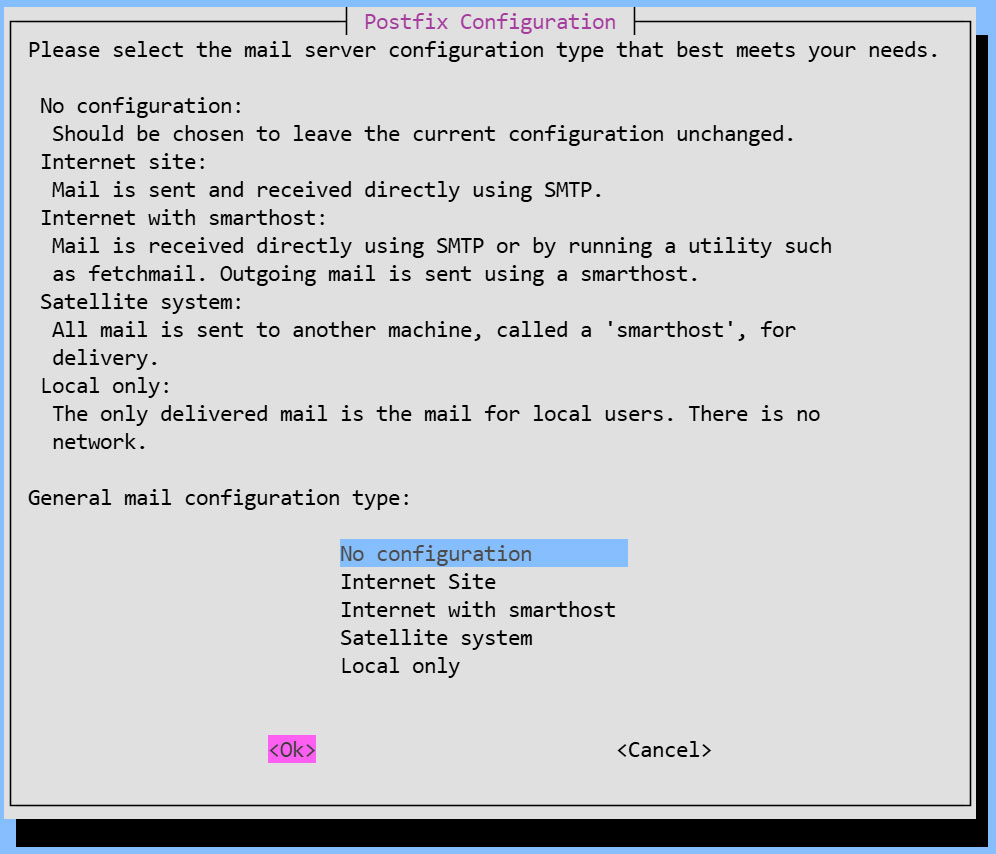
You will be asked to select general configuration settings, select "No configuration " to set them manually later
②Edit configuration file (main.cf)
# cp /usr/share/postfix/main.cf.dist /etc/postfix/main.cf
# vi /etc/postfix/main.cf

Line 82:Uncomment
mail_owner = postfix

Line 108:Add Host Name
myhostname = mail.<domain name>

Line 115:Add a Domain Name
mydomain = <domain name>

Line 133 : Comments
#myorigin = /etc/mailname

Line 135:Uncomment
myorigin = $mydomain

Line 149:Uncomment
inet_interfaces = all

Line 197:Uncomment
mydestination = $myhostname, localhost.$mydomain, localhost, $mydomain

Line 240:Uncomment
local_recipient_maps = unix:passwd.byname $alias_maps

Line 285:Uncomment
mynetworks_style = subnet

Line 299:Uncomment and change to your own network
mynetworks = 192.168.11.0/24, 127.0.0.0/8

Line 423:Uncomment
alias_maps = hash:/etc/aliases

Line 434:Uncomment
alias_database = hash:/etc/aliases

Line 456:Uncomment
home_mailbox = Maildir/

Line 592:comment and add a note below it
#smtpd_banner = $myhostname ESMTP $mail_name (Debian)
smtpd_banner = $myhostname ESMTP

Line 666:Add
sendmail_path = /usr/sbin/postfix

Line 670:Uncomment
newaliases_path = /usr/bin/newaliases

Line 675:Uncomment
mailq_path = /usr/bin/mailq

Line 681:Uncomment
setgid_group = postdrop

Append to the last line
Disable the SMTP VRFY command
disable_vrfy_command = yes
Request the HELO command from the client
smtpd_helo_required = yes
Limit the size of sent and received emails to 10 MB
message_size_limit = 10485760
Limit mailbox size to 1 GB
mailbox_size_limit = 1073741824
SMTP Authentication Settings
smtpd_sasl_type = dovecot
smtpd_sasl_path = private/auth
smtpd_sasl_auth_enable = yes
smtpd_sasl_security_options = noanonymous
smtpd_sasl_local_domain = $myhostname
smtpd_recipient_restrictions = permit_mynetworks, permit_auth_destination, permit_sasl_authenticated, reject
③Edit configuration file (master.cf)
# vi /etc/postfix/master.cf

Line 19,23 : Uncomment
submission inet n - y - - smtpd
# -o syslog_name=postfix/submission
# -o smtpd_tls_security_level=encrypt
 -o smtpd_sasl_auth_enable=yes
# -o smtpd_tls_auth_only=yes
Reflect settings, restart
In Debian 12.x, /etc/aliases was created, but not in Debian 13, so I created it manually.
# touch /etc/aliases

# vi /etc/aliases
postmaster:    root
huong:         huong
# newaliases
# systemctl restart postfix
2.2 Dovecot : Installation Configuration
①Install Dovecot
Install Dovecot to set up a POP/IMAP server. POP uses port 110/TCP, and IMAP uses port 143/TCP.
# apt -y install dovecot-core dovecot-pop3d dovecot-imapd
②Configure Dovecot to provide SASL functionality for Postfix
# vi /etc/dovecot/dovecot.conf

Line 24 : Add
protocols = imap pop3
Line 31:Uncomment
listen = *, ::
# vi /etc/dovecot/conf.d/10-auth.conf
Line 10: Uncomment
auth_allow_cleartext = yes

Line 93: Uncomment
auth_mechanisms = plain login
# vi /etc/dovecot/conf.d/10-mail.conf
Line 26-27 : Uncomment
mail_driver = maildir
mail_path = ~/Maildir

Line 36-39 : Comment
#mail_driver = mbox
#mail_home = /home/%{user|username}
#mail_path = %{home}/mail
#mail_inbox_path = /var/mail/%{user}
# vi /etc/dovecot/conf.d/10-master.conf
Line 110-112:Uncomment and Add
# Postfix smtp-authi
unix_listener /var/spool/postfix/private/auth {
 mode = 0666
 user = postfix
 group = postfix
}
③Reflect settings, reboot
# systemctl restart dovecot
2.3 Email User Account Registration
Register a user account for e-mail.
This setting is for when a user account on the OS is also used for e-mail.
If you want to use mail with a user account on the OS, no additional configuration is required, just register the OS user
①Mail client installed
# apt -y install mailutils
②Mailboxes are set to refer to Maildir
# echo 'export MAIL=$HOME/Maildir/' >> /etc/profile.d/mail.sh
2.4 Opening Ports
# ufw allow pop3
# ufw allow imap
# ufw allow smtp
# ufw reload
2.5 operation check ①
①Send test mail to yourself [mail (user name)@(host name)].
user name : huong
# su - huong
$ mail huong@localhost
Cc:
Subject: Test Mail
This is the first mail.
Ctrl + D key to exit the main text
Check incoming mail
$ mail
"/home/huong/Maildir/": 1 message 1 new
>N   1 huong              Tue May 19 04:31  13/429   Test Mail
? 1
Return-Path: <huong@Lepard>
X-Original-To: huong@localhost
Delivered-To: huong@localhost
Received: by mail.korodes.com (Postfix, from userid 1000)
        id A41321DFB8F; Tue, 19 May 2026 13:31:52 +0900 (JST)
To: <huong@localhost>
Subject: Test Mail
User-Agent: mail (GNU Mailutils 3.19)
Date: Tue, 19 May 2026 13:31:52 +0900
Message-Id: <20260519043152.A41321DFB8F@mail.korodes.com>
From: huong <huong@Lepard>

This is the first mail.
? q
Saved 1 message in /home/huong/mbox
Held 0 messages in /home/huong/Maildir/
2.6 operation check ②
Set up and confirm your account in Mozilla Thunderbird (for OS user huong as mail user)
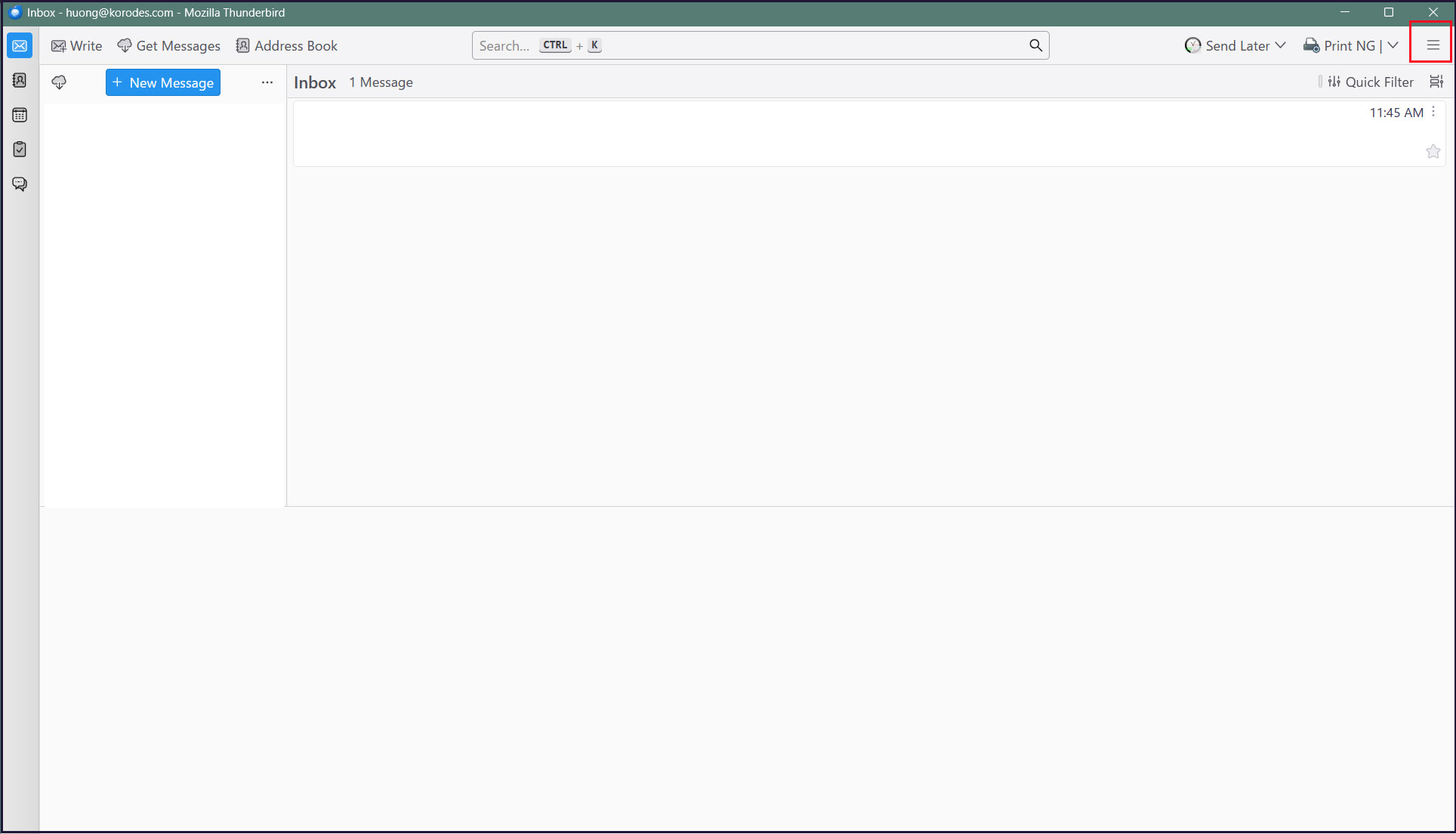
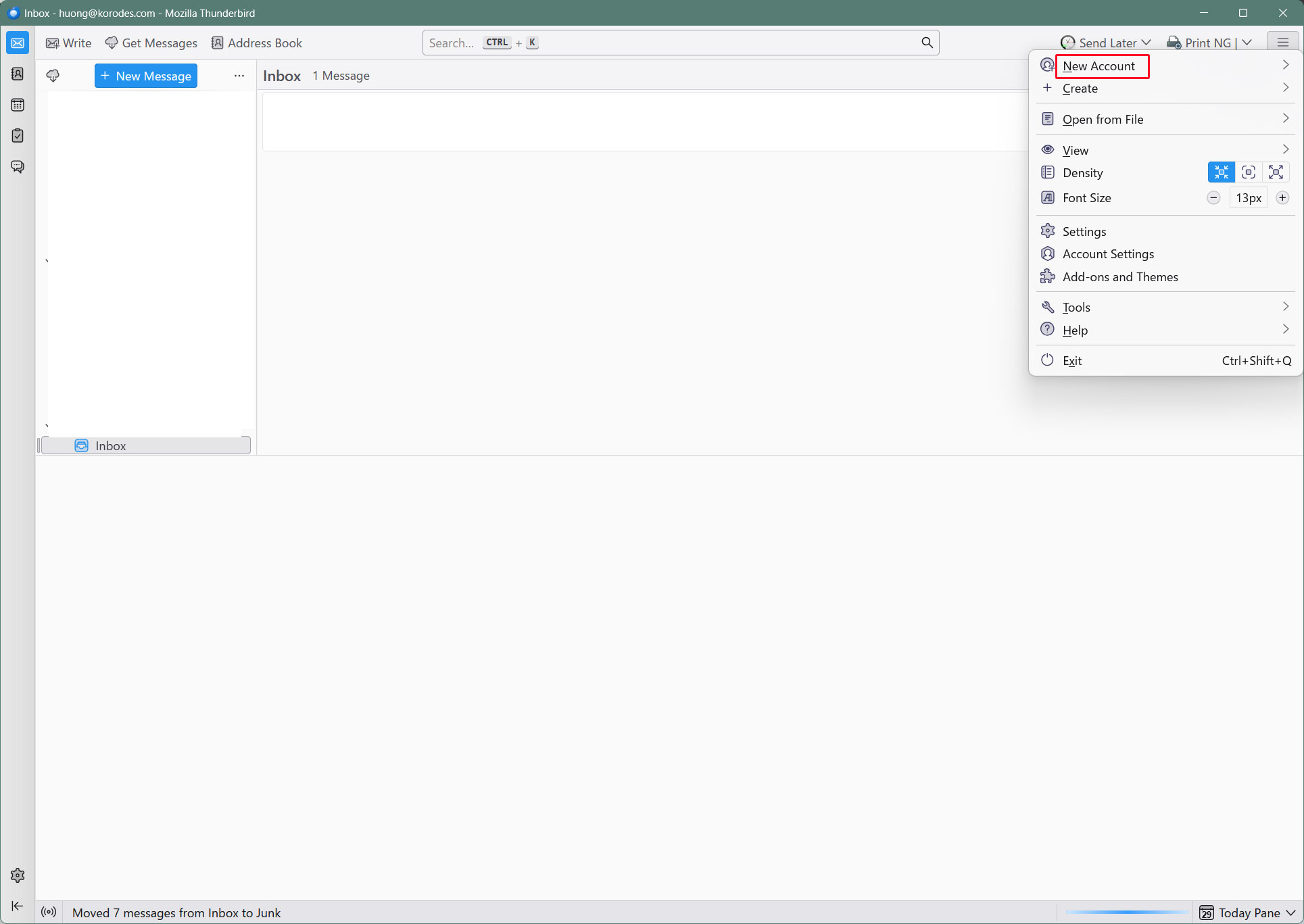
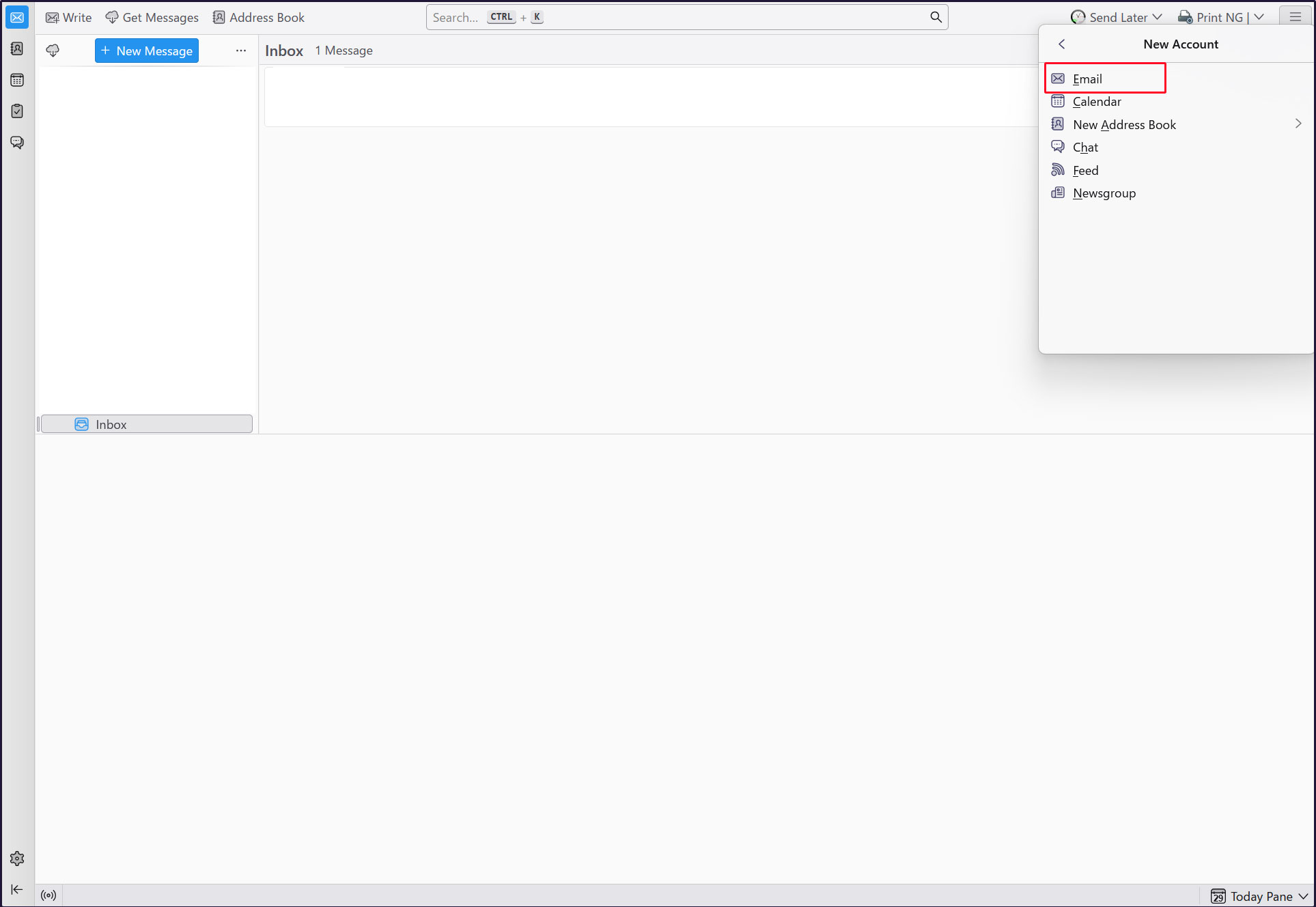
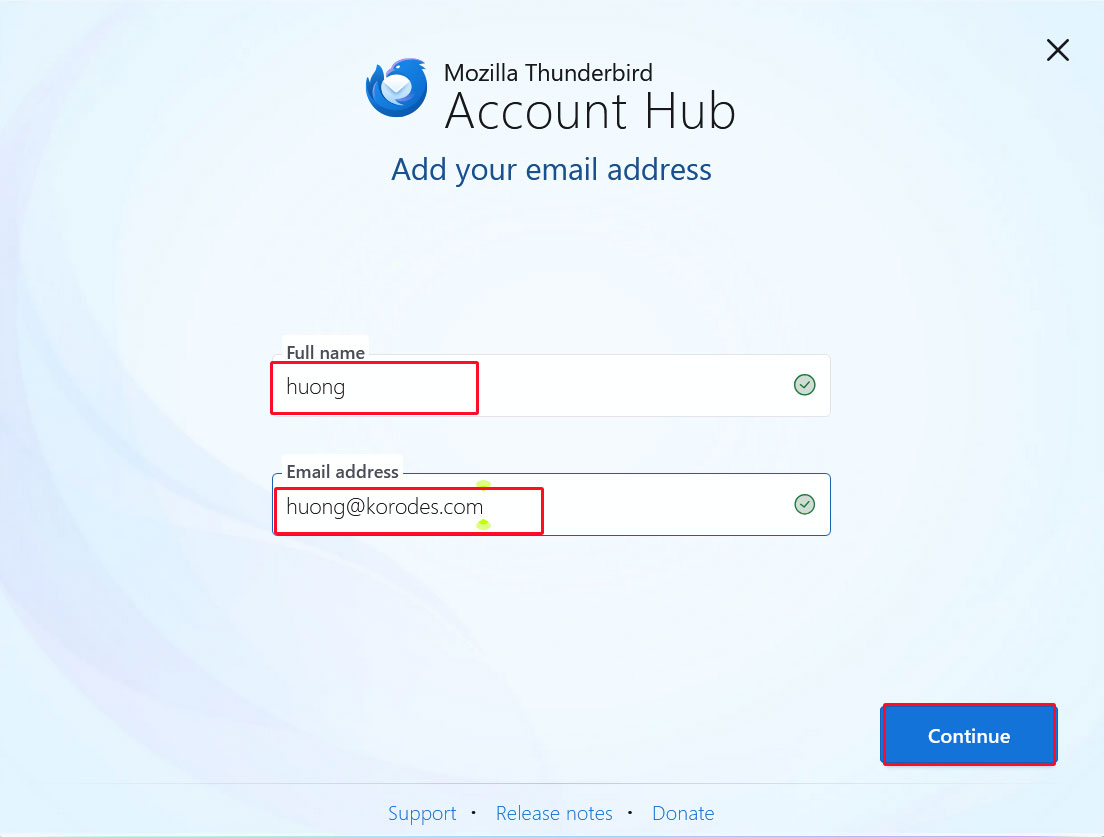
Start Thunderbird and click [New Account][Email] in the [Three] button-menu in the upper right corner.
Full name : any name
Email address : huong@<domain-name>
Enter the information and click "Continue".
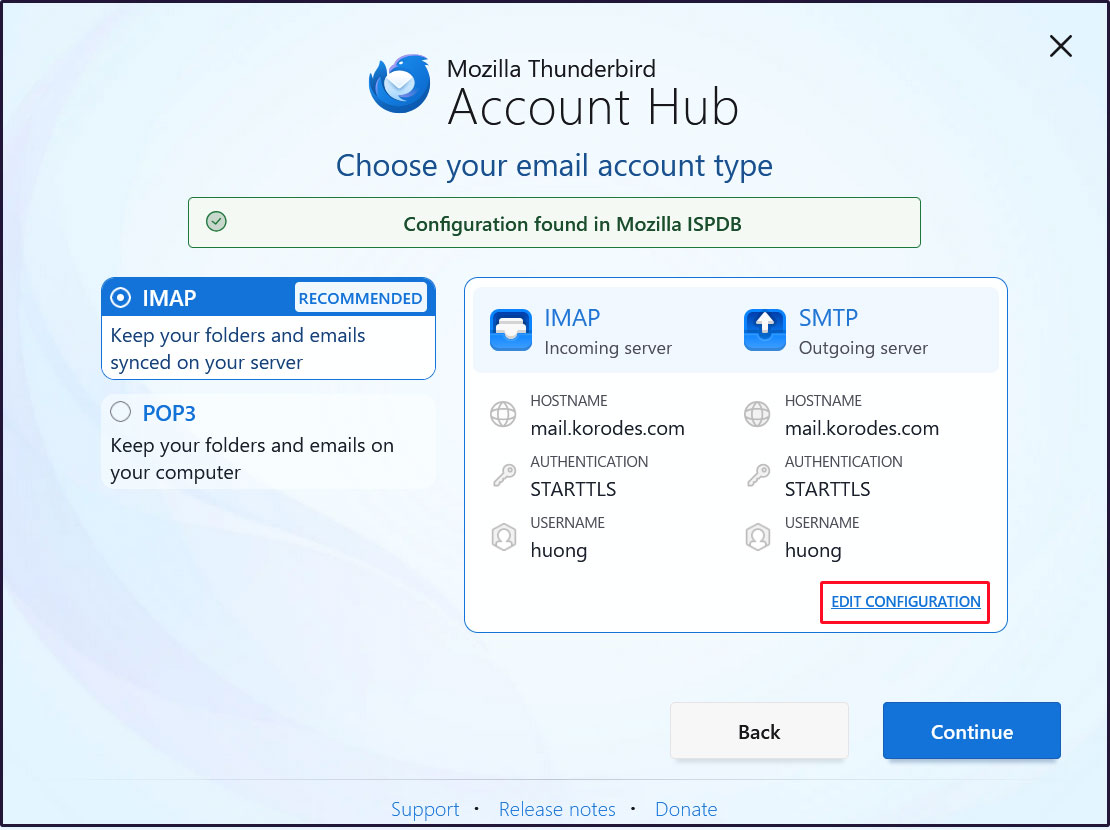
Click on [EDIT CONFIGURATION]
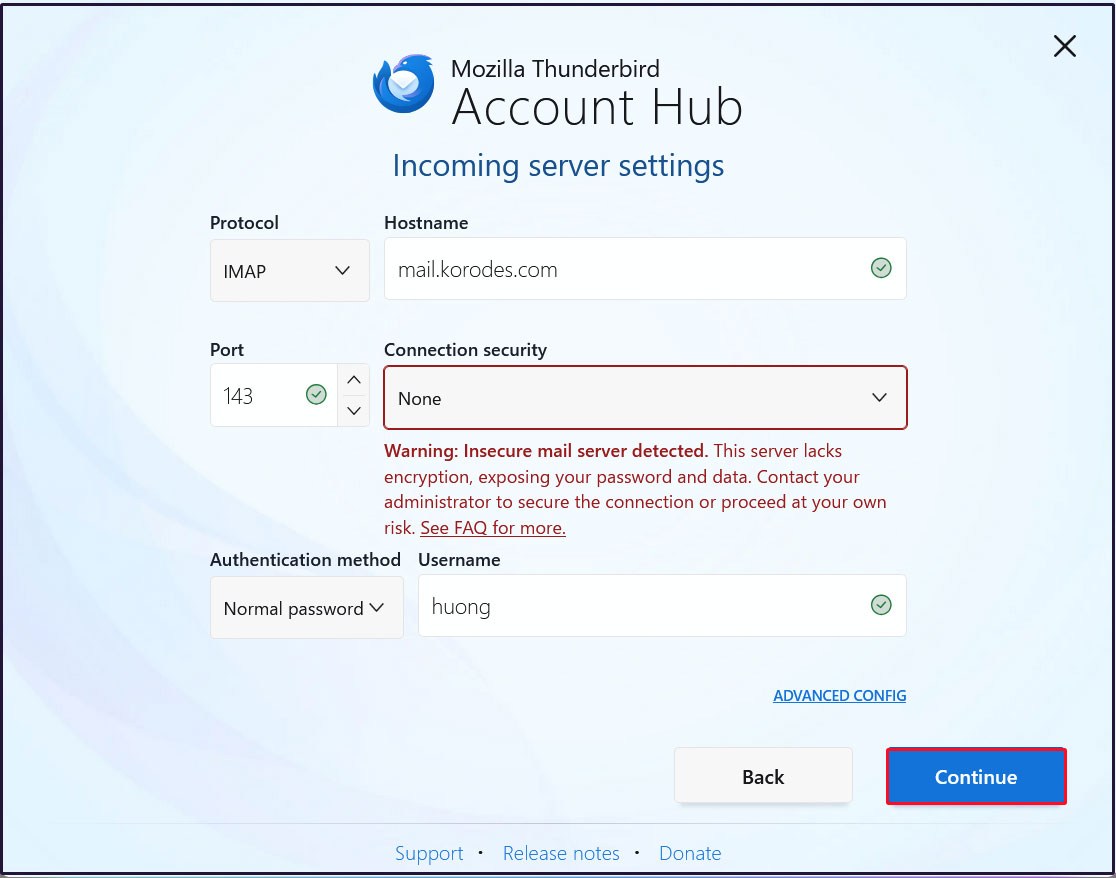
Incoming Server Settings
Set [Connection security] to [None] and click [Continue].
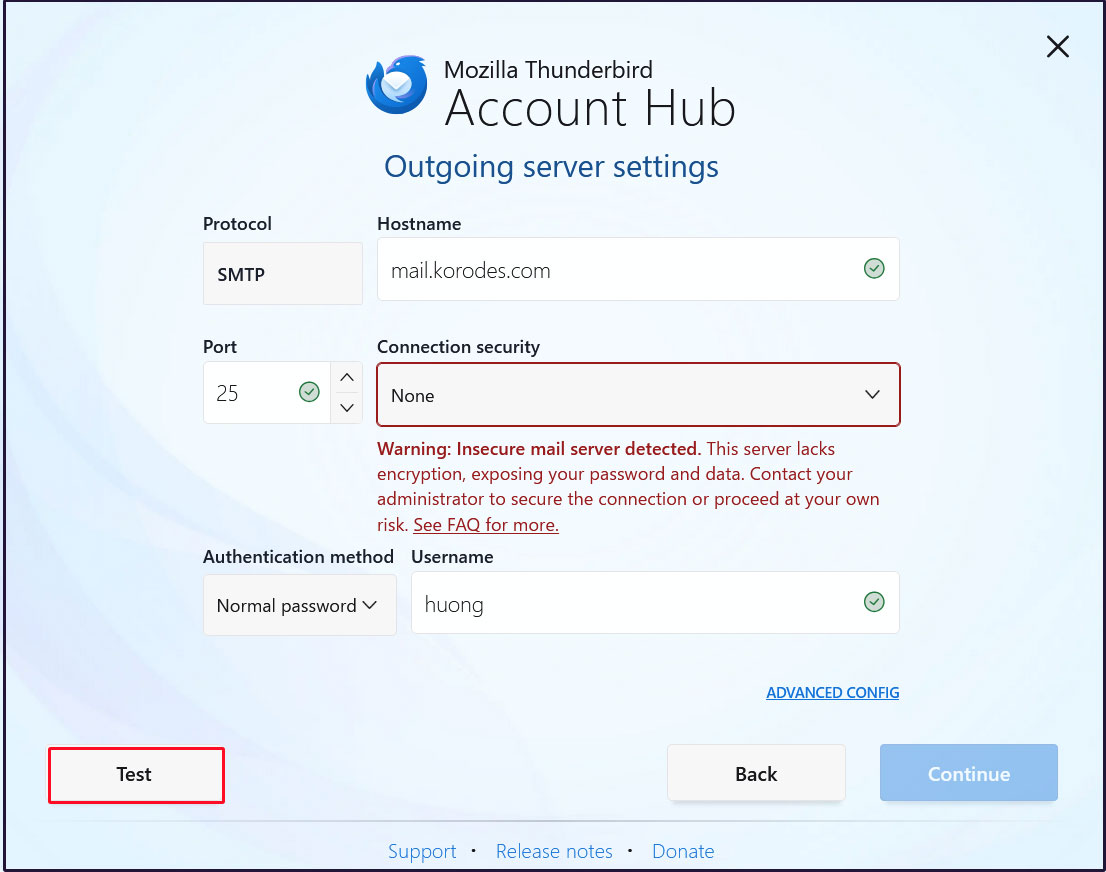
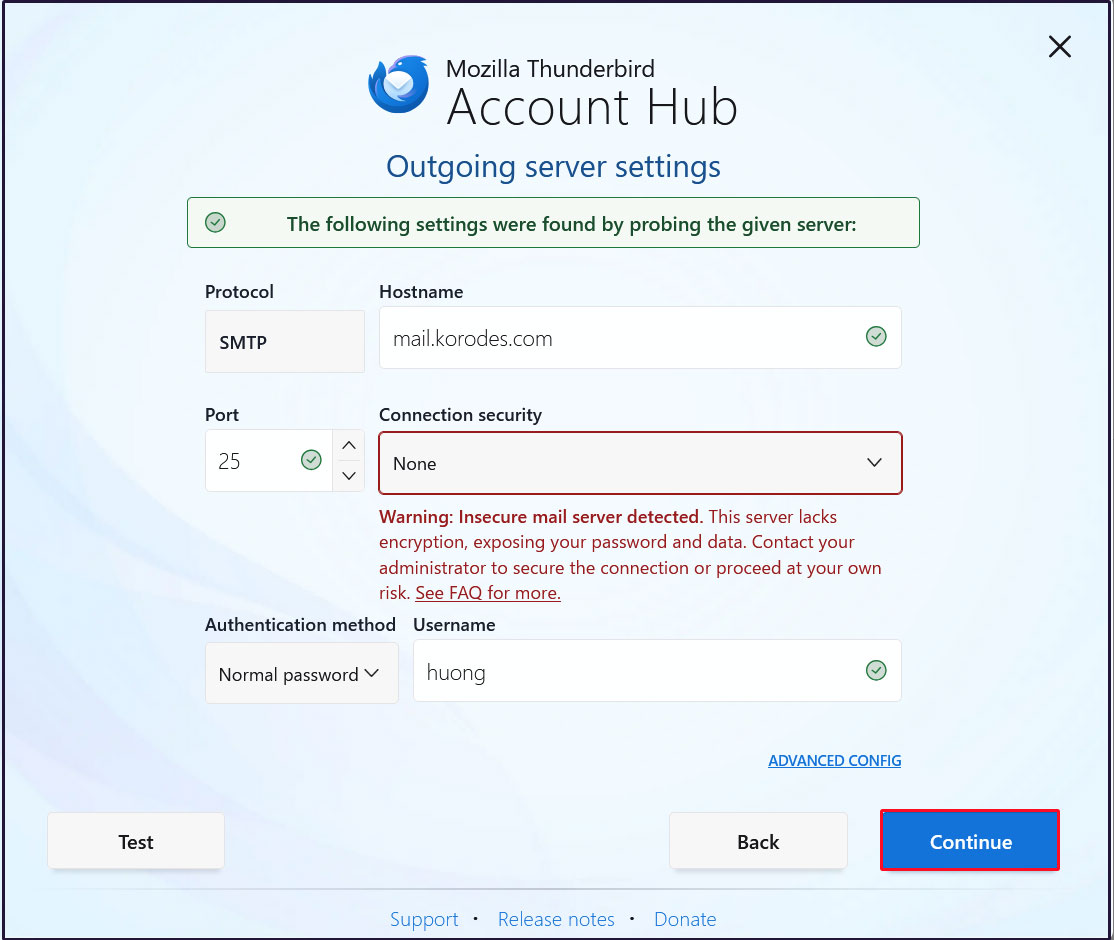
Outgoing Server Settings
Set [Connection security] to [None] and click [Test].
Click [Continue]
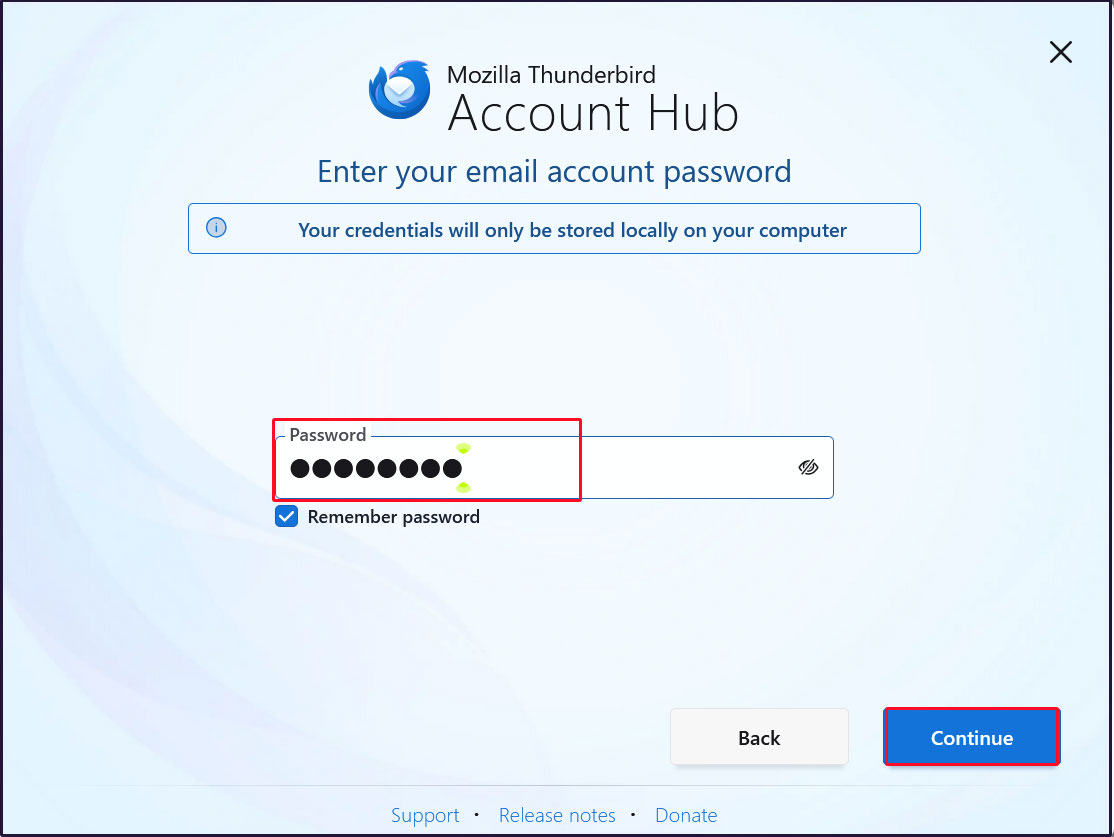
Enter the [user's password] in the "Password" field and click "Continue"
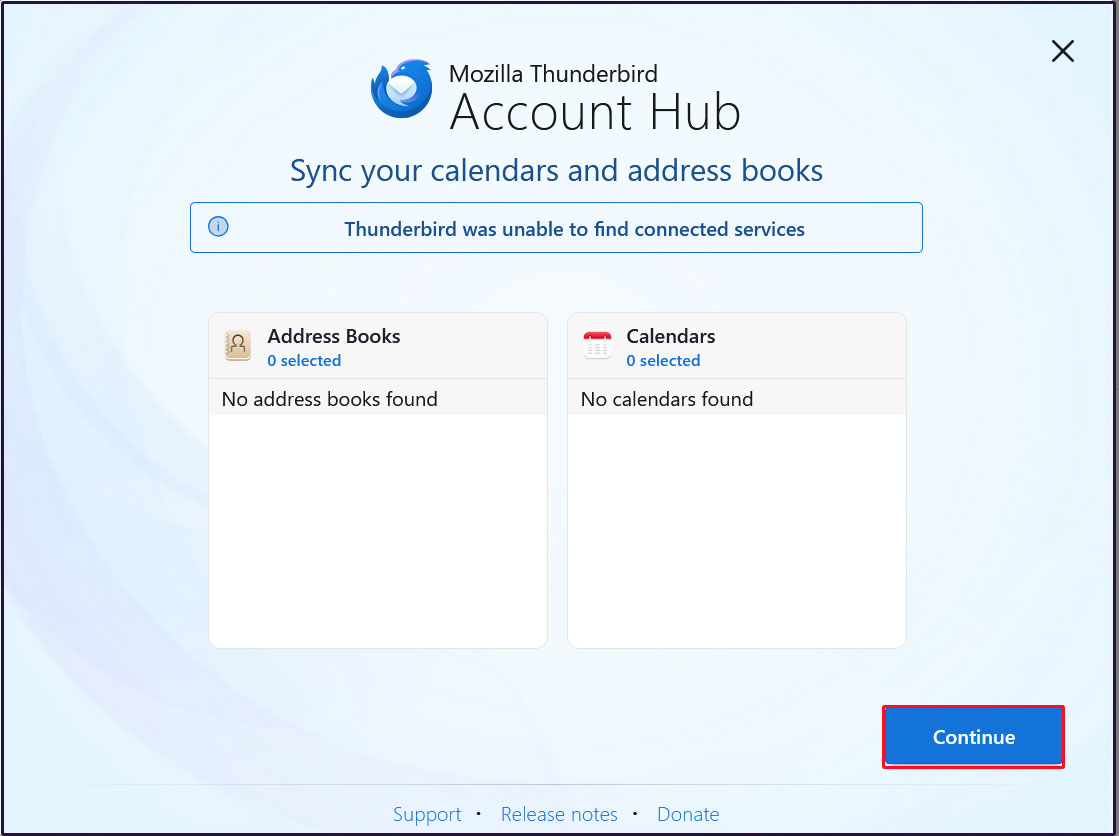
Click [Continue]
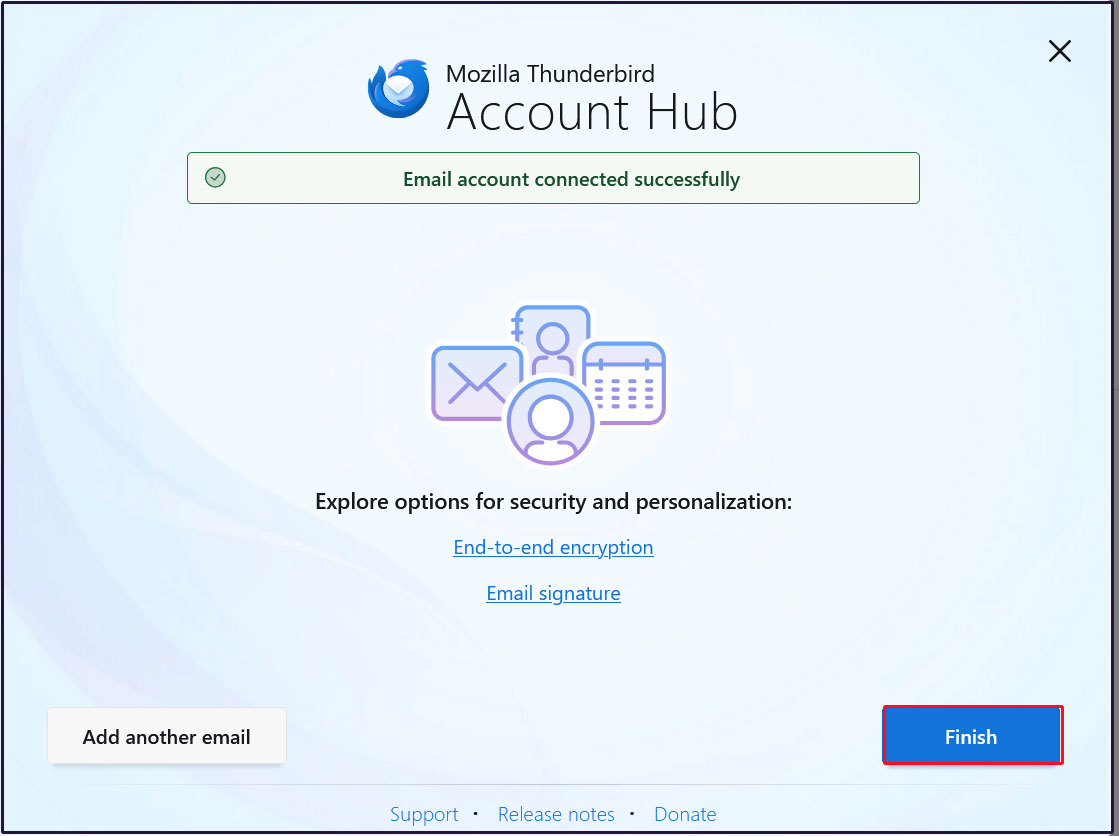
Click "Finish" when the email account has been successfully created.
3 Applied ClamAV to mail server Postfix
Set up Postfix and Clamav to work together to scan incoming and outgoing mail in real time.
①Install Amavisd and Clamav Daemon and start Clamav Daemon
# apt -y install clamav-daemon amavisd-new
If the server is not using a fully qualified domain name (FQDN) as the hostname, Amavis may fail to start. Also, since the OS hostname may change, set a valid hostname directly in the Amavis configuration file
# vi /etc/amavis/conf.d/05-node_id

use strict;
# $myhostname is used by amavisd-new for node identification, and it is
# important to get it right (e.g. for ESMTP EHLO, loop detection, and so on) .

chomp($myhostname = `hostname --fqdn`);

# To manually set $myhostname, edit the following line with the correct Full y
# Qualified Domain Name (FQDN) and remove the # at the beginning of the line .
#
$myhostname = "mail.<domain name>";  ←Add to line 12
1; # ensure a defined return
②Virus Scan Enable
# vi /etc/amavis/conf.d/15-content_filter_mode

Line 13-14 : Uncomment and enable virus scan
@bypass_virus_checks_maps = (
\%bypass_virus_checks, \@bypass_virus_checks_acl, \$bypass_virus_checks_re);
③Register your own domain name
# echo '<yourDomain>' > /etc/mailname
④Edit configuration file (Main.cf)
# vi /etc/postfix/main.cf

Add to last line
content_filter=smtp-amavis:[127.0.0.1]:10024
⑤Edit configuration file (master.cf)
# vi /etc/postfix/master.cf

Append all lines below to the end of the file.
smtp-amavis unix - - n - 2 smtp
     -o smtp_data_done_timeout=1200
     -o smtp_send_xforward_command=yes
     -o disable_dns_lookups=yes
127.0.0.1:10025 inet n - n - - smtpd
     -o content_filter=
     -o local_recipient_maps=
     -o relay_recipient_maps=
     -o smtpd_restriction_classes=
     -o smtpd_client_restrictions=
     -o smtpd_helo_restrictions=
     -o smtpd_sender_restrictions=
     -o smtpd_recipient_restrictions=permit_mynetworks,reject
     -o mynetworks=127.0.0.0/8
     -o strict_rfc821_envelopes=yes
     -o smtpd_error_sleep_time=0
     -o smtpd_soft_error_limit=1001
     -o smtpd_hard_error_limit=1000
⑥Settings reflect
# usermod -G clamav amavis
# usermod -G amavis clamav
# systemctl restart clamav-daemon amavis postfix
If you send a blank email to yourself using Thunderbird or a similar program, you’ll know it worked if you see a message like the following in the header of the received email.
X-Mozilla-Status: 0001
X-Mozilla-Status2: 00000000
Return-Path: xxxxx@xxxxxxx.com
X-Original-To: xxxxx@xxxxxxx.com
Delivered-To: xxxxx@xxxxxxx.com
Received: from localhost (localhost [127.0.0.1])
by mail.xxxxxxx.com (Postfix) with ESMTP id BE42E1DFBAD
for xxxxx@xxxxxxx.com; Tue, 19 May 2026 13:47:54 +0900 (JST)
X-Virus-Scanned: Debian amavis at xxxxxxx.com
Received: from mail.xxxxxxx.com ([127.0.0.1])
by localhost (mail.xxxxxxx.com [127.0.0.1]) (amavis, port 10024) with ESMTP
id I_9HcX3Tx2Mx for xxxxx@xxxxxxx.com;
Tue, 19 May 2026 13:47:54 +0900 (JST)
Received: from [192.168.11.6] (buffalo.setup [192.168.11.1])
by mail.xxxxxxx.com (Postfix) with ESMTPA id A7C3F1DFB9F
for xxxxx@xxxxxxx.com; Tue, 19 May 2026 13:47:54 +0900 (JST)
Message-ID: 79c0b264-a9cc-4248-8421-b00caf5e60e8@xxxxxxx.com
Date: Tue, 19 May 2026 13:47:54 +0900
MIME-Version: 1.0
User-Agent: Mozilla Thunderbird
From: xxxxx xxxxx@xxxxxxx.com
Content-Language: en-US
To: xxxxx xxxxx@xxxxxxx.com
Content-Type: text/plain; charset=UTF-8; format=flowed
Content-Transfer-Encoding: 7bit
4 Apply spam checks to the mail server
4.1 Spam checking using spamassassin and procmail
①spamassassin and procmail installation
# apt -y install procmail spamassassin
➁Configure procmail
If you want to apply the settings to all users
Create /etc/procmailrc
To configure for each individual, create a ~/.procmailrc in each user's home directory.
Create /etc/procmailrc this time
# vi /etc/procmailrc

(Contents of procmailrc)
SHELL=/bin/bash
PATH=/usr/bin:/bin:/usr/local/bin
DROPPRIVS=yes
MAILDIR=$HOME/Maildir
DEFAULT=$MAILDIR/
SPAM=$MAILDIR/.Spam/
LOGFILE=$HOME/.procmail.log # Log output destination
VERBOSE=ON # Detailed log output

## If there is no "X-Spam-***" in the mail header, spamassassassin will be started.
:0fw
*!^X-Spam.*
|spamassassin

## If there is an "X-Spam-Status: Yes" in the mail header, the mail is stored in the ".
:0
* ^X-Spam-Status: Yes
$SPAM
➂Create a .Spam directory in each user's ~/Maildir directory
# su - <user>
$ mkdir Maildir/.Spam
④Edit postfix configuration file
Do it as root user
# vi /etc/postfix/main.cf

Per Line 485 : Uncomment
mailbox_command = /usr/bin/procmail -a "$EXTENSION"
⑤Restart postfix and spamassassin
# systemctl restart postfix spamd

# systemctl enable spamassassin-maintenance.timer
Created symlink '/etc/systemd/system/timers.target.wants/spamassassin-maintenance.timer' → '/usr/lib/systemd/system/spamassassin-maintenance.timer'.
⑥Confirmed by Thudrtbird
Send a blank email to yourself; if the header displays as shown below, everything is working properly.
X-Mozilla-Status: 0001
X-Mozilla-Status2: 00000000
Return-Path: xxxxx@xxxxxxx.com
X-Spam-Checker-Version: SpamAssassin 4.0.1 (2024-03-25) on Lepard
X-Spam-Level: ***
X-Spam-Status: No, score=3.1 required=5.0 tests=ALL_TRUSTED,EMPTY_MESSAGE,
MISSING_SUBJECT autolearn=no autolearn_force=no version=4.0.1
X-Original-To: xxxxx@xxxxxxx.com
Delivered-To: xxxxx@xxxxxxx.com
Received: from localhost (localhost [127.0.0.1])
by mail.xxxxxxx.com (Postfix) with ESMTP id 4B8AA1DFBBD
for xxxxx@xxxxxxx.com; Tue, 19 May 2026 14:32:27 +0900 (JST)
X-Virus-Scanned: Debian amavis at xxxxxxx.com
Received: from mail.xxxxxxx.com ([127.0.0.1])
by localhost (mail.xxxxxxx.com [127.0.0.1]) (amavis, port 10024) with ESMTP
id tWOUYyufpLmp for xxxxx@xxxxxxx.com;
Tue, 19 May 2026 14:32:27 +0900 (JST)
Received: from [192.168.11.6] (buffalo.setup [192.168.11.1])
by mail.xxxxxxx.com (Postfix) with ESMTPA id 33A371DFBAD
for xxxxx@xxxxxxx.com; Tue, 19 May 2026 14:32:27 +0900 (JST)
Message-ID: e03799f8-f00e-47b0-a9de-4470dc5aa0dc@xxxxxxx.com
Date: Tue, 19 May 2026 14:32:27 +0900
MIME-Version: 1.0
User-Agent: Mozilla Thunderbird
From: xxxxx xxxxx@xxxxxxx.com
Content-Language: en-US
To: xxxxx xxxxx@xxxxxxx.com
Content-Type: text/plain; charset=UTF-8; format=flowed
Content-Transfer-Encoding: 7bit
⑦Spam check confirmation
Send yourself an email with the body of the email "XJSC4JDBQADN1.NSBN32IDNENGTUBE-STANDARD-ANTI-UBE-TEST-EMAILC.34X" and make sure the email is not delivered and is sorted into the Spam folder
The header states
X-Spam-Checker-Version: SpamAssassin 4.0.1 (2024-03-25) on Lepard
X-Spam-Flag: YES
X-Spam-Level: **************************************************
X-Spam-Status: Yes, score=999.7 required=5.0 tests=ALL_TRUSTED,GTUBE,
HTML_MESSAGE,MPART_ALT_DIFF autolearn=no autolearn_force=no
version=4.0.1
MIME-Version: 1.0
4.2 Spam Email Learning
SpamAssassin's email learning functionality improves the accuracy of its judgments
①Learns all contents of ".Spam" directory as spam mail
# /usr/bin/sa-learn --spam /home/*/Maildir/.Spam/cur
Learned tokens from 0 message(s) (0 message(s) examined)
➁Learning of non-spam mail (normal mail)
# /usr/bin/sa-learn --ham /home/*/Maildir/cur
Learned tokens from 7 message(s) (7 message(s) examined)
➂Creating scripts for automatic learning
# vi /opt/script/spam-learns.sh

(Please describe the following)
#! /bin/sh
Spam Email Learning
/usr/bin/sa-learn --spam /home/*/Maildir/.Spam/cur
Learning normal mail
/usr/bin/sa-learn --ham /home/*/Maildir/cur

If you want to force the deletion of the contents of the spam mail storage directory, add the following statement
/bin/rm -f /home/*/Maildir/.Spam/cur
# chmod 750 /opt/script/spam-learns.sh
④SpamAssassin automatically starts at system startup
# systemctl enable spamd
Synchronizing state of spamd.service with SysV service script with /usr/lib/systemd/systemd-sysv-install.
Executing: /usr/lib/systemd/systemd-sysv-install enable spamd