Nagios Server
Nagios is an open source monitoring solution running on Linux.
Nagios is designed to periodically check critical network, application, or server parameters.
These parameters include microprocessor load, number of running processes, log files, disk and memory usage, as well as many other services such as SMTP (Simple Mail Transfer Protocol), HTTP (Hypertext Transfer Protocol), POP3 (Post Office Protocol 3), etc. can be checked.
These parameters require a microprocessor load, a database such as PHP or MySQL to run Nagois, and a web server such as Apache or Nginx. We will proceed under the assumption that all of these have already been configured。
1. Install necessary packages
# dnf -y install gcc glibc glibc-common gd gd-devel make net-snmp openssl-devel unzip wget gettext autoconf net-snmp-utils automake perl-Net-SNMP
2. Installing Nagios Core
①Download and Extract
# wget https://go.nagios.org/get-core/4-5-12
# tar zxvf 4-5-12
# cd nagios-4.5.12
# ./configure
# make all
➁Create Nagios Users and Groups
# make install-groups-users
groupadd -r nagios
useradd -g nagios nagios
➂Add Apache User to Nagios Group
# usermod -aG nagios apache
④Install Nagios Core
# make install
⑤Install external command files and permissions
# make install-commandmode

/usr/bin/install -c -m 775 -o nagios -g nagios -d /usr/local/nagios/var/rw
chmod g+s /usr/local/nagios/var/rw

*** External command directory configured ***
⑥Install Nagios Configuration Files
# make install-config

*** Config files installed ***

Remember, these are *SAMPLE* config files.  You'll need to read
the documentation for more information on how to actually define
services, hosts, etc. to fit your particular needs.
⑦Install Apache configuration files for Nagios
# make install-webconf

/usr/bin/install -c -m 644 sample-config/httpd.conf /etc/apache2/sites-available/nagios.conf
if [ 1 -eq 1 ]; then \
        ln -s /etc/apache2/sites-available/nagios.conf /etc/apache2/sites-enabled/nagios.conf; \
fi

*** Nagios/Apache conf file installed ***
# systemctl restart httpd
⑧Create a Systemd service file (install a Systemd unit file)
# make install-daemoninit

/usr/bin/install -c -m 755 -d -o root -g root /lib/systemd/system
/usr/bin/install -c -m 755 -o root -g root startup/default-service /lib/systemd/system/nagios.service
Created symlink '/etc/systemd/system/multi-user.target.wants/nagios.service' → '/usr/lib/systemd/system/nagios.service'.

*** Init script installed ***
3. Install Nagios Plugin
①Install the prerequisites for the Nagios plugin
# dnf install -y gcc glibc glibc-common make gettext automake autoconf wget openssl-devel net-snmp net-snmp-utils postgresql-devel openldap-devel bind-utils samba-client fping openssh-clients lm_sensors perl-Net-SNMP
➁Download the latest code from the Nagios Plugins page
# cd
# wget https://nagios-plugins.org/download/nagios-plugins-2.5.tar.gz
➂Install
# tar -xvf nagios-plugins-2.5.tar.gz
# cd nagios-plugins-2.5
# ./configure --with-nagios-user=nagios --with-nagios-group=nagios
# make
# make install
The following nagios-plugins are available:
# ls /usr/local/nagios/libexec

check_apt       check_dummy         check_ifstatus  check_mrtgtraf  check_overcr   check_snmp          check_uptime
check_breeze    check_file_age      check_imap      check_nagios    check_pgsql    check_spop          check_users
check_by_ssh    check_flexlm        check_ircd      check_nntp      check_ping     check_ssh           check_wave
check_clamd     check_fping         check_jabber    check_nntps     check_pop      check_ssl_validity  negate
check_cluster   check_ftp           check_ldap      check_nt        check_procs    check_ssmtp         remove_perfdata
check_dhcp      check_hpjd          check_ldaps     check_ntp       check_real     check_swap          urlize
check_dig       check_http          check_load      check_ntp_peer  check_rpc      check_tcp           utils.pm
check_disk      check_icmp          check_log       check_ntp_time  check_sensors  check_time          utils.sh
check_disk_smb  check_ide_smart     check_mailq     check_nwstat    check_simap    check_udp
check_dns       check_ifoperstatus  check_mrtg      check_oracle    check_smtp     check_ups
4. Creating a Nagios Web User
Create a user account to access the Nagios Web Dashboard. This user account is used for authentication.
The default name of the user is nagiosadmin, which is defined as the preferred user name in the /usr/local/nagios/etc/cgi.cfg file.
# htpasswd -c /usr/local/nagios/etc/htpasswd.users nagiosadmin
New password:  [password]
Re-type new password:  [again password]
Adding password for user nagiosadmin
Set ownership and permissions
# chown apache:apache /usr/local/nagios/etc/htpasswd.users
# chmod 640 /usr/local/nagios/etc/htpasswd.users
5. Starting Nagios
Restart Apache
# systemctl restart httpd
Start and enable the Nagios service
# systemctl enable nagios --now
# systemctl start nagios
Check if the service is running
# systemctl status nagios
● nagios.service - Nagios Core 4.5.12
     Loaded: loaded (/usr/lib/systemd/system/nagios.service; enabled; preset: disabled)
     Active: active (running) since Thu 2026-06-04 14:20:50 JST; 27s ago
 Invocation: fb46e7bbbaf642819737e8e3e238e4d3
       Docs: https://www.nagios.org/documentation
    Process: 44911 ExecStartPre=/usr/local/nagios/bin/nagios -v /usr/local/nagios/etc/nagios.cfg (code=exited, status=0>
    Process: 44913 ExecStart=/usr/local/nagios/bin/nagios -d /usr/local/nagios/etc/nagios.cfg (code=exited, status=0/SU>
   Main PID: 44914 (nagios)
      Tasks: 6 (limit: 22808)
     Memory: 6.9M (peak: 8.4M)
        CPU: 210ms
     CGroup: /system.slice/nagios.service
             ├─44914 /usr/local/nagios/bin/nagios -d /usr/local/nagios/etc/nagios.cfg
             ├─44916 /usr/local/nagios/bin/nagios --worker /usr/local/nagios/var/rw/nagios.qh
             ├─44917 /usr/local/nagios/bin/nagios --worker /usr/local/nagios/var/rw/nagios.qh
             ├─44918 /usr/local/nagios/bin/nagios --worker /usr/local/nagios/var/rw/nagios.qh
             ├─44919 /usr/local/nagios/bin/nagios --worker /usr/local/nagios/var/rw/nagios.qh
             └─44927 /usr/local/nagios/bin/nagios -d /usr/local/nagios/etc/nagios.cfg

Jun 04 14:20:50 Lepard nagios[44914]: qh: Socket '/usr/local/nagios/var/rw/nagios.qh' successfully initialized
Jun 04 14:20:50 Lepard nagios[44914]: qh: core query handler registered
Jun 04 14:20:50 Lepard nagios[44914]: qh: echo service query handler registered
Jun 04 14:20:50 Lepard nagios[44914]: qh: help for the query handler registered
Jun 04 14:20:50 Lepard nagios[44914]: wproc: Successfully registered manager as @wproc with query handler
Jun 04 14:20:50 Lepard nagios[44914]: wproc: Registry request: name=Core Worker 44916;pid=44916
Jun 04 14:20:50 Lepard nagios[44914]: wproc: Registry request: name=Core Worker 44917;pid=44917
Jun 04 14:20:50 Lepard nagios[44914]: wproc: Registry request: name=Core Worker 44919;pid=44919
Jun 04 14:20:50 Lepard nagios[44914]: wproc: Registry request: name=Core Worker 44918;pid=44918
Jun 04 14:20:51 Lepard nagios[44914]: Successfully launched command file worker with pid 44927
6. Access the Nagios Web Interface
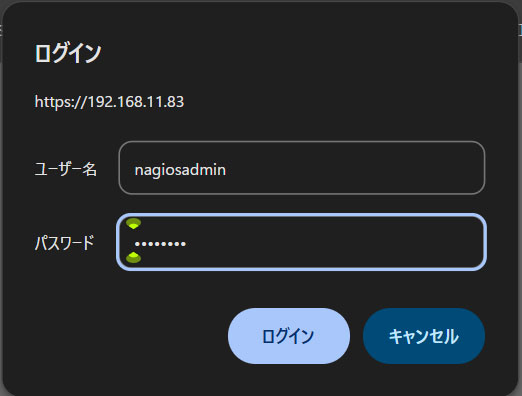
Access http://[IP_Address]/nagios/ with any browser
Username : nagoisadmin
Password : Password specified when the user was created above
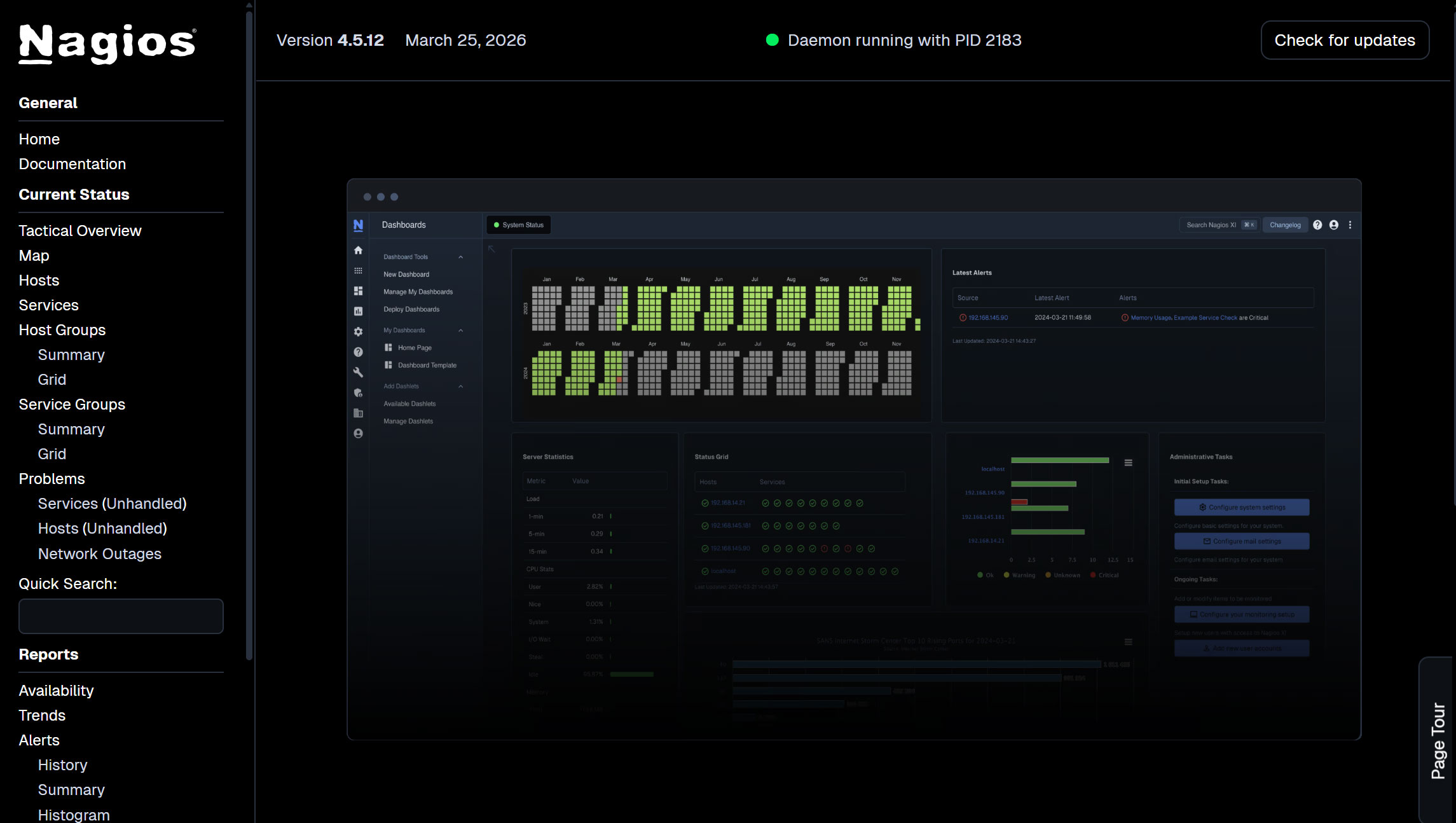
After successful login, the following dashboard will appear
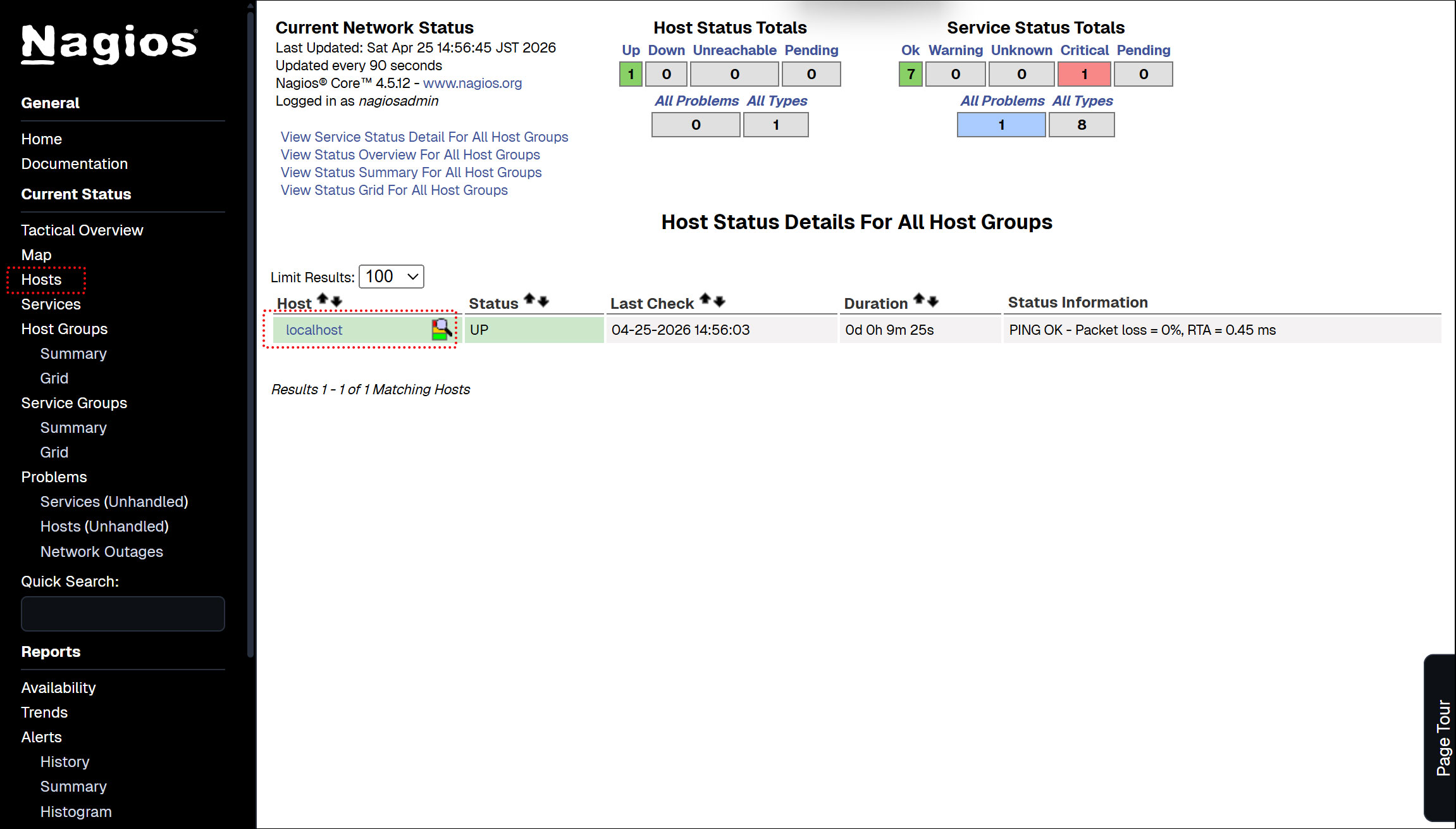
Show host availability
Click on [Hosts] in the left menu
Currently, only the Nagios Server is displayed.
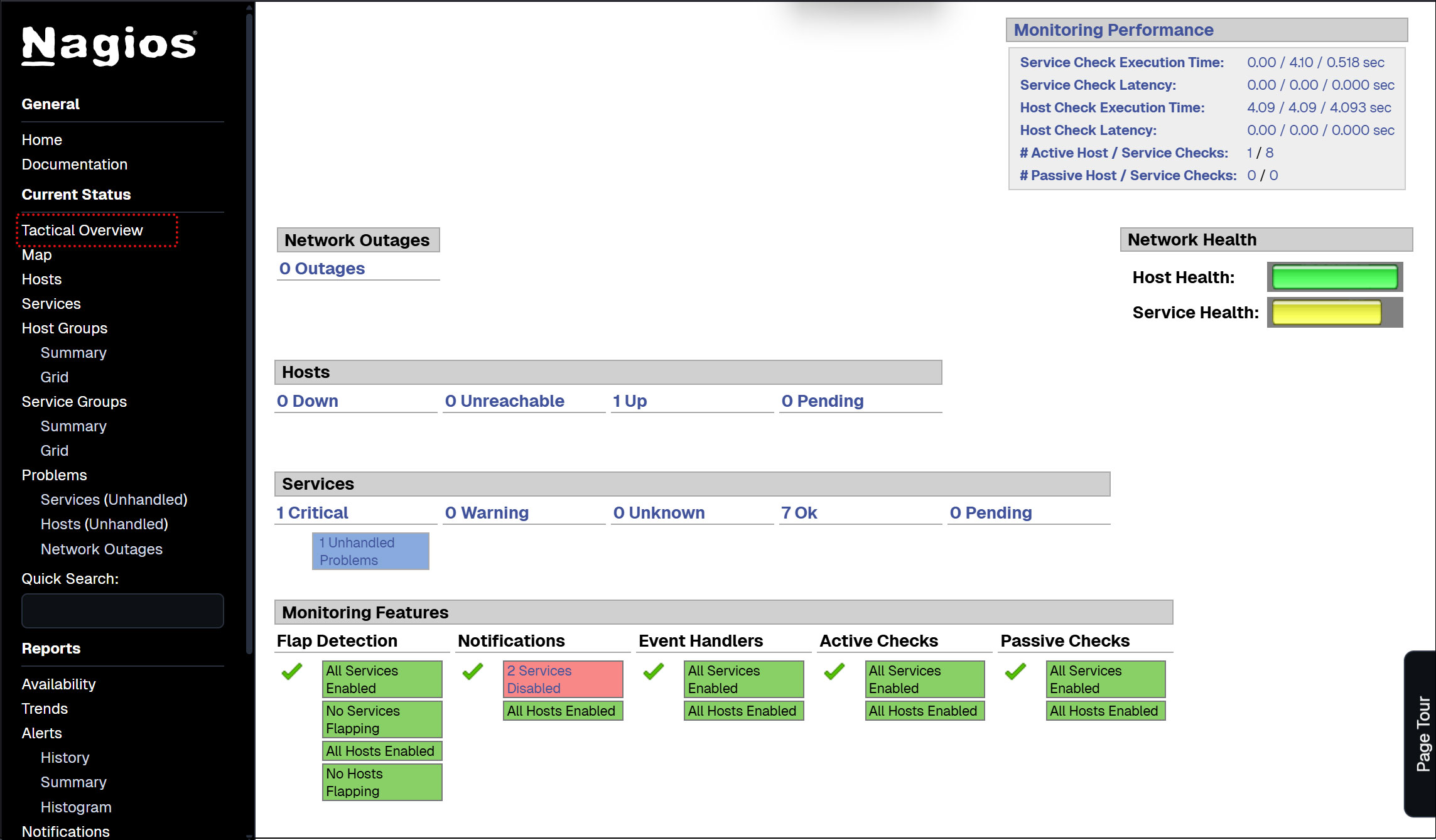
Click [Tactical Overview] on the left menu to view the monitoring data
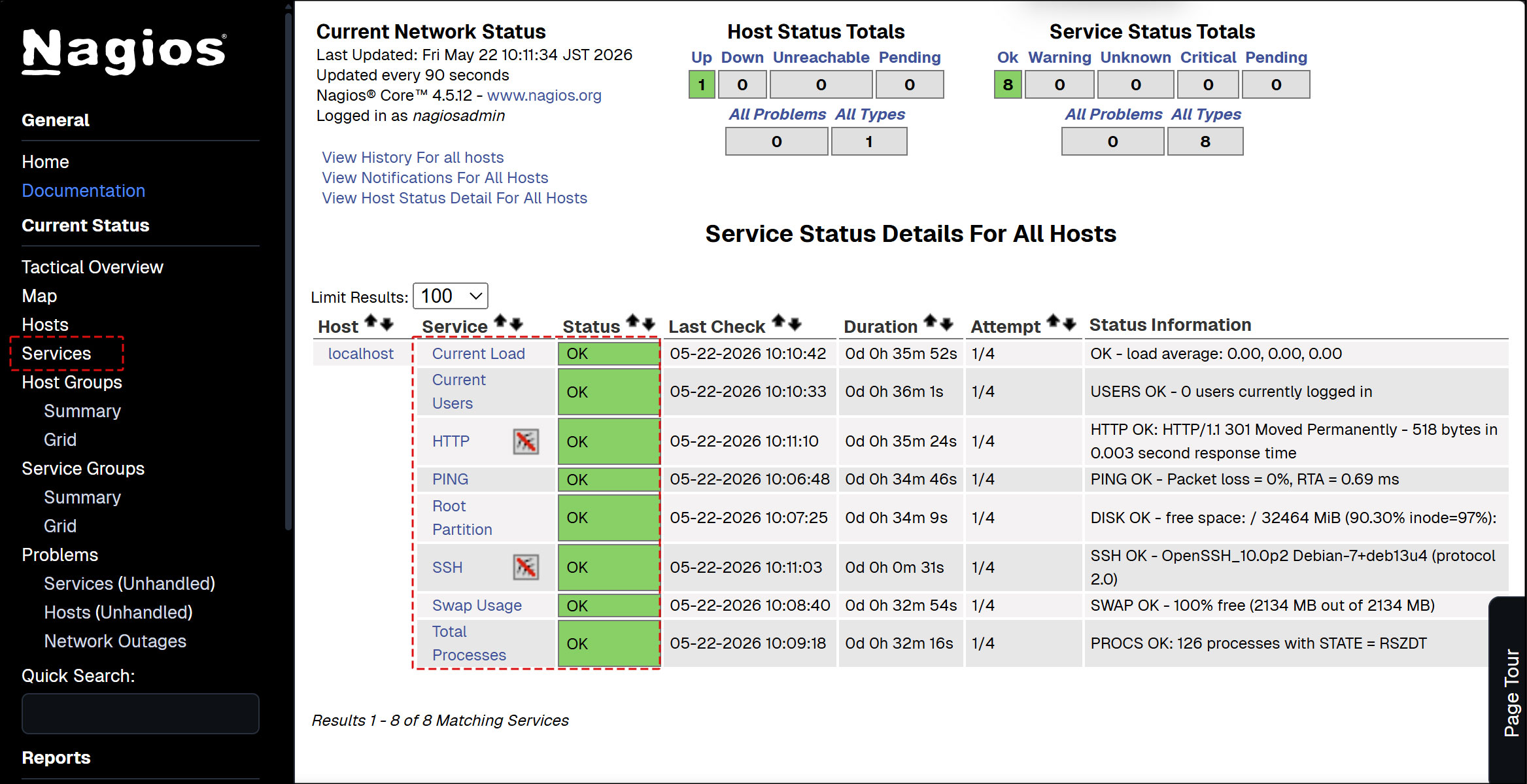
Click [Current Status] [Services] on the left menu : The current monitoring service details are displayed.
※ If you have assigned port 2244 via custom settings for SSH, modify localhost.cfg as follows:
# vi /usr/local/nagios/etc/objects/localhost.cfg
Per Line143
check_command           check_ssh
↓
check_command           check_ssh!-p 2244
# systemctl restart nagios
7. Nagios Agent Configuration
To monitor the agent. Install the following
・NRPE Agent to run plugins
① Installing Nagios NRPE Agent
# cd
# wget https://github.com/NagiosEnterprises/nrpe/releases/download/nrpe-4.1.3/nrpe-4.1.3.tar.gz
# tar zxvf  nrpe-4.1.3.tar.gz
# cd nrpe-4.1.3
# ./configure
# make check_nrpe
# make install-plugin
➁Open the NRPE port in the firewall
By default, NRPE uses TCP port 5666.
If a firewall is in use, open this port to allow external checks from the Nagios monitoring server.
# firewall-cmd --add-port=5666/tcp --permanent
# firewall-cmd --reload
8. Adding a monitored host
Add the following server to the host and configure it as a target for simple ping death/activity monitoring
OS : RockyLinux10.1
IP address : 192.168.11.85
①Configuration File Editing
# vi /usr/local/nagios/etc/nagios.cfg
Line 51 : Uncomment
cfg_dir=/usr/local/nagios/etc/servers
➁ Directory Create
# mkdir /usr/local/nagios/etc/servers
# chgrp nagios /usr/local/nagios/etc/servers
# chmod 750 /usr/local/nagios/etc/servers
➂ Create new definition file
The name "korodes.cfg" can be arbitrary.
# vi /usr/local/nagios/etc/servers/korodes.cfg

define host {
    use                     linux-server
    host_name               korodes
    alias                   korodes
    address                 192.168.11.85
}
define service {
    use                     generic-service
    host_name               korodes
    service_description     PING
    check_command           check_ping!100.0,20%!500.0,60%
}
④ Restart Nagios server
# systemctl restart nagios.service
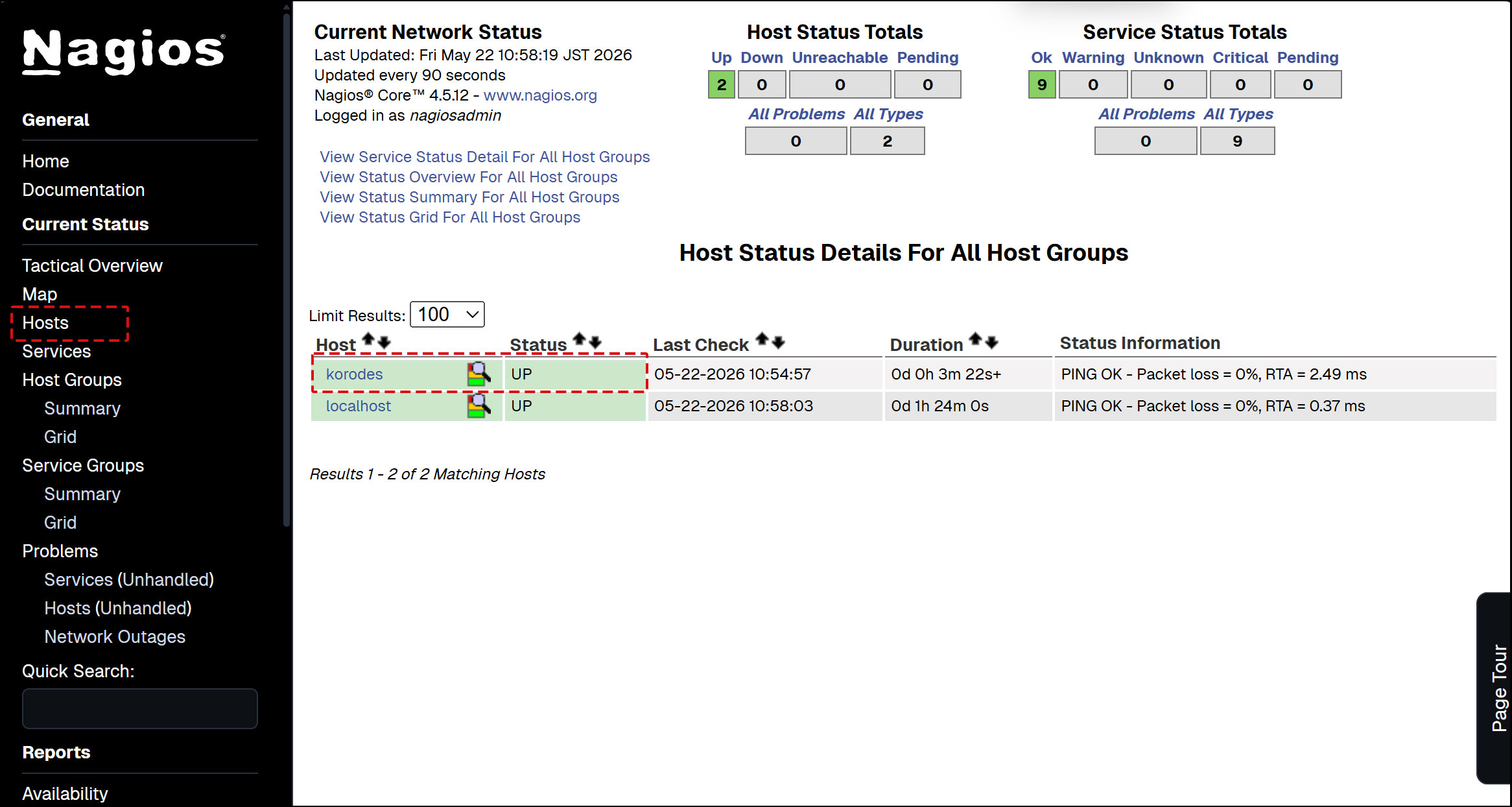
Log in to the Nagios server (http://[server IP address]/nagios) and look at Hosts, and the host is added.
9. Adding Monitoring Services
Add monitoring services to the hosts added above.
OS : RockyLinux10.1
IP address : 192.168.11.85
You need to install the NRPE daemon and the Nagios plugin.
9.1 Configuration on the server to be monitored
①Install the Nagios plugin
# dnf install -y gcc glibc glibc-common make gettext automake autoconf wget openssl-devel net-snmp net-snmp-utils postgresql-devel openldap-devel bind-utils samba-client fping openssh-clients lm_sensors perl-Net-SNMP
# cd
# wget https://nagios-plugins.org/download/nagios-plugins-2.5.tar.gz
# tar -xvf nagios-plugins-2.5.tar.gz
# cd nagios-plugins-2.5
# ./configure
# make
# make install
➁ Install the NRPE agent on the host to be monitored
# dnf install -y gcc glibc glibc-common openssl openssl-devel perl wget
# cd
# wget https://github.com/NagiosEnterprises/nrpe/releases/download/nrpe-4.1.3/nrpe-4.1.3.tar.gz
# tar zxvf  nrpe-4.1.3.tar.gz
# cd nrpe-4.1.3
# ./configure --enable-command-args
# make all
Create Users and Groups
# make install-groups-users
groupadd -r nagios
useradd -r -g nagios nagios
Install the NRPE binary, the NRPE daemon, and the check_npre plugin
# make install
Install the configuration file
# make install-config
Update the service file
# sh -c "echo >> /etc/services"
# sh -c "echo '# Nagios services' >> /etc/services"
# sh -c "echo 'nrpe    5666/tcp' >> /etc/services"
Install the NPRE service daemon
# make install-init
# systemctl enable nrpe
➂Open the NRPE port in the firewall
# firewall-cmd --add-port=5666/tcp --permanent
# firewall-cmd --add-port=5666/udp --permanent
# firewall-cmd --reload
④ Configuration File Editing
# vi /usr/local/nagios/etc/nrpe.cfg
Line 106 : Add a host to allow connections (specify Nagios server)
allowed_hosts=127.0.0.1,::1,192.168.11.83
Line 122 : Allow command arguments
dont_blame_nrpe=1
Line 300-304 : Comment and add
# command[check_users]=/usr/lib/nagios/plugins/check_users -w 5 -c 10
# command[check_load]=/usr/lib/nagios/plugins/check_load -r -w .15,.10,.05 -c .30,.25,.20
# command[check_hda1]=/usr/lib/nagios/plugins/check_disk -w 20% -c 10% -p /dev/hda1
# command[check_zombie_procs]=/usr/lib/nagios/plugins/check_procs -w 5 -c 10 -s Z
# command[check_total_procs]=/usr/lib/nagios/plugins/check_procs -w 150 -c 200
Add part of the plugin
command[check_by_ssh]=/usr/lib/nagios/plugins/check_by_ssh $ARG1$
command[check_dhcp]=/usr/lib/nagios/plugins/check_dhcp $ARG1$
command[check_disk]=/usr/lib/nagios/plugins/check_disk $ARG1$
command[check_file_age]=/usr/lib/nagios/plugins/check_file_age $ARG1$
command[check_ftp]=/usr/lib/nagios/plugins/check_ftp $ARG1$
command[check_http]=/usr/lib/nagios/plugins/check_http $ARG1$
command[check_imap]=/usr/lib/nagios/plugins/check_imap $ARG1$
command[check_load]=/usr/lib/nagios/plugins/check_load $ARG1$
command[check_log]=/usr/lib/nagios/plugins/check_log $ARG1$
command[check_mysql]=/usr/lib/nagios/plugins/check_mysql $ARG1$
command[check_ntp]=/usr/lib/nagios/plugins/check_ntp $ARG1$
command[check_ntp_peer]=/usr/lib/nagios/plugins/check_ntp_peer $ARG1$
command[check_ntp_time]=/usr/lib/nagios/plugins/check_ntp_time $ARG1$
command[check_ping]=/usr/lib/nagios/plugins/check_ping $ARG1$
command[check_pop]=/usr/lib/nagios/plugins/check_pop $ARG1$
command[check_spop]=/usr/lib/nagios/plugins/check_spop $ARG1$
command[check_procs]=/usr/lib/nagios/plugins/check_procs $ARG1$
command[check_smtp]=/usr/lib/nagios/plugins/check_smtp $ARG1$
command[check_ssmtp]=/usr/lib/nagios/plugins/check_ssmtp $ARG1$
command[check_ssh]=/usr/lib/nagios/plugins/check_ssh $ARG1$
command[check_swap]=/usr/lib/nagios/plugins/check_swap $ARG1$
command[check_tcp]=/usr/lib/nagios/plugins/check_tcp $ARG1$
command[check_udp]=/usr/lib/nagios/plugins/check_udp $ARG1$
command[check_ups]=/usr/lib/nagios/plugins/check_ups $ARG1$
command[check_users]=/usr/lib/nagios/plugins/check_users $ARG1$
⑤ nrpe server activation and startup
# systemctl start nrpe
※To verify that NRPE is running, execute the following command on the Nagios server. If the output looks like this, everything is OK.
# /usr/local/nagios/libexec/check_nrpe -H 192.168.11.85
NRPE v4.1.3
9.2 Nagios Server Side Configuration
① nrpe plugin installation
# dnf install -y gcc glibc glibc-common openssl openssl-devel perl wget
# cd
# wget https://github.com/NagiosEnterprises/nrpe/releases/download/nrpe-4.1.3/nrpe-4.1.3.tar.gz
# tar zxvf  nrpe-4.1.3.tar.gz
# cd nrpe-4.1.3
# ./configure --enable-command-args
# make all
➁Install the NRPE binary, the NRPE daemon, and the check_npre plugin
# make install
➂Install the configuration file
# make install-config
④Update the service file
# sh -c "echo >> /etc/services"
# sh -c "echo '# Nagios services' >> /etc/services"
# sh -c "echo 'nrpe    5666/tcp' >> /etc/services"
⑤Install the NPRE service daemon
# make install-init
# systemctl enable nrpe
⑥ commands.cfg edit
# vi /usr/local/nagios/etc/objects/commands.cfg

Add to the last line
define command {
    command_name    check_nrpe
    command_line    $USER1$/check_nrpe -H $HOSTADDRESS$ -c $ARG1$
}
⑦Edit and add korodes.cfg created when you added the host earlier
I'll add HTTP,SSH,FTP this time.
# vi /usr/local/nagios/etc/servers/korodes.cfg

Add the following:

# 'HTTP' command definition
define service{
        use                              local-service
        host_name                        korodes
        service_description              HTTP
        check_command                    check_http
        }
# 'SSH' command definition
define service{
        use                              local-service
        host_name                        korodes
        service_description              SSH
        check_command                    check_ssh
       }
# 'FTP' command definition
define service{
        use                              local-service
        host_name                        korodes
        service_description              FTP
        check_command                    check_ftp
        }
⑧ Restart Nagios
# systemctl restart nagios.service
⑨ Access http://[Nagios Server IP Address]/nagios
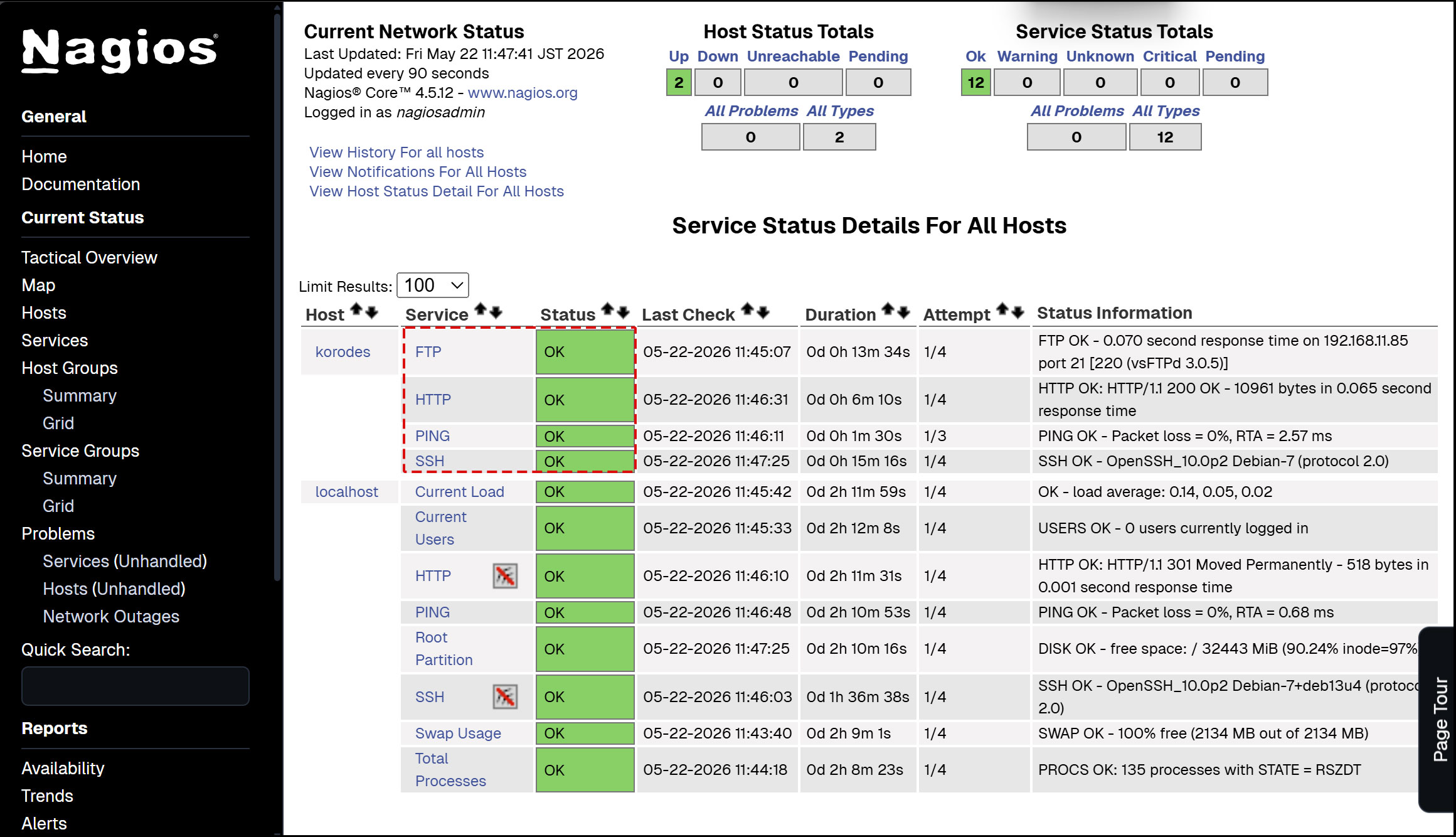
Newly added monitoring services are added as shown in the figure below.