1. Install NTP server
|
1 2 3 4 5 6 7 |
# apt -y install chrony # vi /etc/chrony/chrony.conf # Line 8.:Comment the default settings and add the NTP server for your time zone. #pool 2.debian.pool.ntp.org iburst pool ntp.nict.jp iburst # Add to the last line (Range for which time synchronization is allowed) allow 192.168.11.0/24 |
Setting Reflection
|
1 |
# systemctl restart chrony |
Operation check
|
1 2 3 4 5 6 7 |
# chronyc sources MS Name/IP address Stratum Poll Reach LastRx Last sample =============================================================================== ^+ ntp-b2.nict.go.jp 1 6 17 23 -5825ns[ -167us] +/- 5522us ^+ ntp-b3.nict.go.jp 1 6 17 23 -36us[ -197us] +/- 5283us ^* ntp-a2.nict.go.jp 1 6 17 22 -90us[ -251us] +/- 5490us ^+ ntp-a3.nict.go.jp 1 6 17 23 +31us[ -130us] +/- 5538us |
2. Install FTP Server
2.1 Install Vsftpd
|
1 |
# apt install vsftpd |
|
1 2 3 |
FTP Port21 allowed # ufw allow ftp # ufw reload |
2.2 Edit Vsftpd configuration file
|
1 2 3 4 5 6 7 8 9 10 11 12 13 14 15 16 17 18 19 20 21 22 23 24 25 26 27 28 |
# vi /etc/vsftpd.conf # Line 14. : change listen=YES # Line 22 : change listen_ipv6=NO # Line 31 : Uncomment # Allow use of FTP commands to make changes to files write_enable=YES # Line 35 : Uncomment # Set permission values to be applied to new files # Each digit indicates owner, group, other, and bit indicates rwx local_umask=022 # Line 99-100 : Uncomment # Allow uploads by ASCII ascii_upload_enable=YES # Allow downloading by ASCII ascii_download_enable=YES # Line 122 : Uncomment # Change the user's login directory to the user's root directory chroot_local_user=YES # Line 123 : Uncomment # Users will not be able to access outside the login directory chroot_list_enable=YES # Line 125 : Uncomment # Users listed in vsftpd.chroot_list are exempt from the above restrictions chroot_list_file=/etc/vsftpd.chroot_list # Line 131:Uncomment( Enable batch transfer by directory ) ls_recurse_enable=YES |
Next, create a new vsftpd.chroot_list under etc.
Add your Debian username (e.g. huong) to this file.
|
1 2 |
# vi /etc/vsftpd.chroot_list huong |
Enable vsftpd and restart
|
1 |
# systemctl restart vsftpd |
2.3 Check FTP connection
Check with FTP client
In this case, we will use FileZilla.
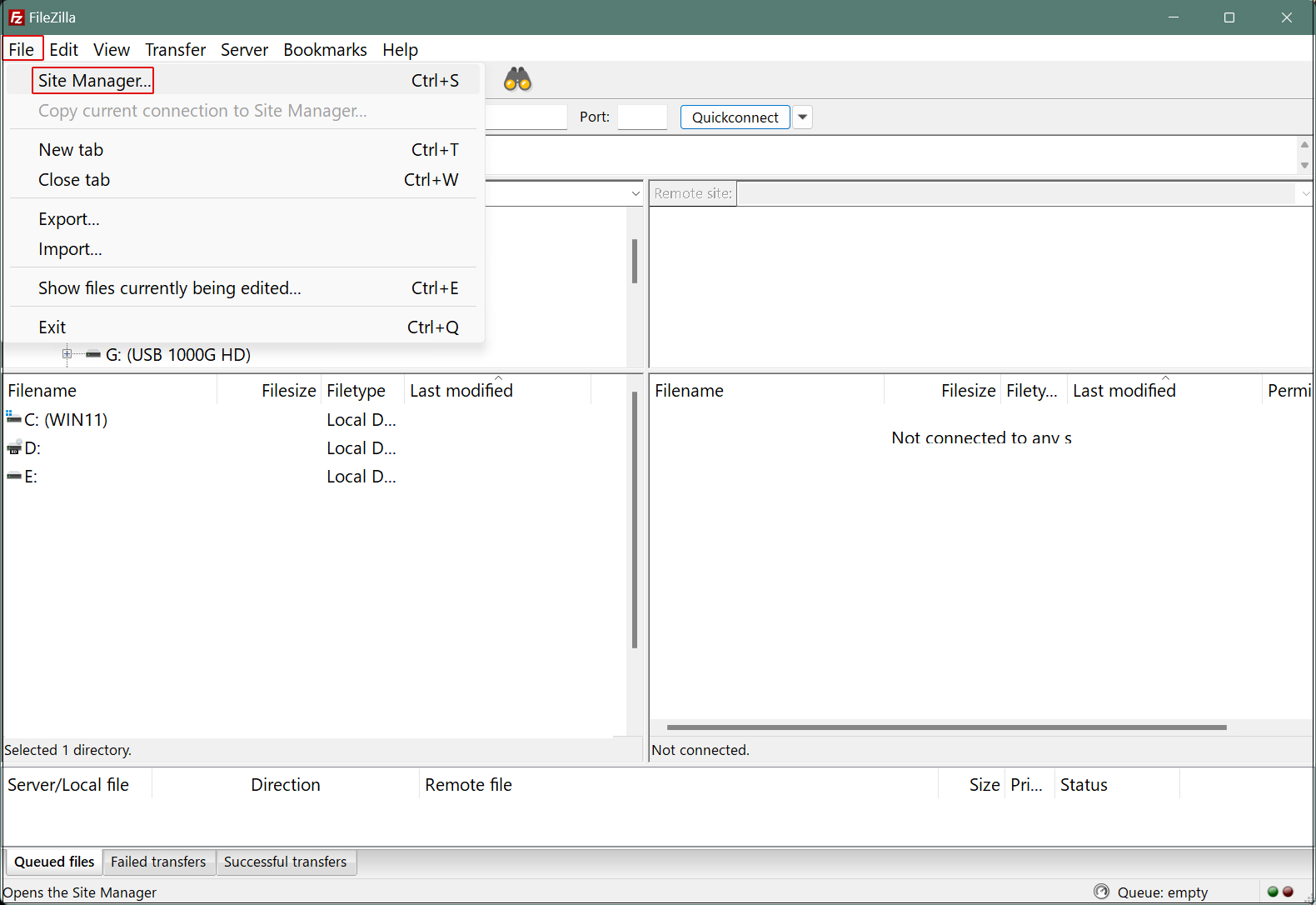
Start FileZilla select "Site Manager" from the "File" menu.
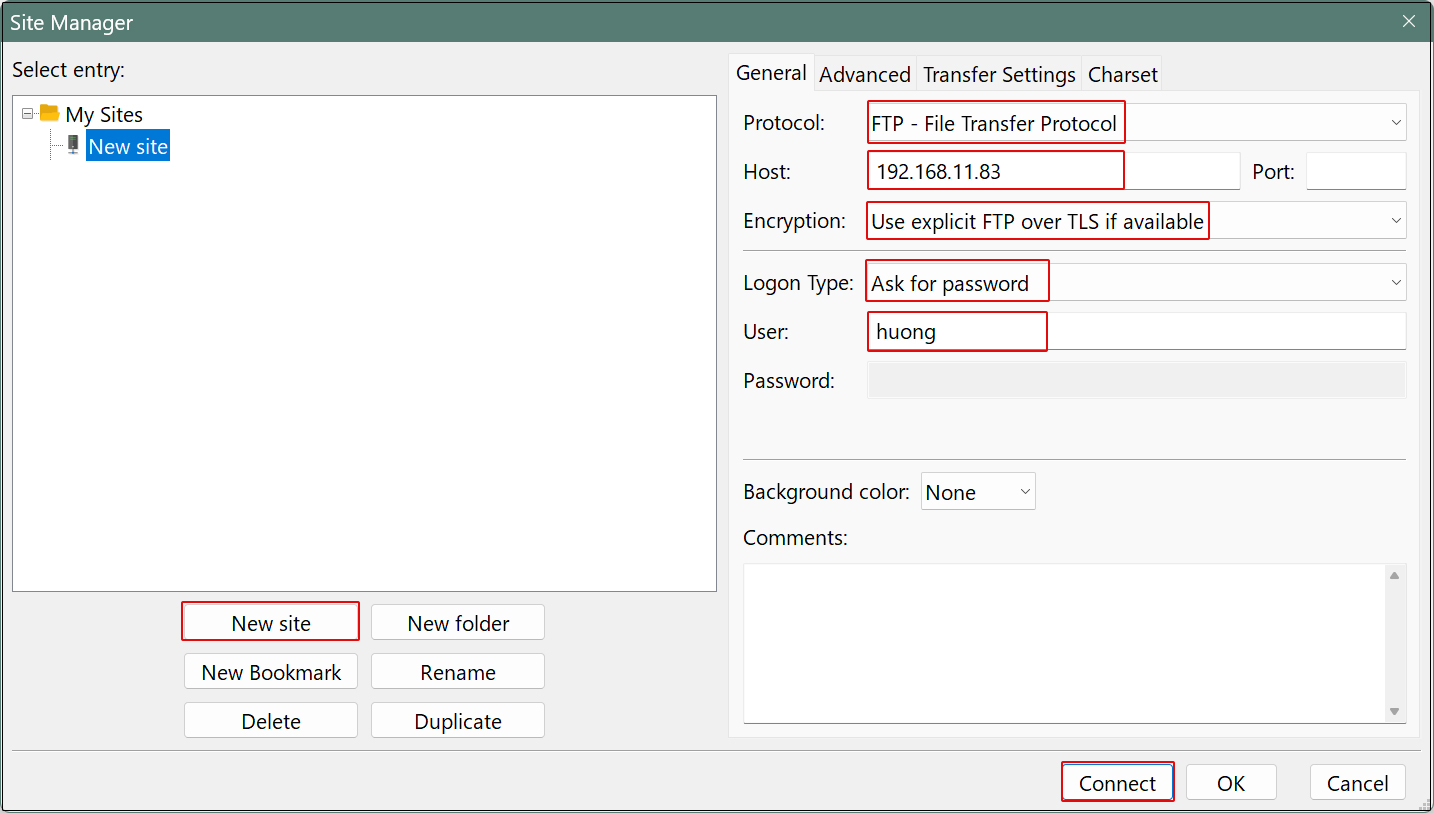
Click on "New site" and then
Protocol : FTP- File Transfer Protocol
Host : Server IP Address
Port :
Encryption : Use explicit FTP over TLS if avaiable
Logon Type : Ask for password
User : Login User
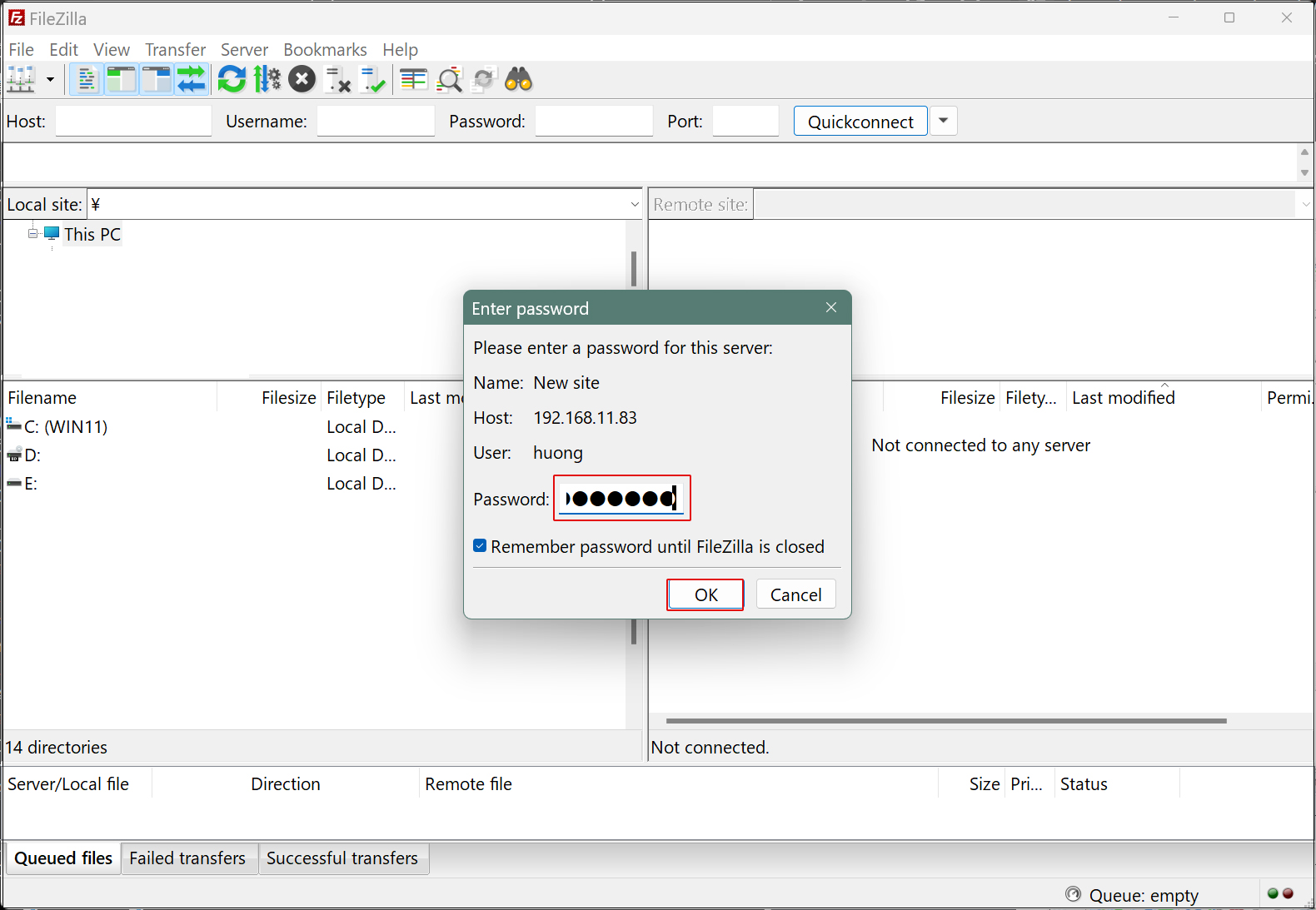
Password : logd in user password
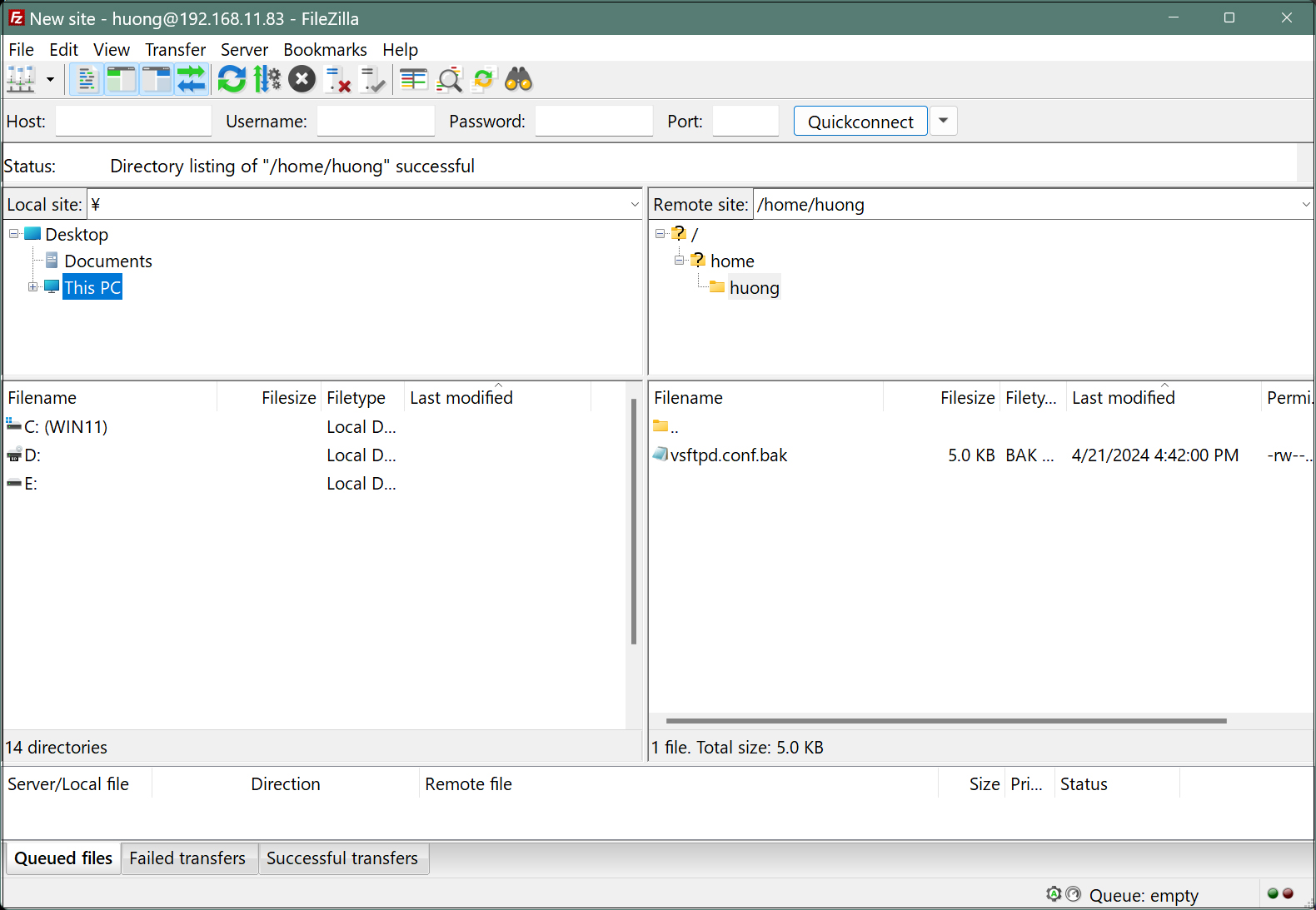
If the Windows directory appears on the left and the Ubuntu directory on the right, the connection is successful.