

Create public and private key pairs
Create a public/private key pair for a user connecting to a Linux server using OpenSSH.
Use ssh-keygen to create the key pair.
This time, we will create a key set using the RSA cipher used in the SSH protocol Version 2.
The creation of a public/private key pair is performed with remote login user privileges (e.g., huong).
If you do not specify the destination and file name, id_ed25519 and id_ed25519.pub will be created in /home/huong/.ssh/. On the way, enter the password for the key.
|
1 2 3 4 5 6 7 8 9 10 11 12 13 14 15 16 17 18 19 20 21 22 23 |
# su - huong huong@Lepard:~$ ssh-keygen -t ed25519 Generating public/private ed25519 key pair. Enter file in which to save the key (/home/huong/.ssh/id_ed25519): Created directory '/home/huong/.ssh'. Enter passphrase (empty for no passphrase): Enter same passphrase again: Your identification has been saved in /home/huong/.ssh/id_ed25519 Your public key has been saved in /home/huong/.ssh/id_ed25519.pub The key fingerprint is: SHA256:2BvD2hjnFG+KlB/JK8qLYF2PmncS6FPEyXpiy4D1mXc huong@Lepard The key's randomart image is: +--[ED25519 256]--+ | | | | | o . . | | . = * + | |.. .++= S o | |...===+@EO | |..=.=o*oB | |.. Bo+ o | | .o*.o | +----[SHA256]-----+ |
|
1 2 3 |
$ chmod 700 ~/.ssh $ cat ~/.ssh/id_ed25519.pub >> ~/.ssh/authorized_keys $ chmod 600 ~/.ssh/authorized_keys |
Save the generated private key id_ed25519 to the Windows directory c:\USERS\user\.ssh\ using winSCP
Start Winscp
Host name : Server IP Address
Port number : SSH Port
User name : Server Login User
Password : Password for the same user
and then "Save".
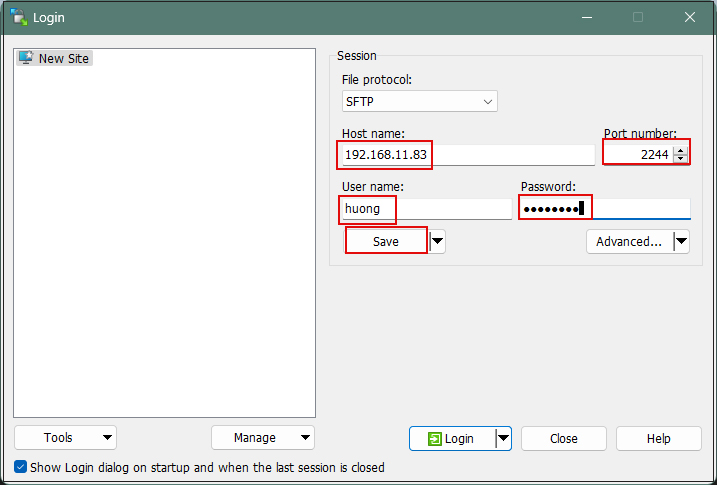
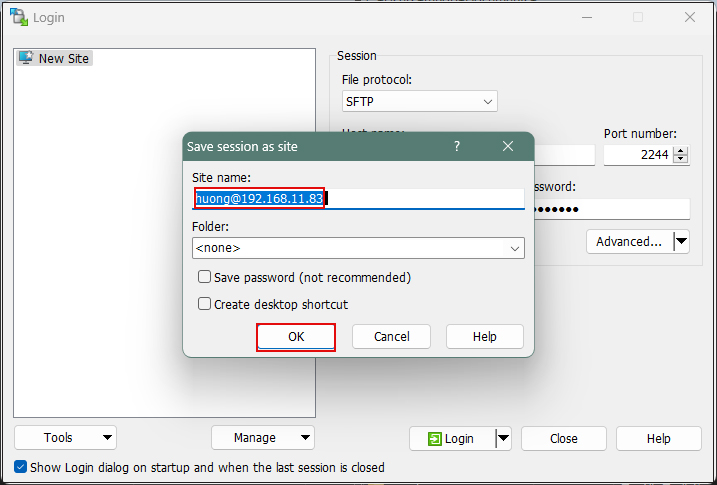
Site name : Any name
Click "OK"
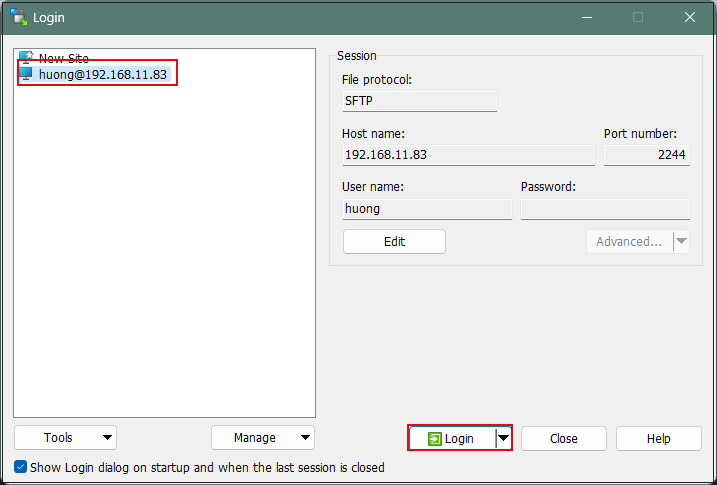
After confirming the server, click "Login".
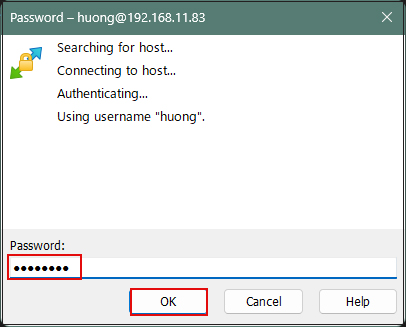
Click "Update" when the following screen appears
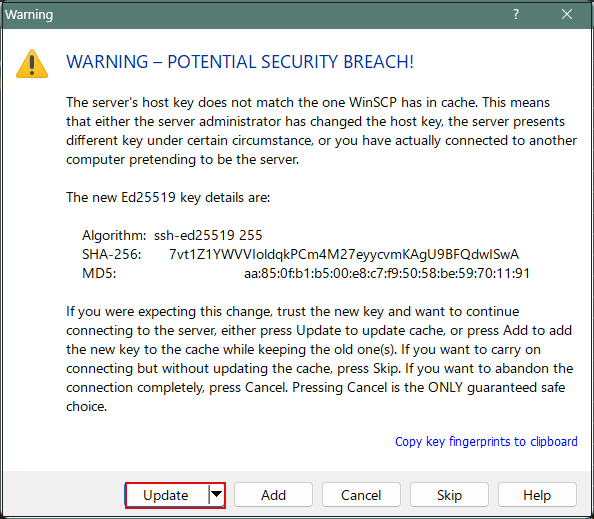
Password of the logged-in user in the Password field
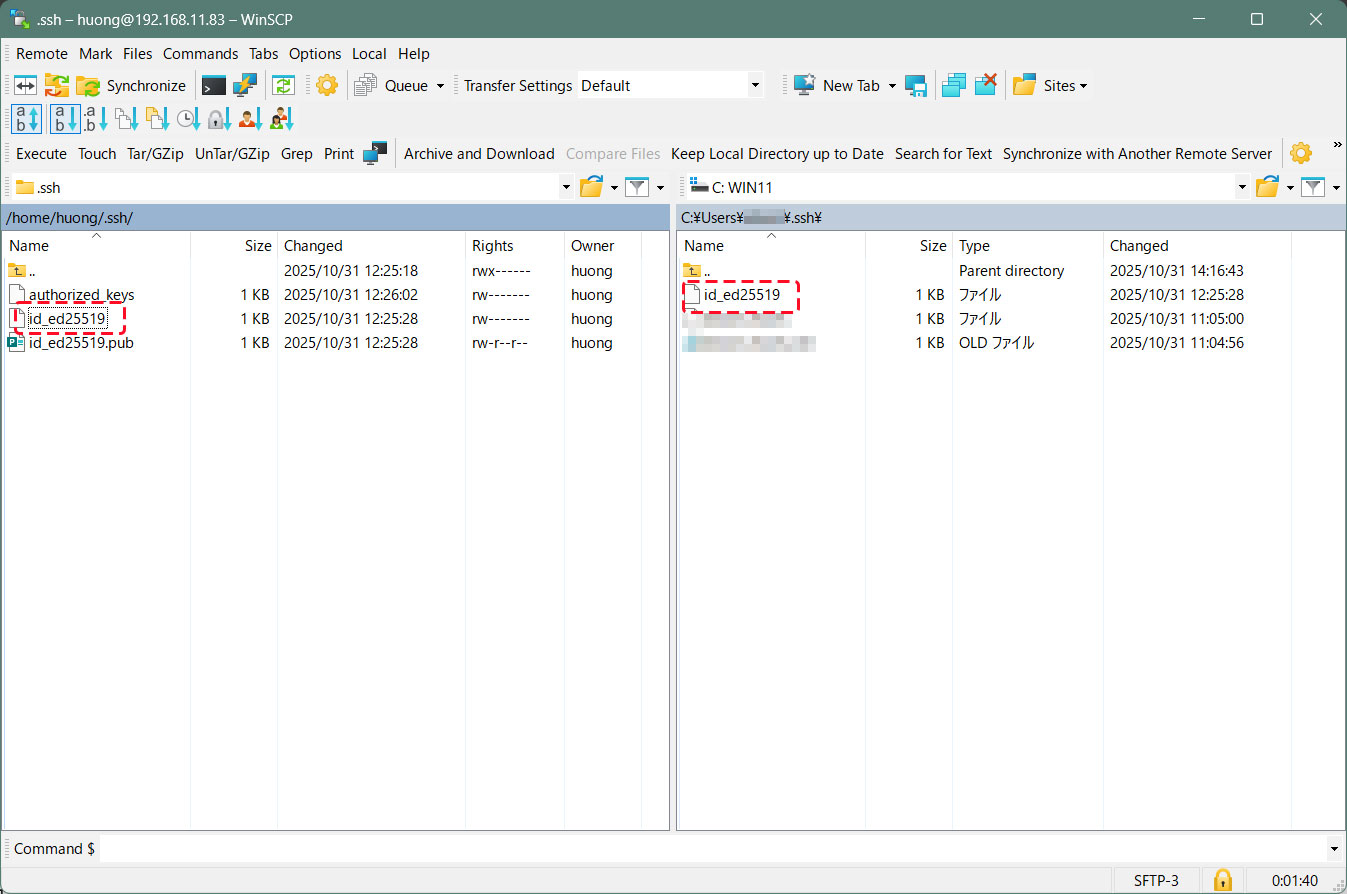
Once connected, the left pane shows the server side, and the right pane shows the PC (Windows) side.
Copy the "id_ed25519" file located in the .ssh directory to the Windows directory[c:\USERS\user\.ssh] on the right side.
Editing SSH Configuration File
Edit the SSH configuration file to disable password authentication.
This time, instead of being an ordinary user, su - to become root.
|
1 2 3 4 5 6 |
$ su - Password: # vi /etc/ssh/sshd_config # Per Line57 : Uncomment and change to no PasswordAuthentication no |
Restart sshd.service
|
1 |
# systemctl restart sshd |
How to connect using Tabby Terminal
Specify the key using the option [-i c:\USERS\xxxxx\.ssh\id_ed25519]
C:\Users\xxxxx>ssh huong@192.168.11.83 -p 2244 -i c:\USERS\xxxxx\.ssh\id_ed25519
Enter passphrase for key 'c:\USERS\mhori.ssh\id_ed25519':[The password created when generating the public key]
Linux Lepard 6.1.0-42-amd64 #1 SMP PREEMPT_DYNAMIC Debian 6.1.159-1 (2025-12-30) x86_64
The programs included with the Debian GNU/Linux system are free software;
the exact distribution terms for each program are described in the
individual files in /usr/share/doc/*/copyright.
Debian GNU/Linux comes with ABSOLUTELY NO WARRANTY, to the extent
permitted by applicable law.
Last login: Fri Jan 23 10:19:43 2026 from 192.168.11.6
huong@Lepard:~$
Creating a private key using PuTTYgen
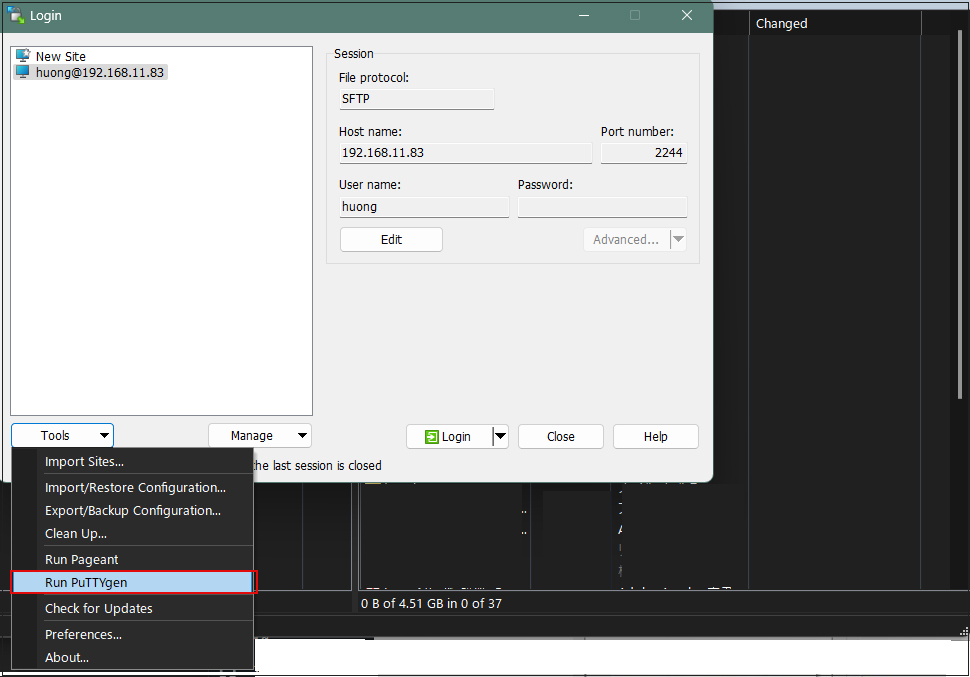
Start Winscp and launch [Run Puttygen] from [Tools].
Select the appropriate server
Click Load
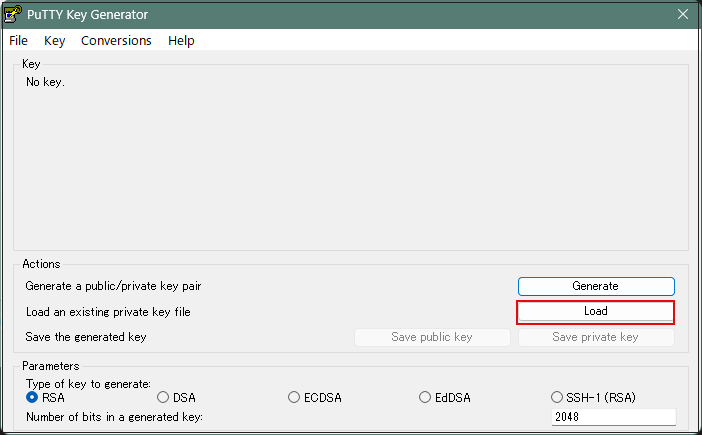
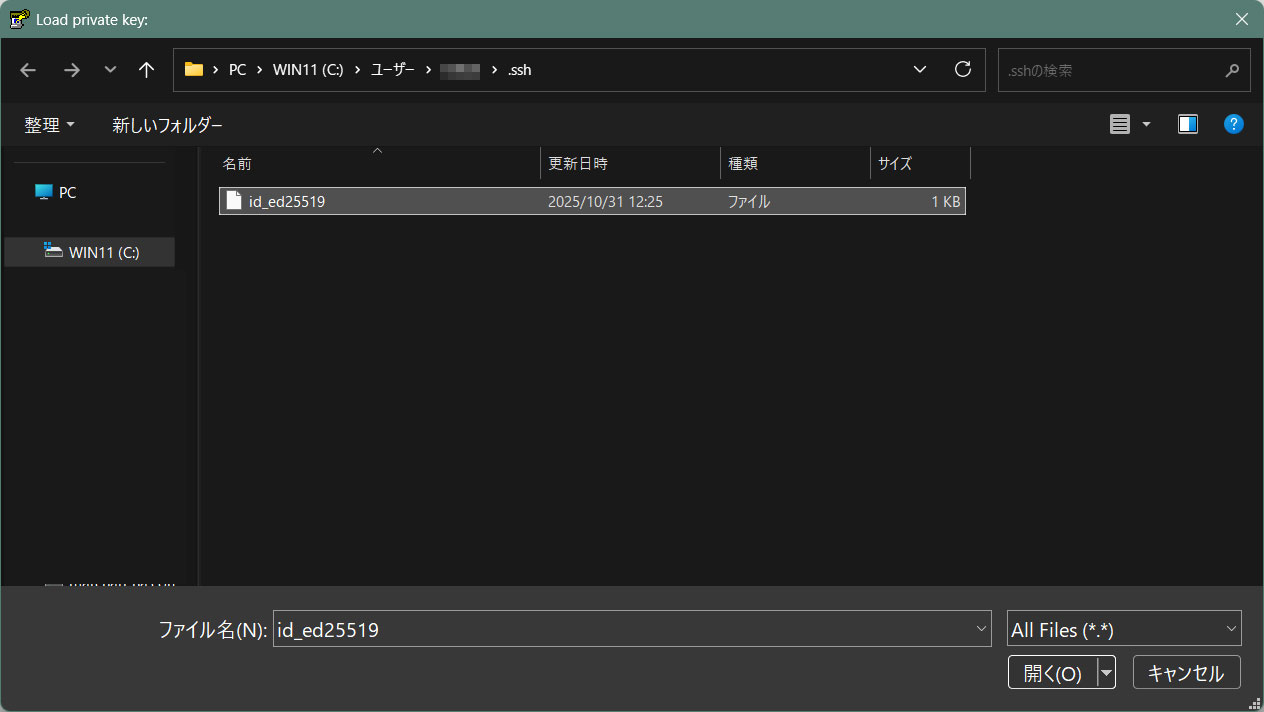
The [ Open File Dialog ] will open, change the file type to [ All Files (*. Change the file type to [ All Files (*. *) ] and load the private key id_ed25519 that was transferred from the Linux server.
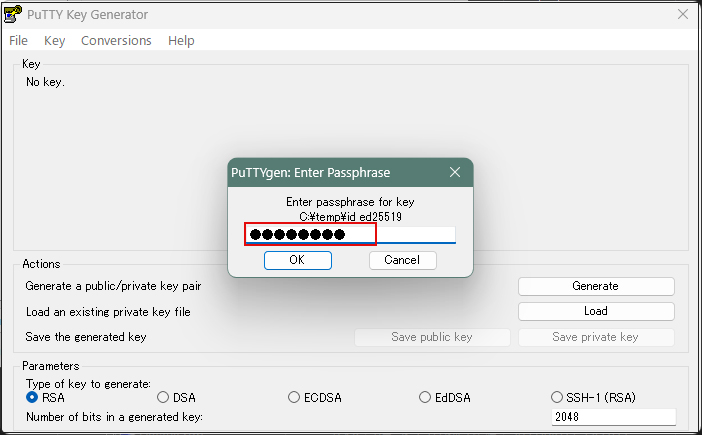
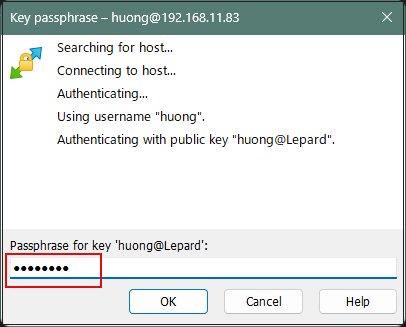
The password is the password set in "Creating a public and private key pair" above
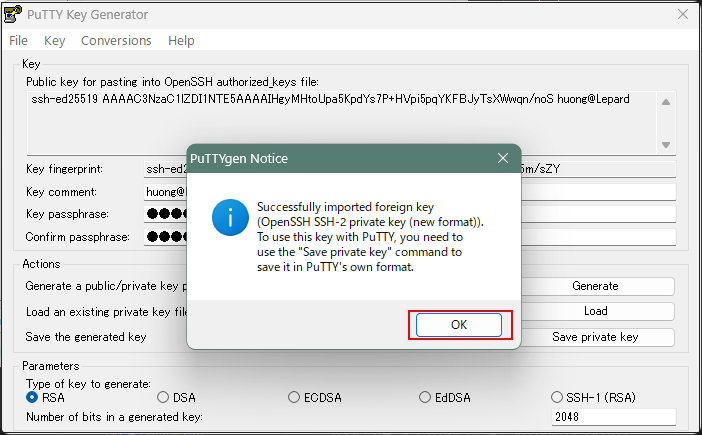
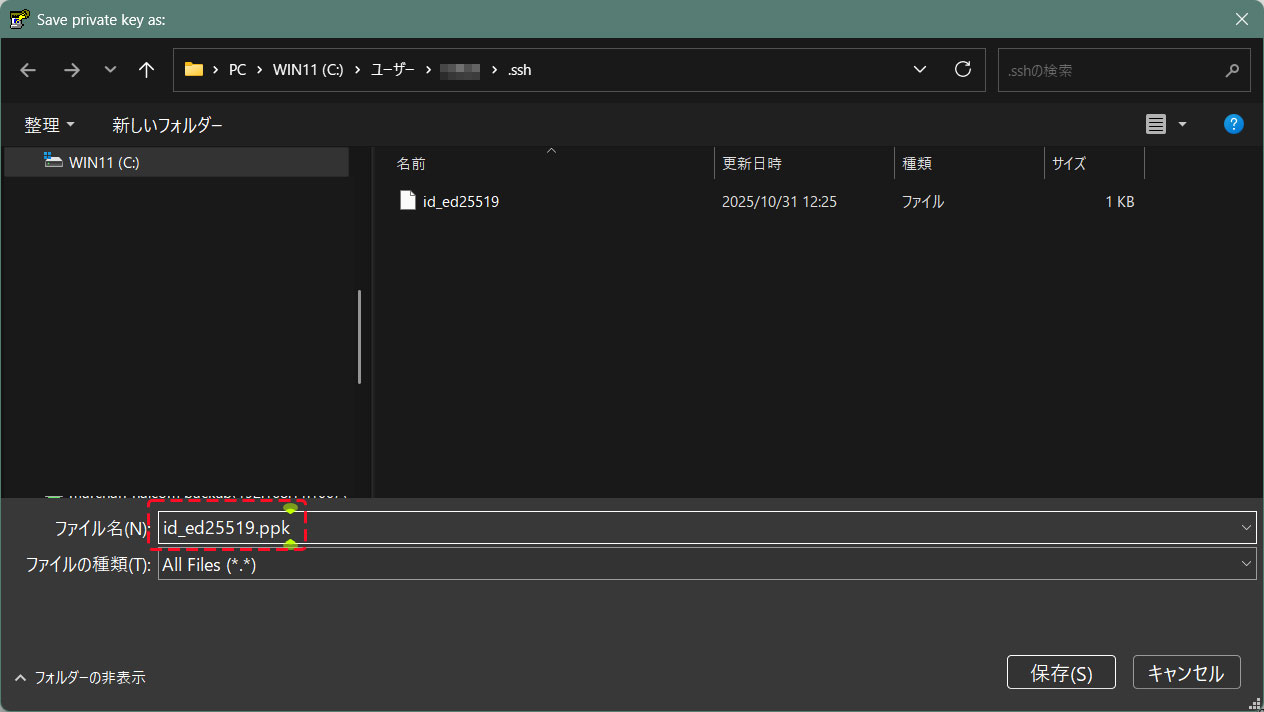
Click on "Save private key"
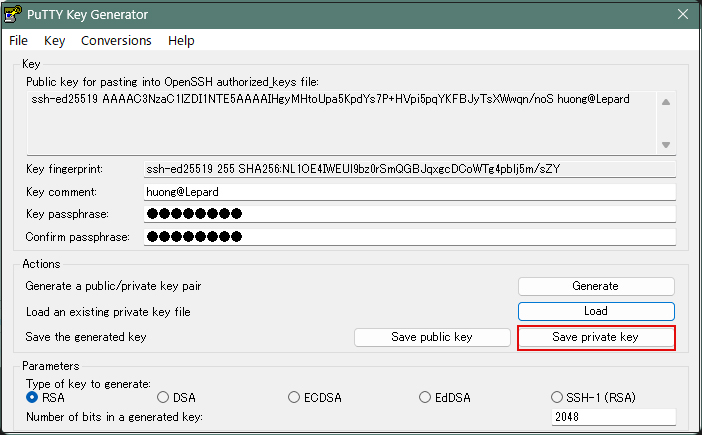
Save the file with the extension ".ppk" in the same place as "id_ed25519" saved earlier on the Windows side under the name "id_ed25519.ppk".
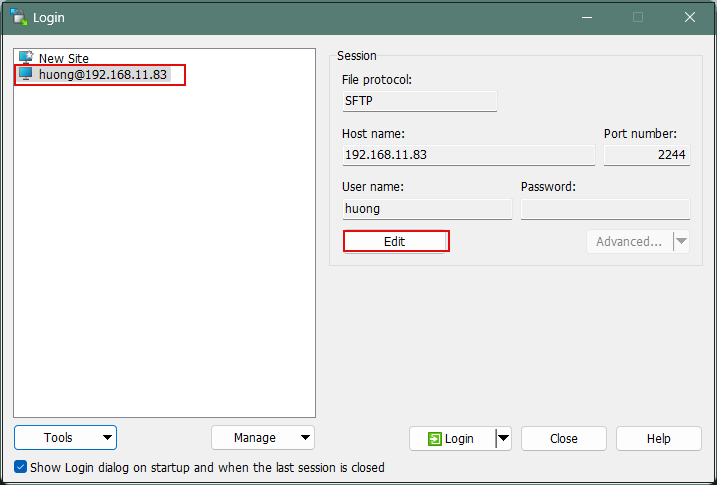
Select the target server and click "Edit".
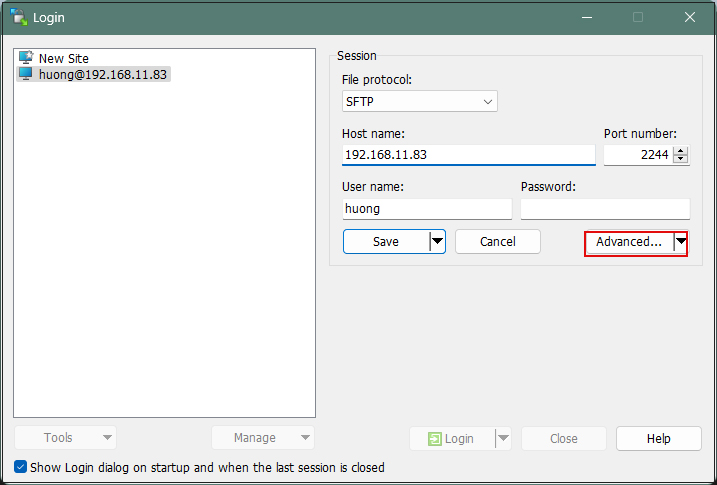
Click on "Advanced"
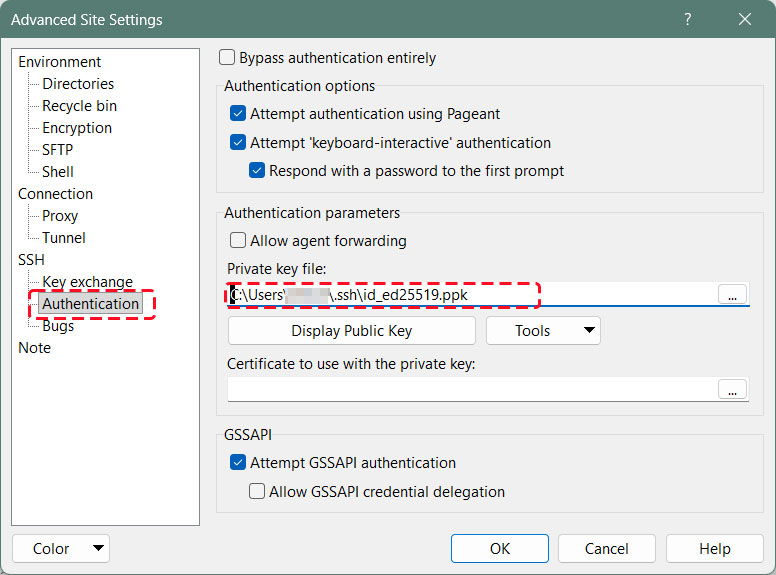
Open the "Authentication" menu and specify "id_ed25519.ppk" saved in Windows for "Private key file
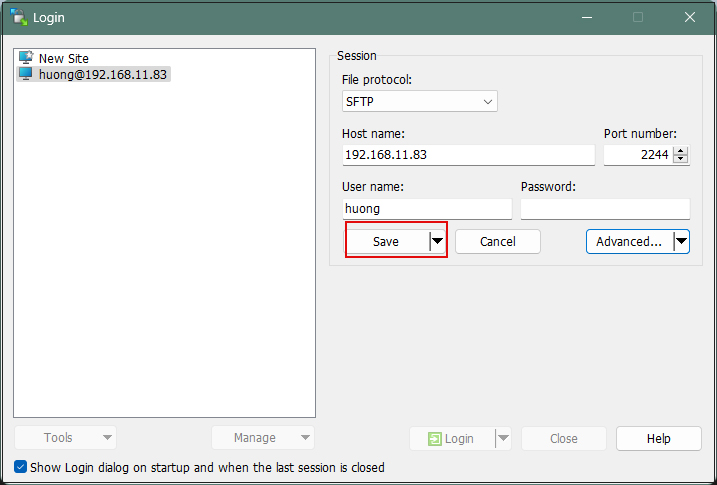
Click "Save"
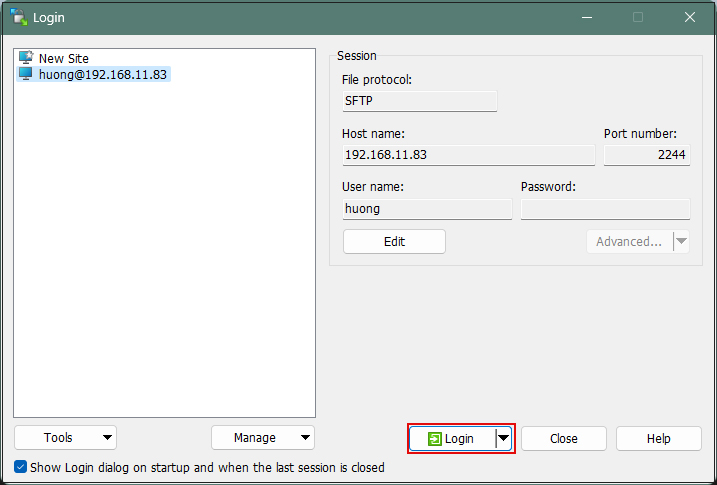
Click on "Login"
The password is the password set in "Creating a public and private key pair" above
When connecting via Tabby Terminal, do the following:
C:\Users\xxxxx>ssh huong@192.168.11.83 -p 2244 -i c:\USERS\xxxxx\.ssh\id_ed25519.ppk
Enter passphrase for key 'c:\USERS\xxxxx\.ssh\id_ed25519.ppk': ←The password specified when creating the public key
If you encounter an error like the one below, convert your private key to OpenSSH format.
C:\Users\xxxxx>ssh huong@192.168.11.83 -p 2244 -i c:\USERS\xxxxx\.ssh\id_ed25519.ppk
Load key "c:\USERS\xxxxx\.ssh\id_ed25519.ppk": invalid format
huong@192.168.11.83: Permission denied (publickey,gssapi-keyex,gssapi-with-mic).
Launch [WinSCP] > [Run PuTTygen], then import the private key under [Import key] in the [Conversions] tab.
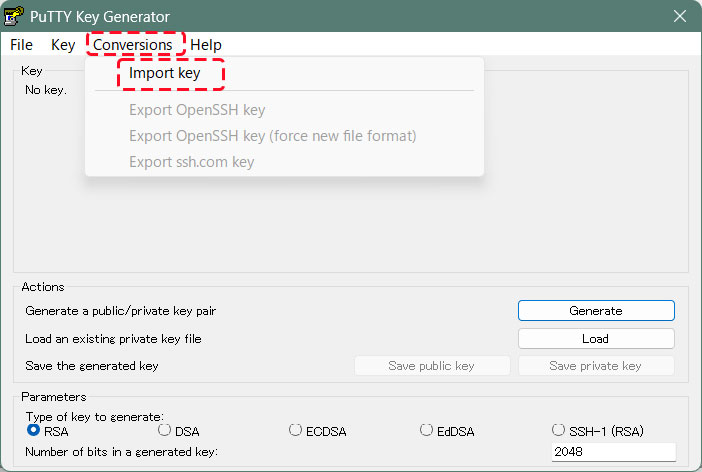
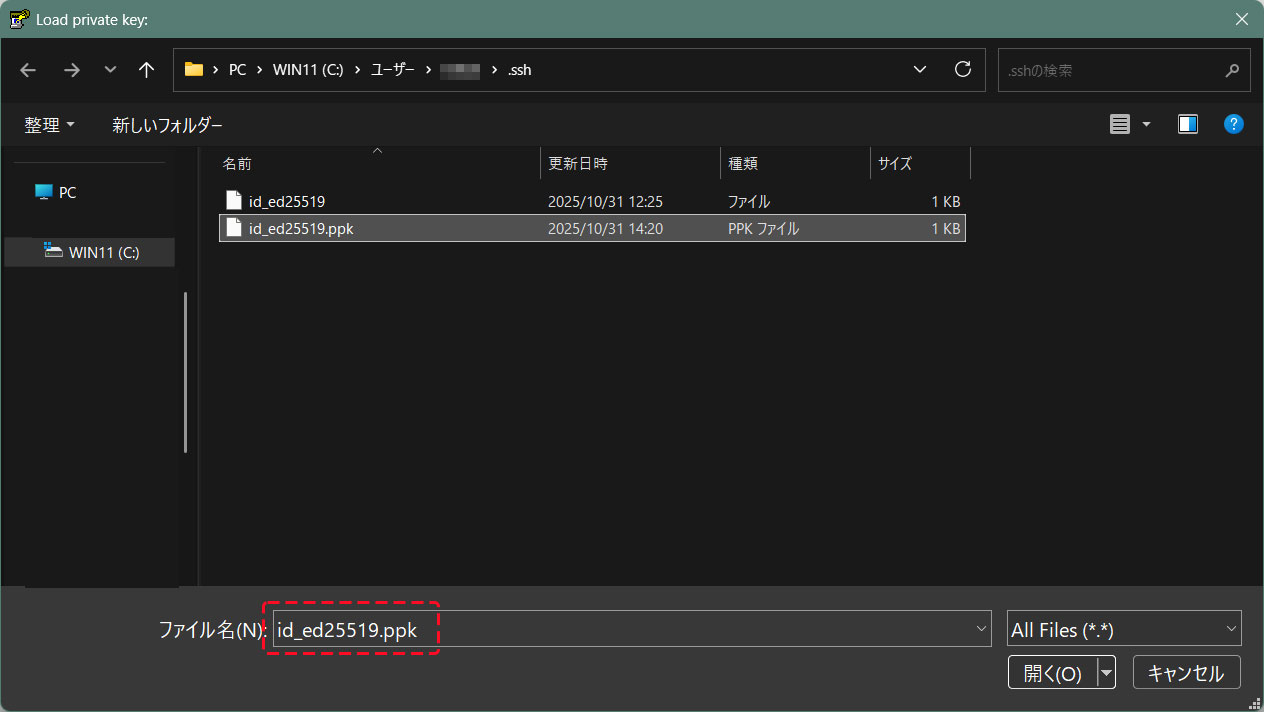
Convert the imported private key to OpenSSH format and save it under a different name
The password specified when creating the public key
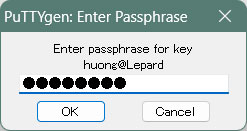
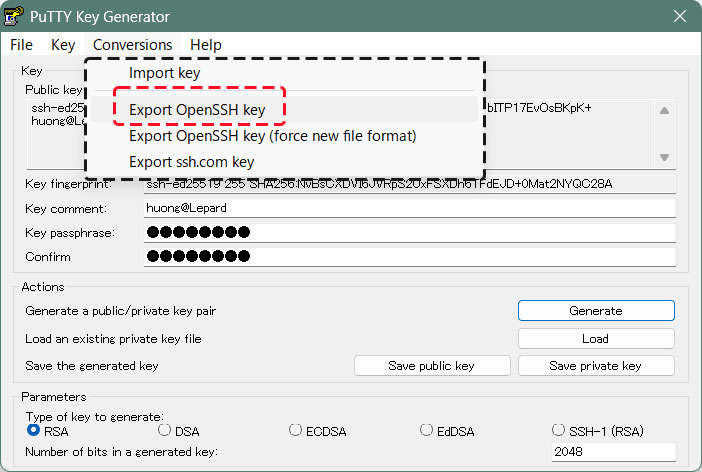
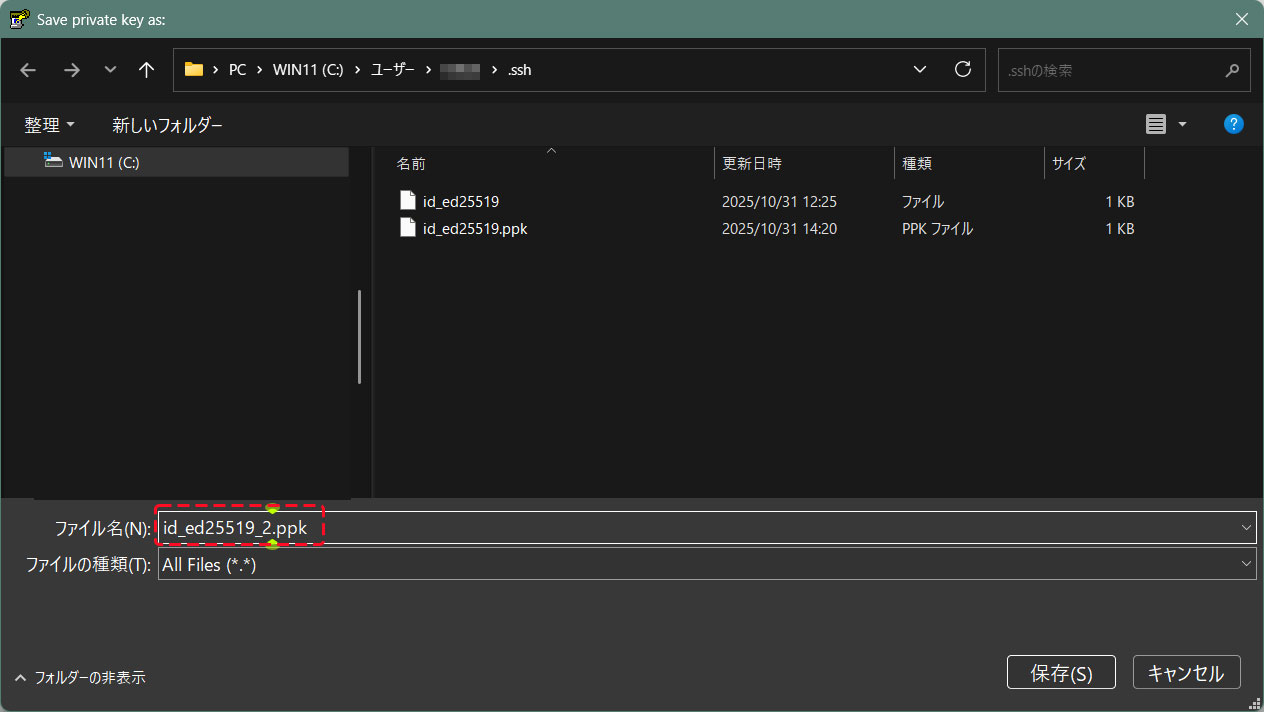
Using the [id_ed25519_2.ppk] file converted to OpenSSH format, you can connect as follows:
C:\Users\xxxxx>ssh huong@192.168.11.83 -p 2244 -i c:\USERS\xxxxx\.ssh\id_ed25519_2.ppk
Enter passphrase for key 'c:\USERS\mhori.ssh\id_ed25519_2.ppk':The password specified when creating the public key
Linux Lepard 6.1.0-42-amd64 #1 SMP PREEMPT_DYNAMIC Debian 6.1.159-1 (2025-12-30) x86_64
The programs included with the Debian GNU/Linux system are free software;
the exact distribution terms for each program are described in the
individual files in /usr/share/doc/*/copyright.
Debian GNU/Linux comes with ABSOLUTELY NO WARRANTY, to the extent
permitted by applicable law.
Last login: Fri Jan 23 10:20:48 2026 from 192.168.11.6
huong@Lepard:~$