

Tripwire
クラッカーによるLinuxサーバーのファイルの改竄を検知するシステムを導入する。
今回は、ファイル改竄検知システムにホスト型IDS(IDS=Intrusion Detection System)のTripwireを導入する。
Tripwireは、導入時のファイル状態をデータベース化し、そのデータベースとファイルの現状を比較することにより、ファイルの追加/変更/削除を検知する。
1 インストール
|
1 |
# apt -y install tripwire |
Tripwire は、「tw.cfg」tripwire構成ファイルと 「tw.pol」tripwireポリシーファイルをセキュリティで保護するためにサイトパスフレーズを必要とします。指定されたパスフレーズを使用して両方のファイルを暗号化します。 サイトパスフレーズは、単一インスタンスのtripwireに対しても必要です。
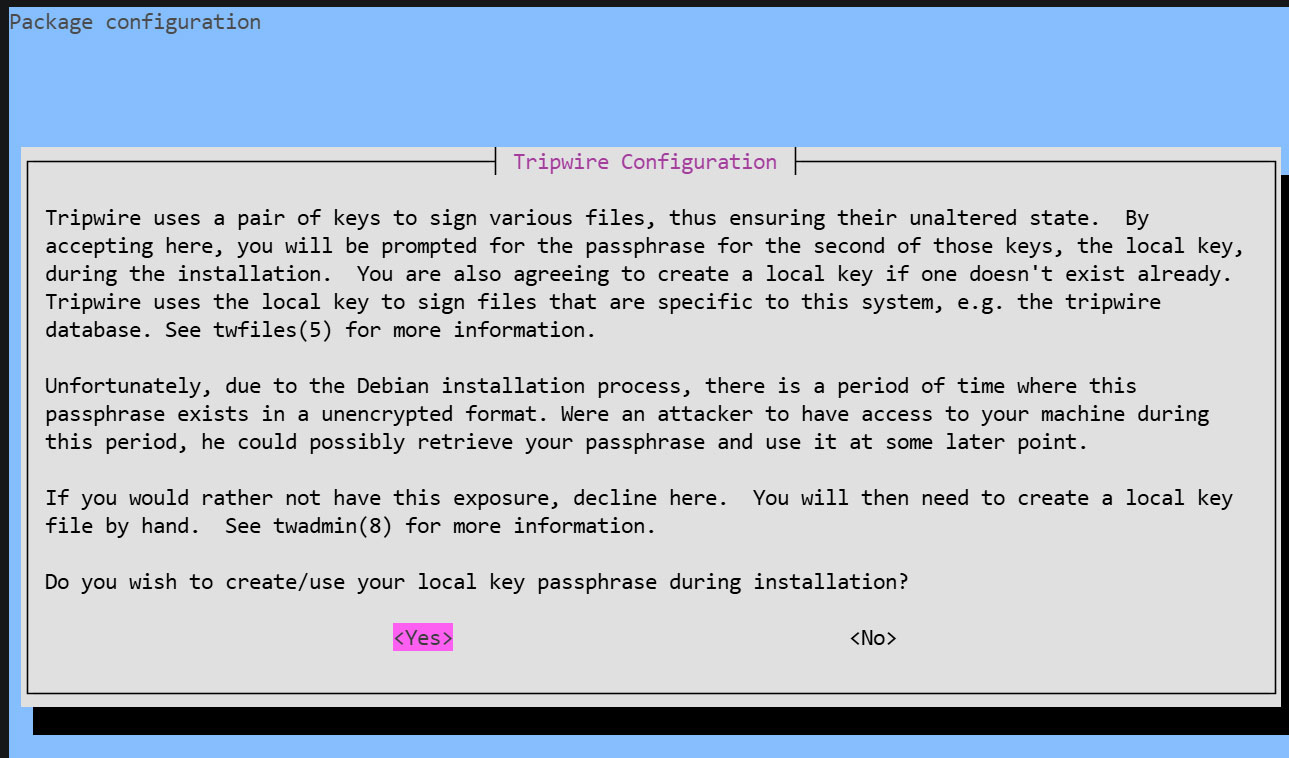
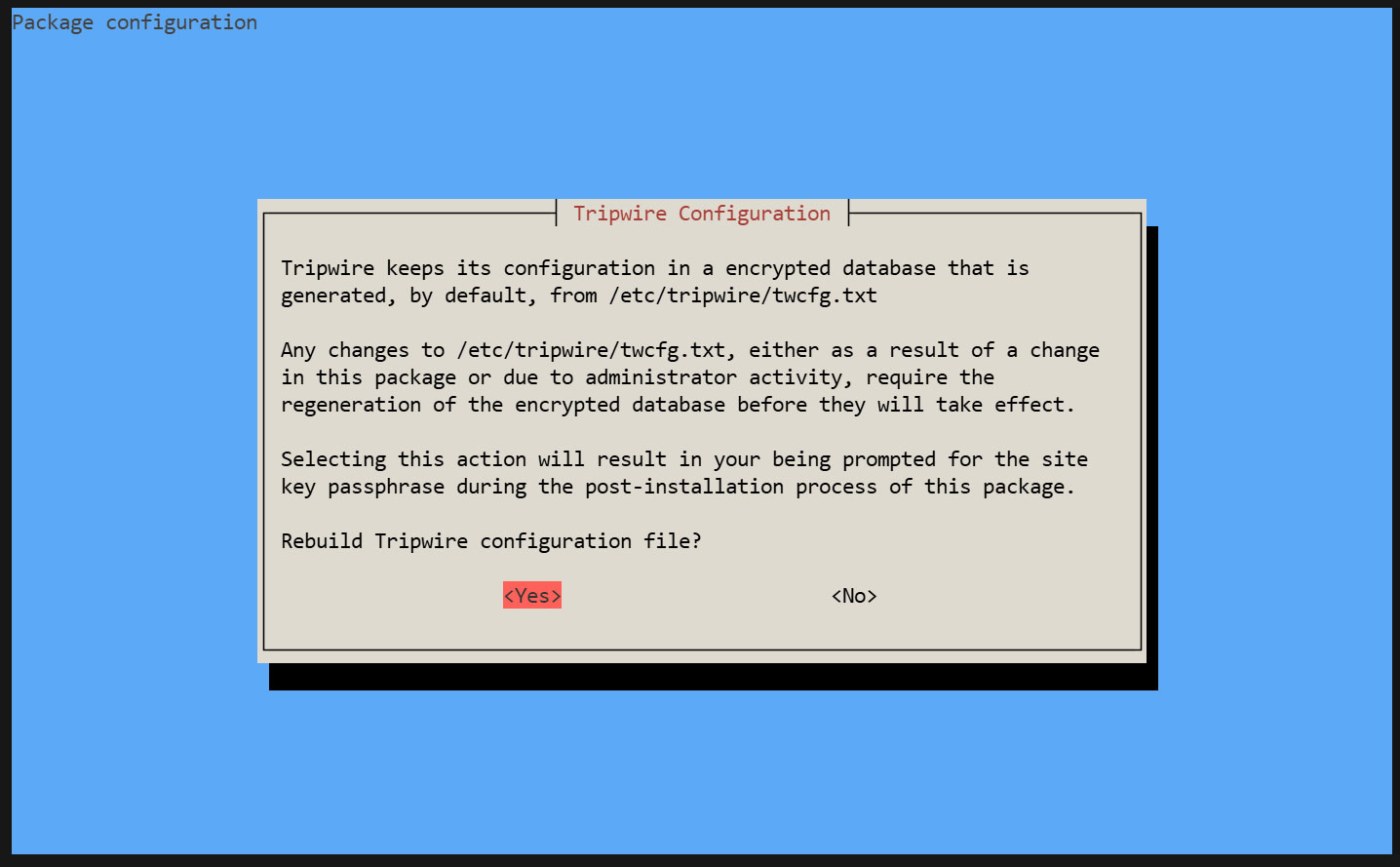
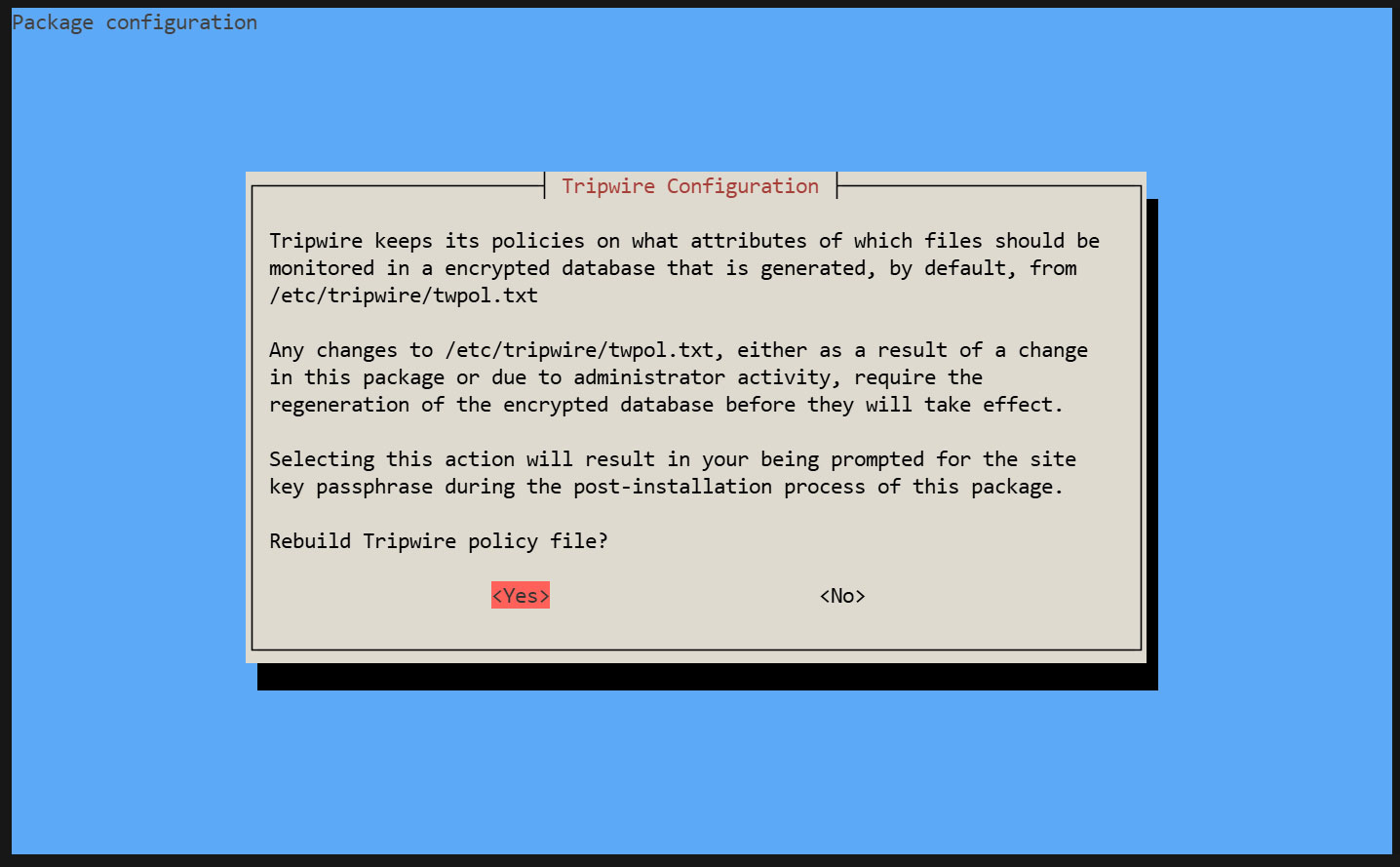
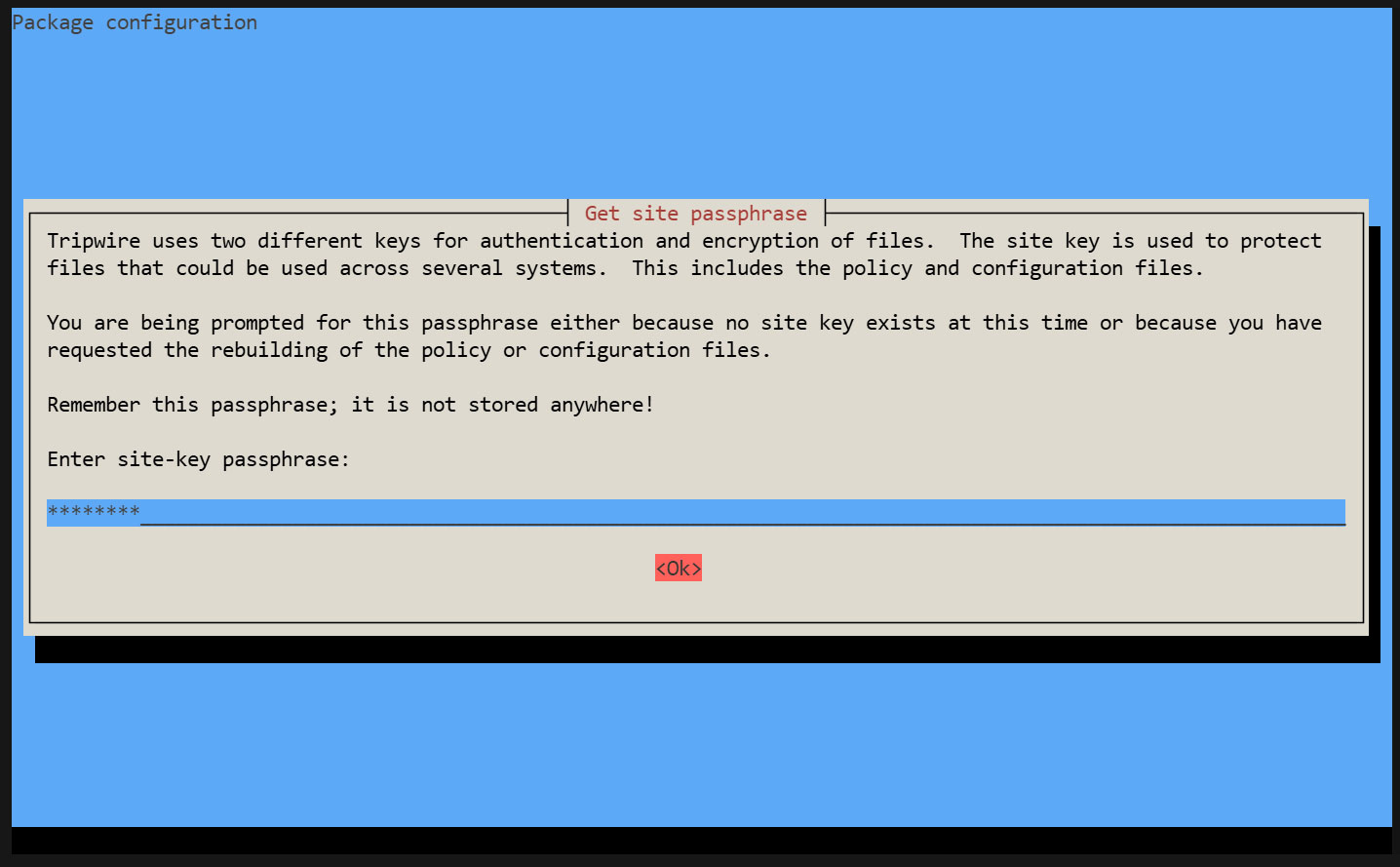
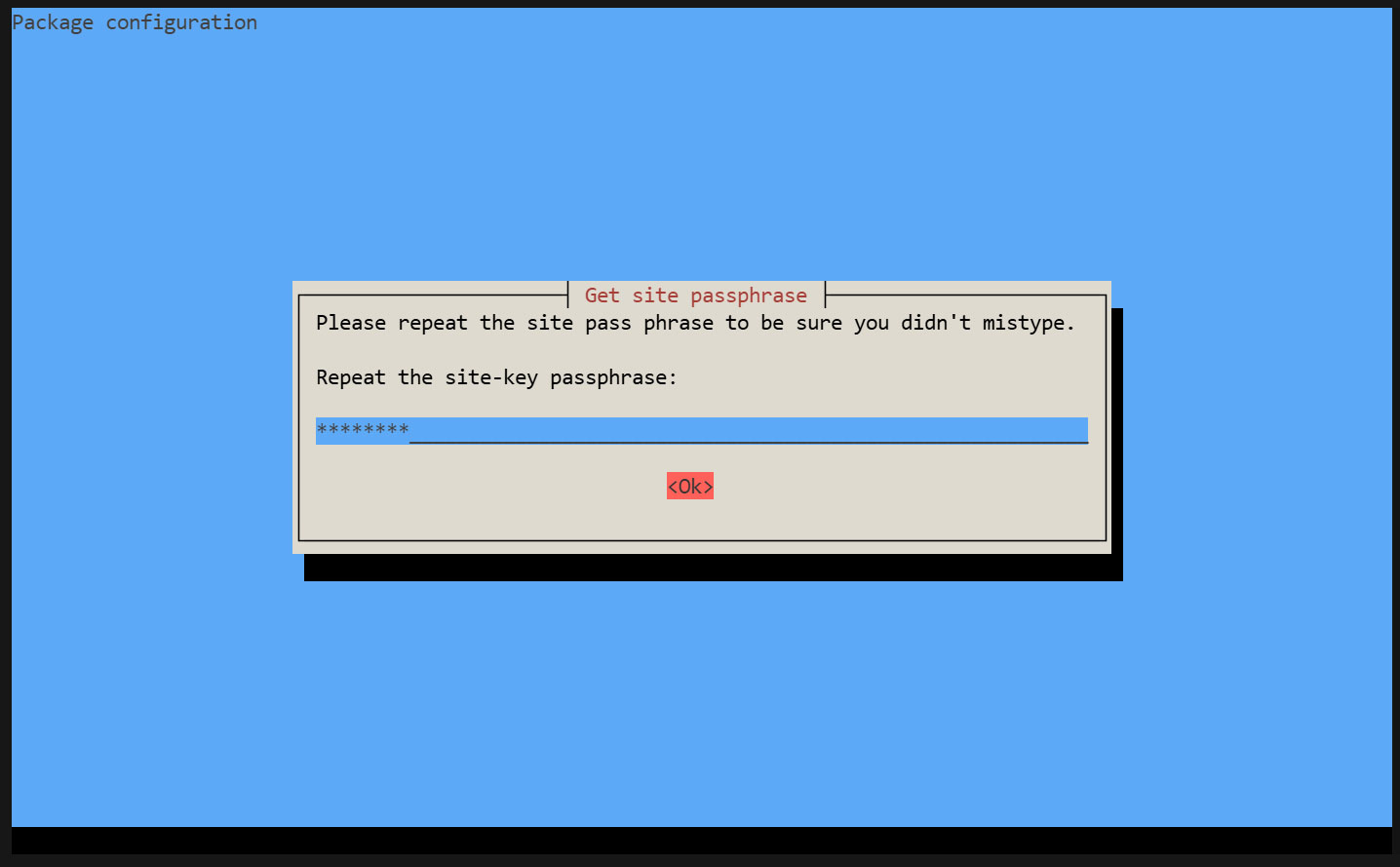
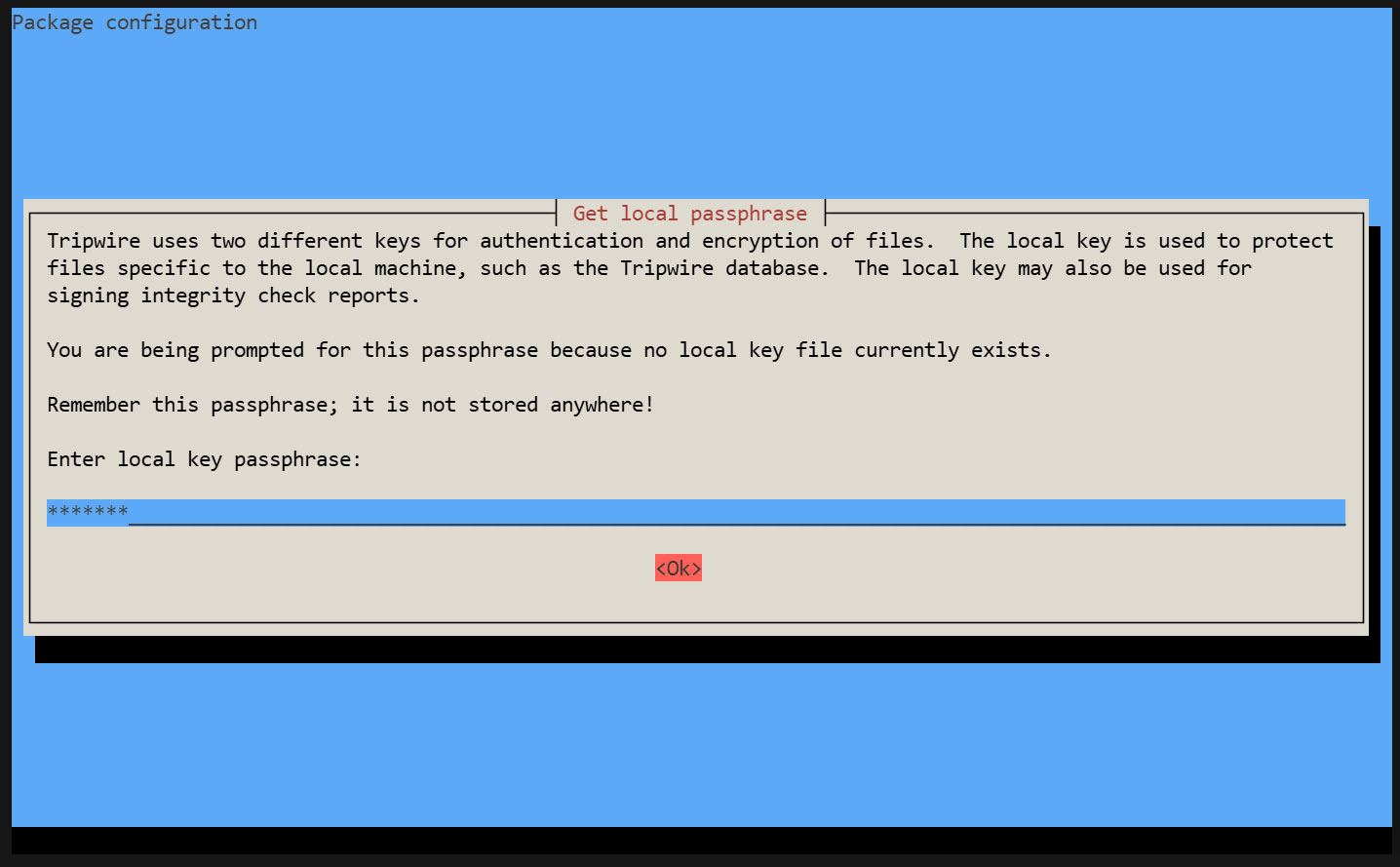
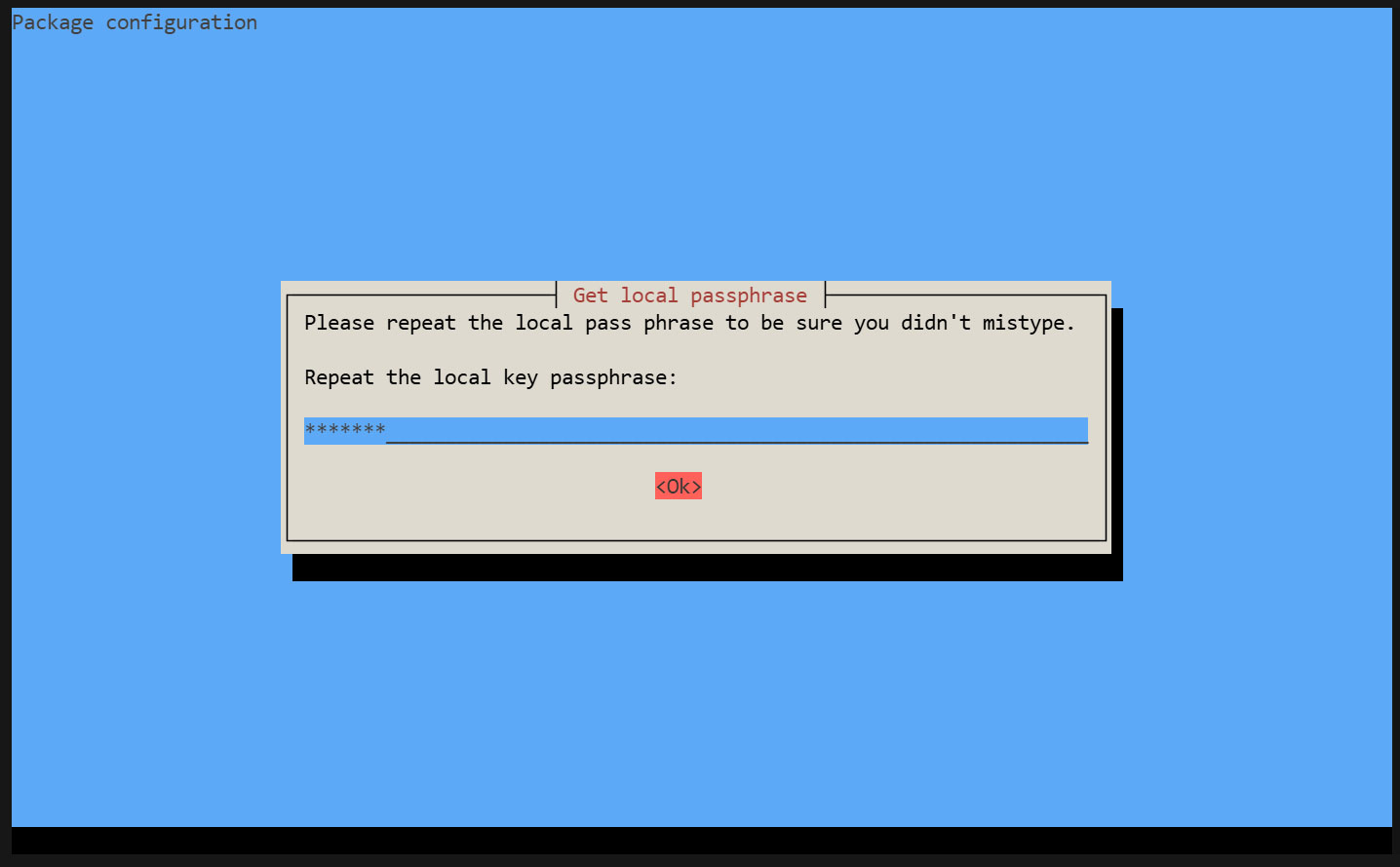
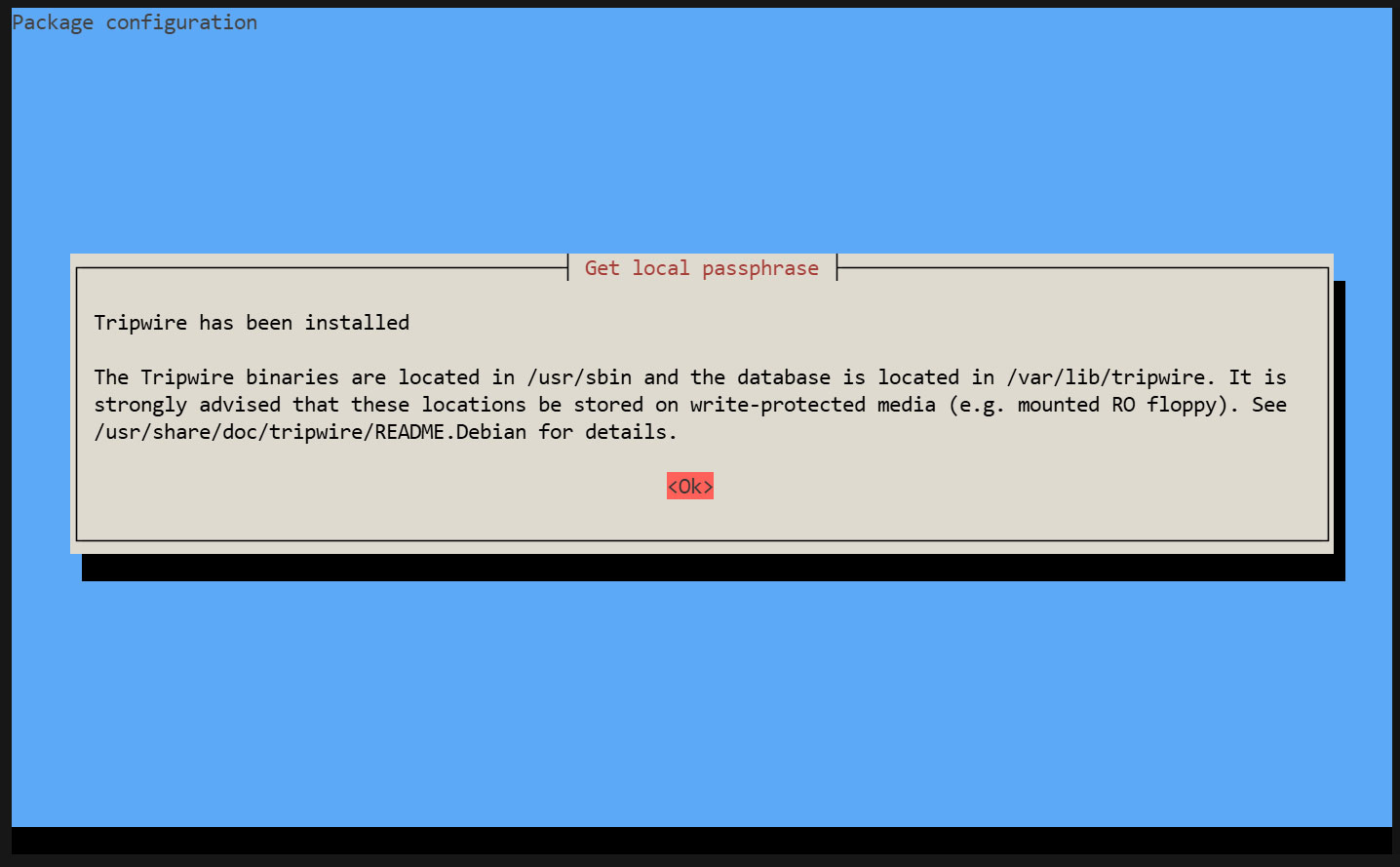
インストール過程で"site key passphrase"及び"local key passphrase"の入力を求められます。
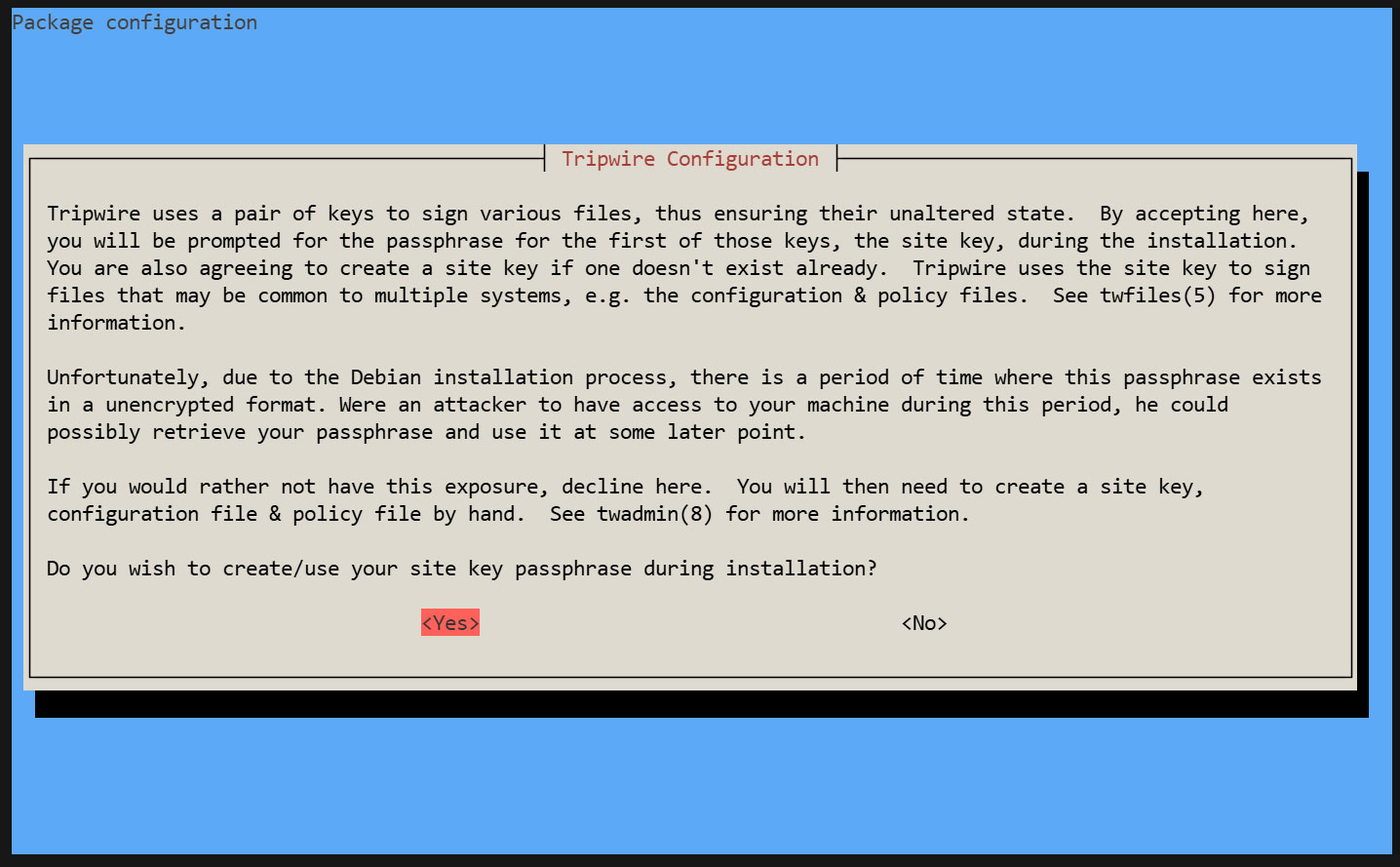
サイトキーパスフレーズの作成
ローカルキーパスフレーズの作成
tripwireデータベースとレポートファイルの保護にはローカルパスフレーズが必要です。tripwireベースラインデータベースの不正な変更を避けるためにtripwireが使用するローカルキー。
インストールが進み完了します
2. Tripwire の設定
①twcfg.txt編集
|
1 2 3 4 5 6 |
# cd /etc/tripwire # vi twcfg.txt 9 行目 : 変更 LOOSEDIRECTORYCHECKING =true 12行目:必要に応じて変更 (レポートレベル : 4 が最大) REPORTLEVEL =4 |
② 設定ファイル(暗号署名版)を作成
|
1 2 3 |
# twadmin -m F -c tw.cfg -S site.key twcfg.txt Please enter your site passphrase: <site pass> Wrote configuration file: /etc/tripwire/tw.cfg |
③ ポリシーを最適化
次のポリシー最適化スクリプトを利用し、ポリシーを最適化する
|
1 |
# vi twpolmake.pl |
ポリシー最適化スクリプト内容
|
1 2 3 4 5 6 7 8 9 10 11 12 13 14 15 16 17 18 19 20 21 22 23 24 25 26 27 28 29 30 31 32 33 34 35 36 |
#!/usr/bin/perl $POLFILE=$ARGV[0]; open(POL,"$POLFILE") or die "open error: $POLFILE" ; my($myhost,$thost) ; my($sharp,$tpath,$cond) ; my($INRULE) = 0 ; while (<POL>) { chomp; if (($thost) = /^HOSTNAME\s*=\s*(.*)\s*;/) { $myhost = `hostname` ; chomp($myhost) ; if ($thost ne $myhost) { $_="HOSTNAME=\"$myhost\";" ; } } elsif ( /^{/ ) { $INRULE=1 ; } elsif ( /^}/ ) { $INRULE=0 ; } elsif ($INRULE == 1 and ($sharp,$tpath,$cond) = /^(\s*\#?\s*)(\/\S+)\b(\s+->\s+.+)$/) { $ret = ($sharp =~ s/\#//g) ; if ($tpath eq '/sbin/e2fsadm' ) { $cond =~ s/;\s+(tune2fs.*)$/; \#$1/ ; } if (! -s $tpath) { $_ = "$sharp#$tpath$cond" if ($ret == 0) ; } else { $_ = "$sharp$tpath$cond" ; } } print "$_\n" ; } close(POL) ; |
ポリシーファイル最適化
|
1 |
# perl twpolmake.pl twpol.txt > twpol.txt.new |
最適化済ポリシーファイルを元に、ポリシーファイル(暗号署名版)作成
|
1 2 3 |
# twadmin -m P -c tw.cfg -p tw.pol -S site.key twpol.txt.new Please enter your site passphrase: <site pass> Wrote policy file: /etc/tripwire/tw.pol |
Tripwireデータベース自体をチェック対象外にする
|
1 |
# echo ! "/var/lib/tripwire/`hostname`.twd ;" >> /etc/tripwire/twpol.txt.new |
④データベース作成
|
1 2 |
# tripwire -m i -s -c tw.cfg Please enter your local passphrase: <local pass> |
3. 動作確認
①テスト用ファイルを作成
|
1 |
# echo test > /root/test.txt |
②Tripwire の動作確認
|
1 |
# tripwire -m c -s -c /etc/tripwire/tw.cfg |
成功すると次ような表示が出る
|
1 2 3 4 5 6 7 8 9 10 11 12 13 14 15 16 17 18 19 20 21 22 23 24 25 26 27 28 29 30 31 32 33 34 35 36 37 38 39 40 41 42 43 44 45 46 47 48 49 50 51 52 53 54 55 56 57 58 59 60 61 62 63 64 65 66 67 68 69 70 71 72 73 74 75 76 77 78 79 80 81 82 83 84 85 86 87 |
Open Source Tripwire(R) 2.4.3.7 Integrity Check Report Report generated by: root Report created on: Sat 25 Apr 2026 04:40:29 PM JST Database last updated on: Never =============================================================================== Report Summary: =============================================================================== Host name: Lepard Host IP address: 127.0.1.1 Host ID: None Policy file used: /etc/tripwire/tw.pol Configuration file used: /etc/tripwire/tw.cfg Database file used: /var/lib/tripwire/Lepard.twd Command line used: tripwire -m c -s -c /etc/tripwire/tw.cfg =============================================================================== Rule Summary: =============================================================================== ------------------------------------------------------------------------------- Section: Unix File System ------------------------------------------------------------------------------- Rule Name Severity Level Added Removed Modified --------- -------------- ----- ------- -------- Other binaries 66 0 0 0 Tripwire Binaries 100 0 0 0 Other libraries 66 0 0 0 Root file-system executables 100 0 0 0 * Tripwire Data Files 100 1 0 0 System boot changes 100 0 0 0 Root file-system libraries 100 0 0 0 (/lib) Critical system boot files 100 0 0 0 Other configuration files 66 0 0 0 (/etc) Boot Scripts 100 0 0 0 Security Control 66 0 0 0 * Root config files 100 1 0 0 Devices & Kernel information 100 0 0 0 (/dev) Invariant Directories 66 0 0 0 Total objects scanned: 53932 Total violations found: 2 =============================================================================== Object Summary: =============================================================================== ------------------------------------------------------------------------------- # Section: Unix File System ------------------------------------------------------------------------------- ------------------------------------------------------------------------------- Rule Name: Tripwire Data Files (/var/lib/tripwire/Lepard.twd) Severity Level: 100 ------------------------------------------------------------------------------- Added: "/var/lib/tripwire/Lepard.twd" ------------------------------------------------------------------------------- Rule Name: Root config files (/root) Severity Level: 100 ------------------------------------------------------------------------------- Added: "/root/test.txt" =============================================================================== Error Report: =============================================================================== No Errors ------------------------------------------------------------------------------- *** End of report *** Open Source Tripwire 2.4 Portions copyright 2000-2018 Tripwire, Inc. Tripwire is a registered trademark of Tripwire, Inc. This software comes with ABSOLUTELY NO WARRANTY; for details use --version. This is free software which may be redistributed or modified only under certain conditions; see COPYING for details. All rights reserved. |
テストファイルを削除しておく
|
1 |
# rm -f /root/test.txt |
4. Tripwire 自動実行
①メールで結果報告用スクリプト(tripwire.sh)を作成し、自動実行させる
|
1 2 |
# cd /opt/script # vi tripwire.sh |
|
1 2 3 4 5 6 7 8 9 10 11 12 13 14 15 16 17 18 19 20 21 22 23 24 25 |
#!/bin/bash PATH=/usr/sbin:/usr/bin:/bin:/usr/local/tripwire/sbin # パスフレーズ設定 LOCALPASS=xxxxx # ローカルキーパスフレーズ SITEPASS=xxxxx # サイトキーパスフレーズ #通知先メールアドレス指定 MAIL="<your mailaddress> " cd /etc/tripwire # Tripwireチェック実行 tripwire -m c -s -c tw.cfg|mail -s "Tripwire(R) Integrity Check Report in `hostname`" $MAIL # ポリシーファイル最新化 twadmin -m p -c tw.cfg -p tw.pol -S site.key > twpol.txt perl twpolmake.pl twpol.txt > twpol.txt.new twadmin -m P -c tw.cfg -p tw.pol -S site.key -Q $SITEPASS twpol.txt.new > /dev/null rm -f twpol.txt* *.bak # データベース最新化 rm -f /usr/local/tripwire/lib/tripwire/*.twd* tripwire -m i -s -c tw.cfg -P $LOCALPASS |
②実行権限を与え、Cronで定期実行する
|
1 2 3 |
# chmod 700 tripwire.sh # crontab -e 0 5 * * * /opt/script/tripwire.sh |
下記を実行し、指定メールアドレスに結果が届くか確認する
|
1 |
# /opt/script/tripwire.sh |
Logwatch
Logwatch は、いろいろなログをまとめて集計し、レポートとして毎日定期的にメールで届けてくれる。不正アクセスや不具合の発見とサーバの監視に便利なツール。
①インストール
|
1 |
# apt -y install logwatch |
②デフォルトの設定ファイルをコピー
|
1 |
# cp /usr/share/logwatch/default.conf/logwatch.conf /etc/logwatch/conf/ |
➂メールの送信先等を変更
|
1 2 3 4 5 6 7 8 |
# vi /etc/logwatch/conf/logwatch.conf ●76 行目 : 通知を受け取りたいメールアドレスを追加 #MailTo = root MailTo = [メールアドレス] ●115行目 : ログ通知の詳細度を設定 #Detail = Low Detail = High |
④ディレクトリの作成
|
1 |
# mkdir /var/cache/logwatch |
⑤動作確認
logwatch をインストールするとデフォルトで cron 登録されるので、毎日レポートメールが届く
設定したアドレスにレポートが届くかテストを行います。
|
1 |
# /etc/cron.daily/00logwatch |
ディスク使用率チェックスクリプト
1. スクリプト作成
|
1 2 |
# cd /opt/script/ # vi disk_capacity_check.sh |
disk_capacity_check.shの内容
|
1 2 3 4 5 6 7 8 9 10 |
#!/bin/bash #通知先メールアドレス指定 MAIL="<your mailaddress> " DVAL=`/bin/df / | /usr/bin/tail -1 | /bin/sed 's/^.* \([0-9]*\)%.*$/\1/'` if [ $DVAL -gt 80 ]; then echo "Disk usage alert: $DVAL %" | mail -s "Disk Space Alert in `hostname`" $MAIL fi |
|
1 |
# chmod 700 disk_capacity_check.sh |
2. 実行確認
①現在の使用率を確認
|
1 |
# df -h |
次のように表示される
|
1 2 3 4 5 6 7 8 9 10 11 12 13 |
Filesystem Size Used Avail Use% Mounted on tmpfs 671M 5.8M 665M 1% /run /dev/mapper/ubuntu--vg-ubuntu--lv 14G 7.6G 5.0G 61% / tmpfs 1.7G 0 1.7G 0% /dev/shm efivarfs 256K 75K 177K 30% /sys/firmware/efi/efivars none 1.0M 0 1.0M 0% /run/credentials/systemd-journald.service none 1.0M 0 1.0M 0% /run/credentials/systemd-resolved.service tmpfs 1.7G 1.1M 1.7G 1% /tmp /dev/sda2 2.0G 97M 1.7G 6% /boot /dev/sda1 1.1G 6.4M 1.1G 1% /boot/efi none 1.0M 0 1.0M 0% /run/credentials/systemd-networkd.service none 1.0M 0 1.0M 0% /run/credentials/getty@tty1.service tmpfs 336M 8.0K 336M 1% /run/user/1000 |
②使用率80%以上になるようダミーファイルを作成(例ではdummyfile という名前で4G程度)
|
1 |
# dd if=/dev/zero of=dummyfile bs=1M count=4000 |
③再度確認
|
1 |
# df -h |
を実行して80%以上になっていることを確認
④ディスク容量チェックスクリプトを実行
|
1 |
# /opt/script/disk_capacity_check.sh |
設定したメールアドレスに本文の内容として「Disk usage alert : 92%」のように記載のメールが届きます
⑤作成した「dummyfile」を削除
|
1 |
# rm dummyfile |
⑥定期実行設定
|
1 2 |
# crontab -e 30 2 * * * /opt/script/disk_capacity_check.sh |
DNS更新
ネットが切断されたり、ルーターが切断再起動したときにおこるグローバルIPの変更の度に、ダイナミックDNSにアクセスしグローバルIPが変更されたことを知らせなくてはいけません。
専用のpythonファイルを作成しCronで定期実行します
今回はValudomainでのDNS設定です
|
1 2 |
# cd /opt/script # vi ddnsset.py |
ddnsset.pyの内容
|
1 2 3 4 5 6 7 8 9 10 11 12 13 14 15 16 17 18 19 20 21 22 23 24 25 26 27 28 29 30 31 32 33 34 35 36 37 38 39 40 41 42 43 44 45 46 47 48 49 50 51 52 53 54 55 56 57 58 59 60 61 62 63 64 65 66 67 68 69 70 71 72 73 74 75 76 77 78 79 80 81 82 83 84 85 86 87 |
#setddns.py import requests import ipaddress from datetime import datetime from pathlib import Path # SETTING DATA MY_DOMAIN = "example.jp" ←自ドメイン MY_PASS = "xxxxxxxxxx" ←パスワード MY_HOSTNAME = "xxxx" ←ホスト名 OUT_FILE = Path("/tmp/ipadress") ←IPアドレス記録ファイル def time_msg(): now = datetime.now() return now.strftime("%Y/%m/%d %H:%M:%S") def is_valid_ip(ip_str): try: ipaddress.ip_address(ip_str) return True except ValueError: return False def main(): # Check Global IP Address url_get_ip = "https://dyn.value-domain.com/cgi-bin/dyn.fcg?ip" try: response = requests.get(url_get_ip, timeout=10) response.raise_for_status() current_ip = response.text.strip() except requests.RequestException as e: print(f"{time_msg()} Failed to get IP: {e}") return # IP check mssg = time_msg() if not current_ip: print(f"{mssg} invalid IP NULL") return if not is_valid_ip(current_ip): print(f"{mssg} invalid IP={current_ip}") return # Read previous IP previous_ip = "" if OUT_FILE.exists(): with open(OUT_FILE, "r") as f: previous_ip = f.read().strip() if current_ip == previous_ip: print(f"{time_msg()} no change IP={current_ip}") return else: print(f"change IP from {previous_ip} to {current_ip}") # Update DDNS mssg = time_msg() print(f"{mssg} access to value-domain") url_set_ddns = ( f"https://dyn.value-domain.com/cgi-bin/dyn.fcg?" f"d={MY_DOMAIN}&p={MY_PASS}&h={MY_HOSTNAME}" ) try: response = requests.get(url_set_ddns, timeout=10) response.raise_for_status() # 改行をスペースに変換し、連続するスペースを1つにまとめる result = ' '.join(response.text.strip().split()) except requests.RequestException as e: print(f"{time_msg()} Failed to update DDNS: {e}") return mssg = time_msg() print(f"{mssg} {MY_HOSTNAME}.{MY_DOMAIN} {result} IP={current_ip}") # DDNS更新が成功した場合のみIPを保存 if "status=0" in result: with open(OUT_FILE, "w") as f: f.write(current_ip) print(f"{mssg} Successfully saved new IP: {current_ip}") else: print(f"{mssg} DDNS update failed, IP not saved") if __name__ == "__main__": main() |
IPアドレス記録ファイル作成
|
1 |
# touch /tmp/ipadress |
定期的に実行
|
1 2 3 |
# crontab -e * 00 * * * /usr/bin/python3 /opt/script/ddnsset.py >> /var/log/ddns_updater.log 2>&1 |