FTP(Vsftpd)サーバー
Vsftpd設定
Slackwareでは「vsftpd」がデフォルトでインストールされていますが、有効化されていません。
「vsftpd」の設定ファイルを編集して起動させます。
|
1 2 3 4 5 6 7 8 9 10 |
# vi /etc/vsftpd.conf 12行目NOに変更 anonymous_enable=NO 113行目YESに変更 listen=YES 最終行に追加 use_localtime=YES |
起動は、「inetd」が担当しているのでftpを有効化する
|
1 2 3 4 5 6 |
# vi /etc/inetd.conf 28行目コメント解除 # Very Secure File Transfer Protocol (FTP) server. ftp stream tcp nowait root /usr/sbin/tcpd vsftpd # |
起動する
|
1 2 3 |
# chmod +x /etc/rc.d/rc.inetd # /etc/rc.d/rc.inetd start Starting Internet super-server daemon: /usr/sbin/inetd |
IptablesでFTPポートを開放する
|
1 2 3 4 5 6 7 8 |
# vi /etc/rc.d/rc.firewall 下記FTPに関する設定を追記する # ftp iptables -A INPUT -p tcp --dport 20 -j ACCEPT iptables -A INPUT -p tcp --sport 20 -j ACCEPT iptables -A INPUT -p tcp --dport 21 -j ACCEPT iptables -A INPUT -p tcp --sport 21 -j ACCEPT |
firewall再起動
|
1 |
# /etc/rc.d/rc.firewall restart |
Vsftpd起動確認
FTPクライアントで確認
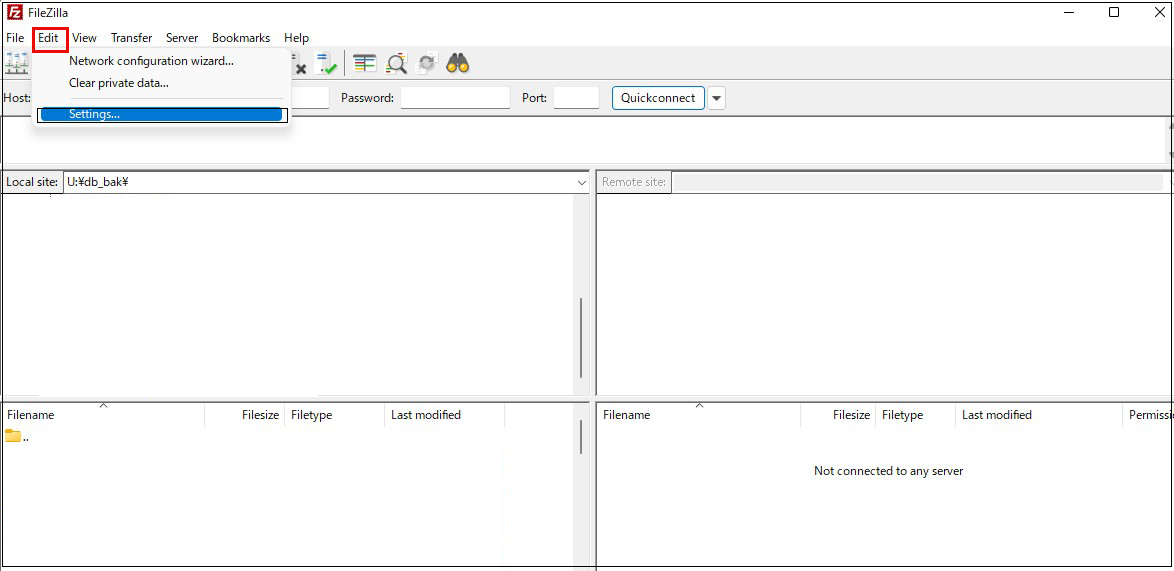
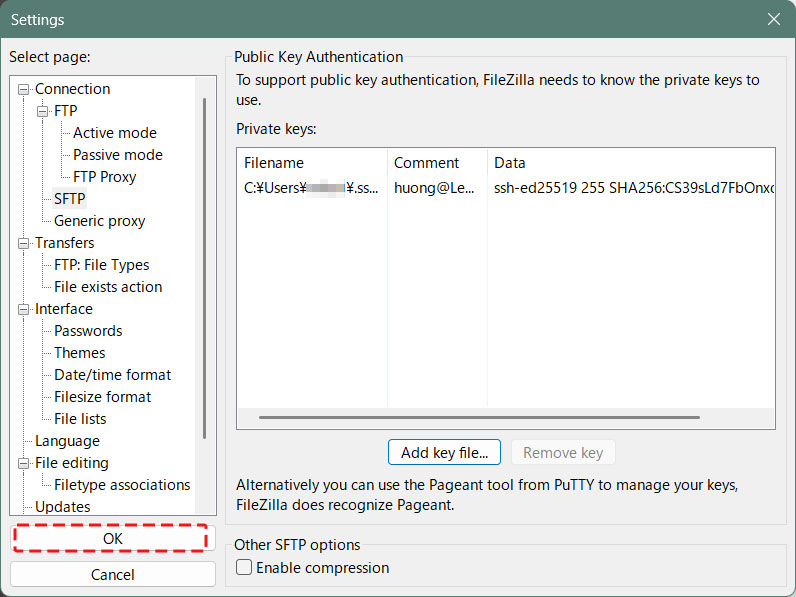
FileZillaを起動し、最初にFileZillaの設定を変更する、メニュー「Edit」「Settings」
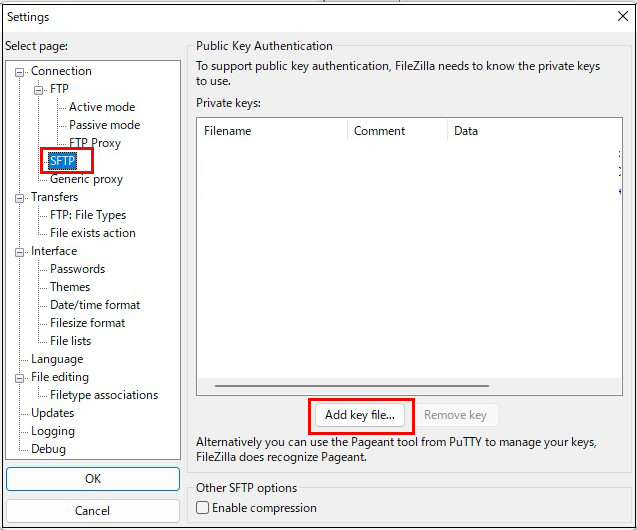
左ペインの「Connection」「SFTP」
右ペインの「Add key File」クリック
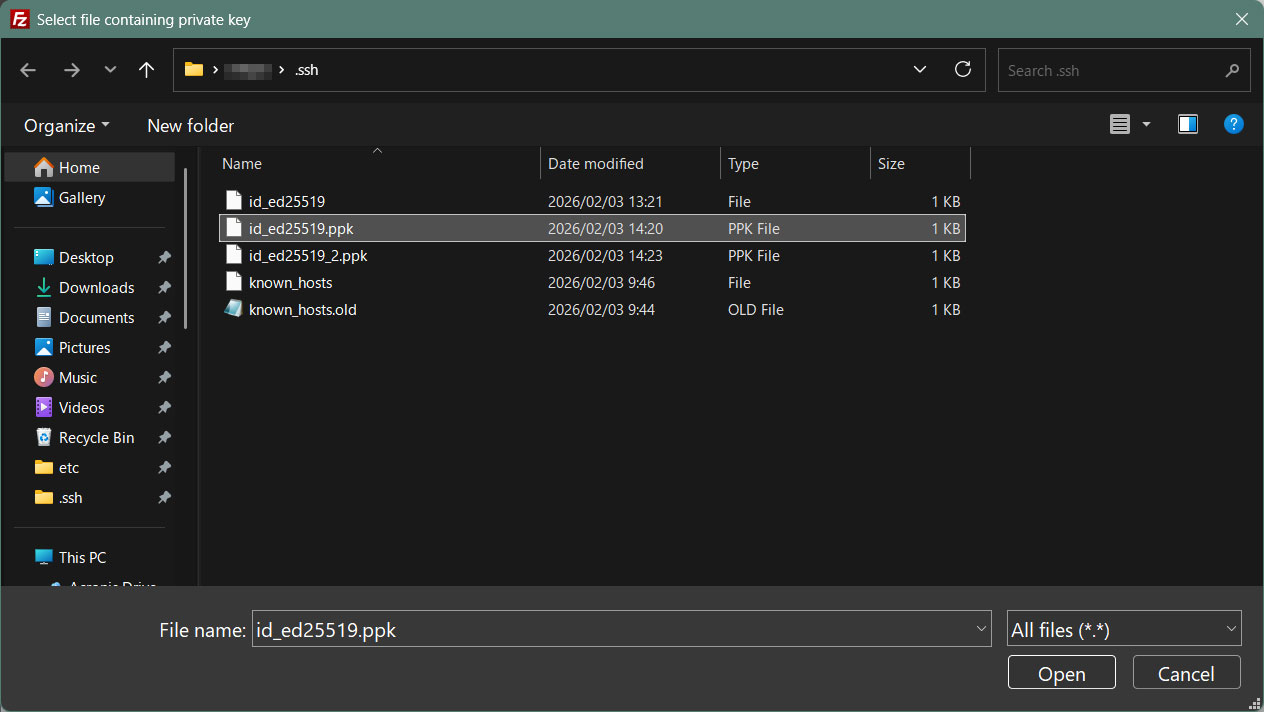
Windowsに保存した「id_ed25519.ppk」を開く
「OK」をクリック
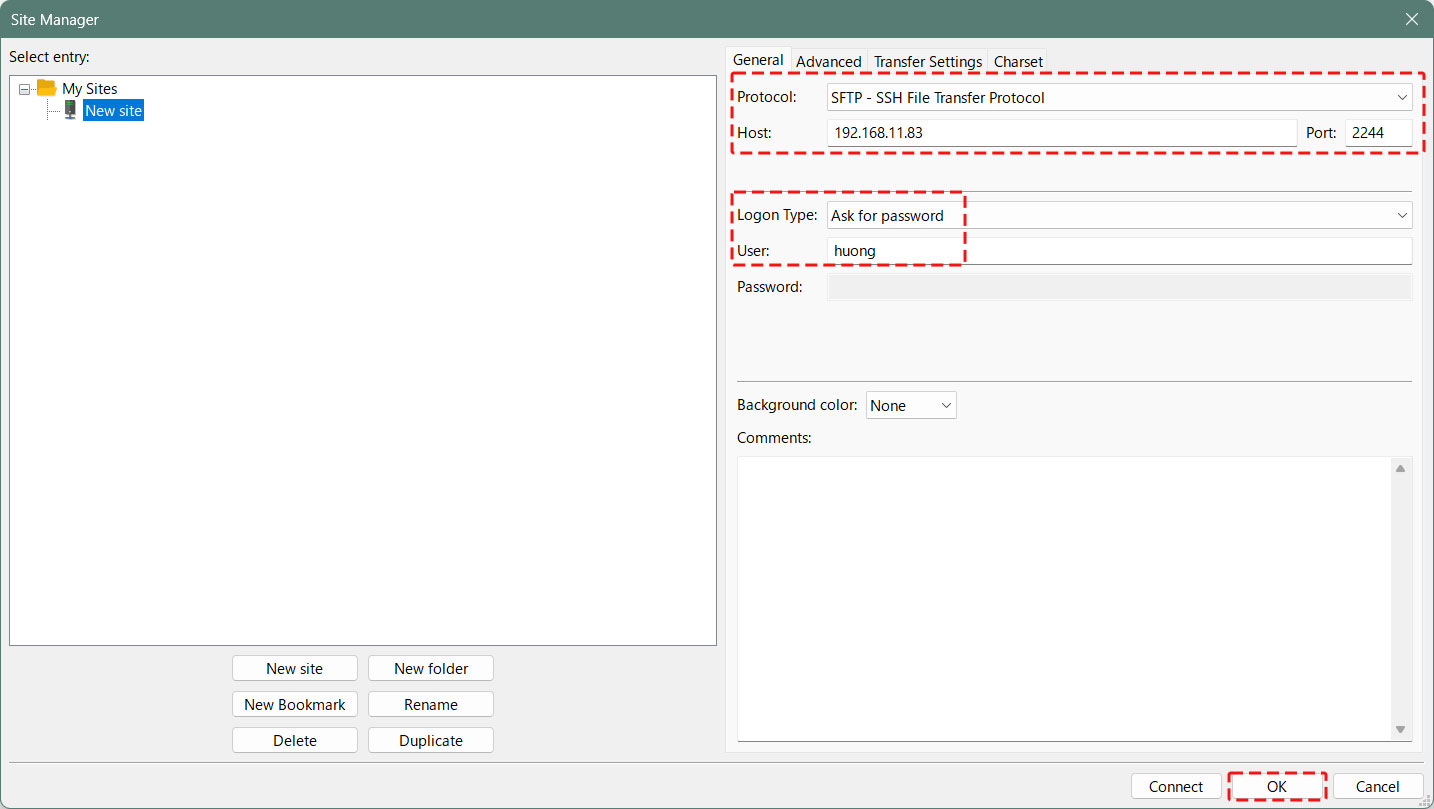
Filezillaで新規接続する
Protocol : SFTP-SSH File Transfer Protocol
Host : IP address
Port : SSH Port
Logon Type : Ask for password
Uaser : Logon user
OK クリック
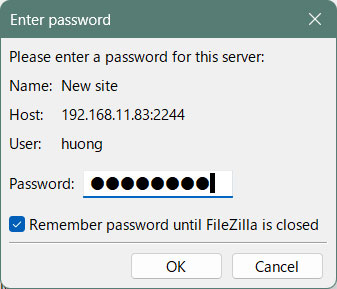
「Password」欄には、SSH公開鍵作成時に設定したパスワード
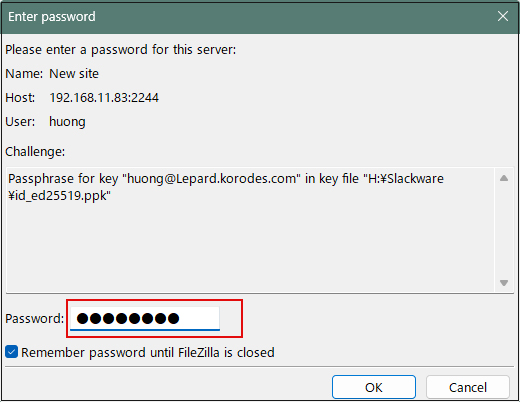
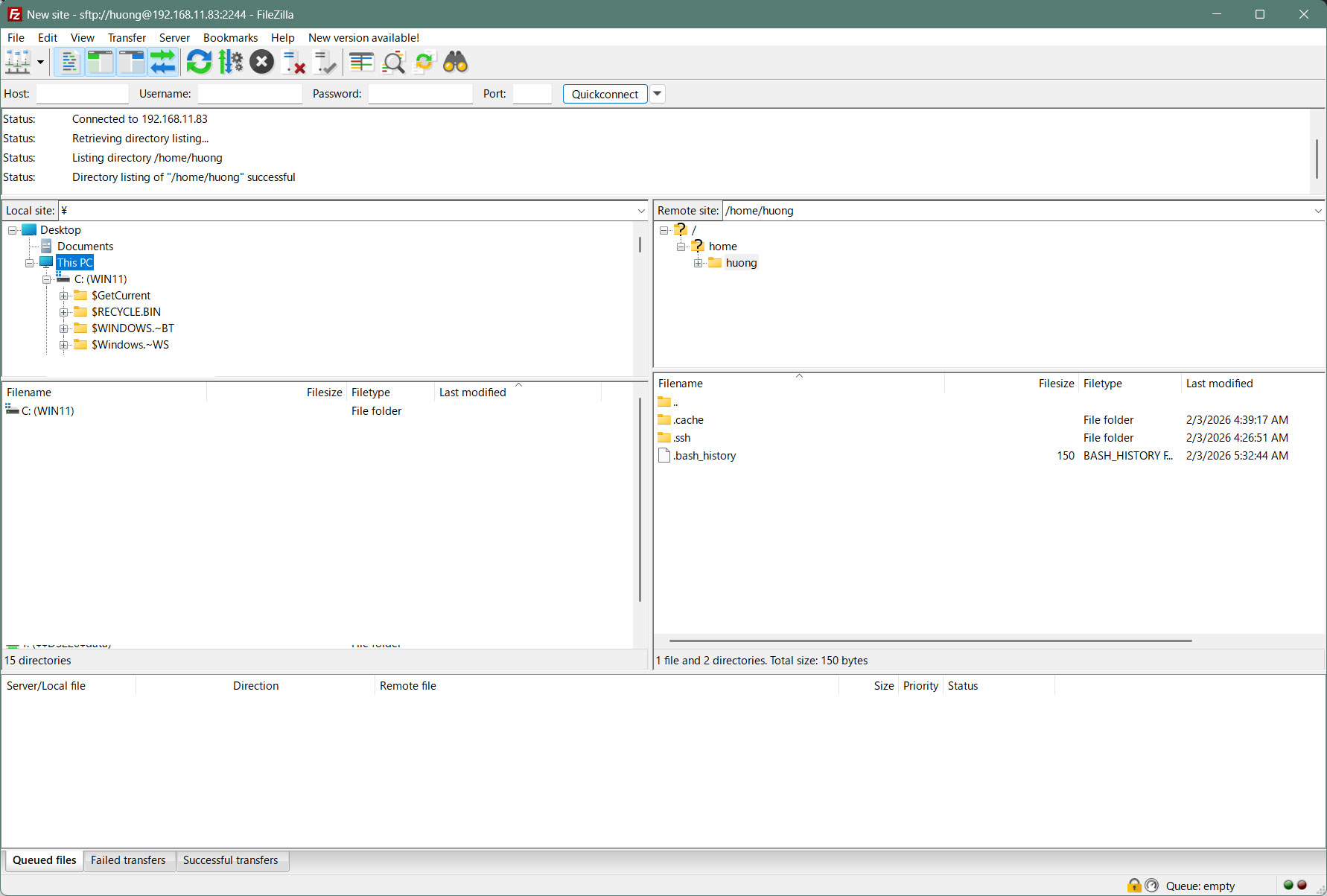
左側にWindowsのディレクトリ、右側に Slackwareのディレクトリが表示されれば、接続成功です。